29
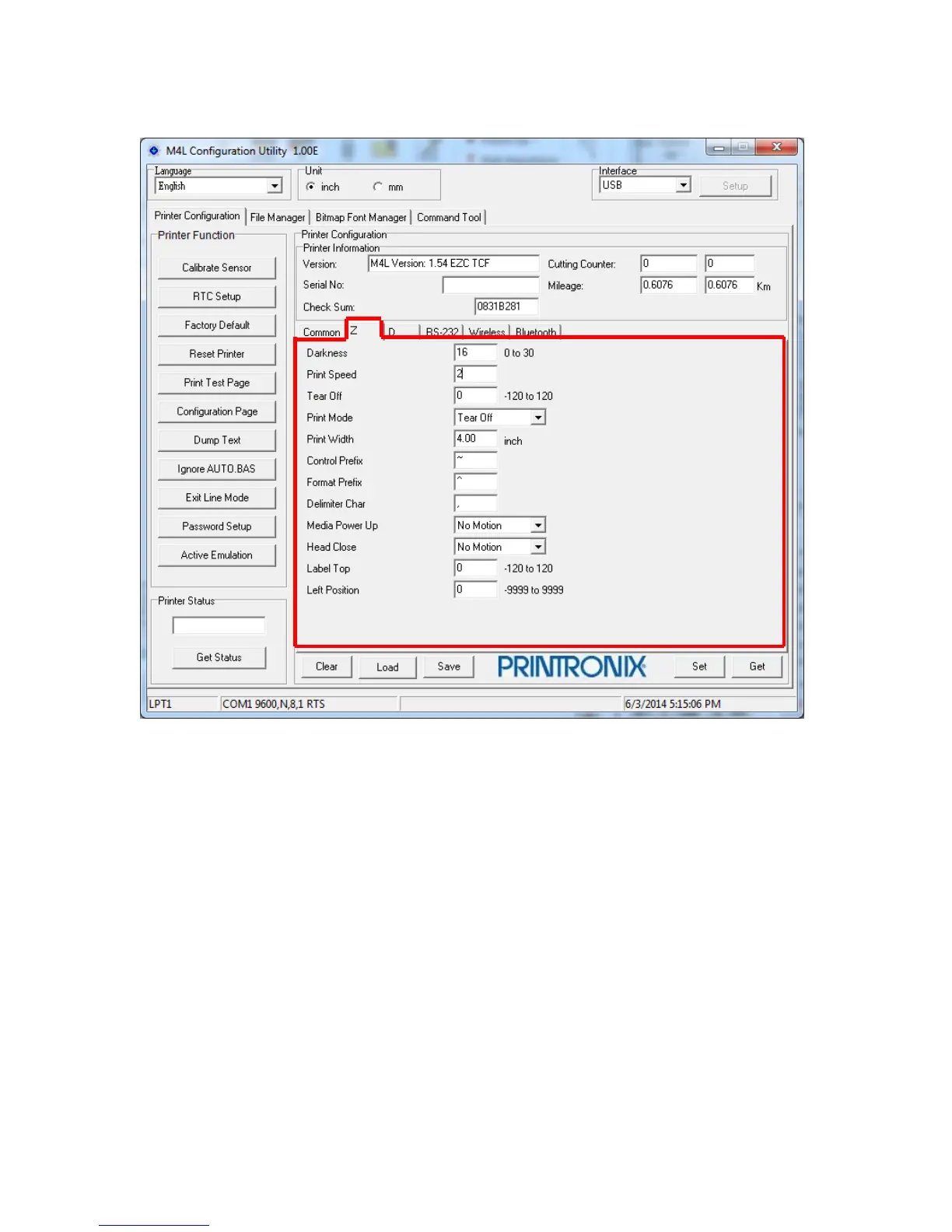
Configuration Utility ZPL2 Emulation Menu
Darkness Range = 0 to 30 Default = 16
Print Speed Range = 1 to 4 ips Default = 2 ips
Tear Off Range = -120 to 120 dots Default = 0
- dot value, label TOF stops below Tear Bar.
+ dot value, label TOF stops above Tear Bar.
Print Mode Tear Off or Peel Off
Print Width Range = 0.01 to 4.10 inch Default = 4.00 inch
Media Pwr Up No Motion, Length, Calibration or Feed Default = No Motion
Head Close No Motion, Length, Calibration or Feed Default = No Motion
Label Top Range = -120 to 120 dots Default = 0 dots
Left Position Range = -9999 to 9999 dots Default = 0 dots
NOTE: ZPL2 emulation menu item settings may be affected by Common menu item settings.















 To Next Page