37
Sensor
Item Description Default
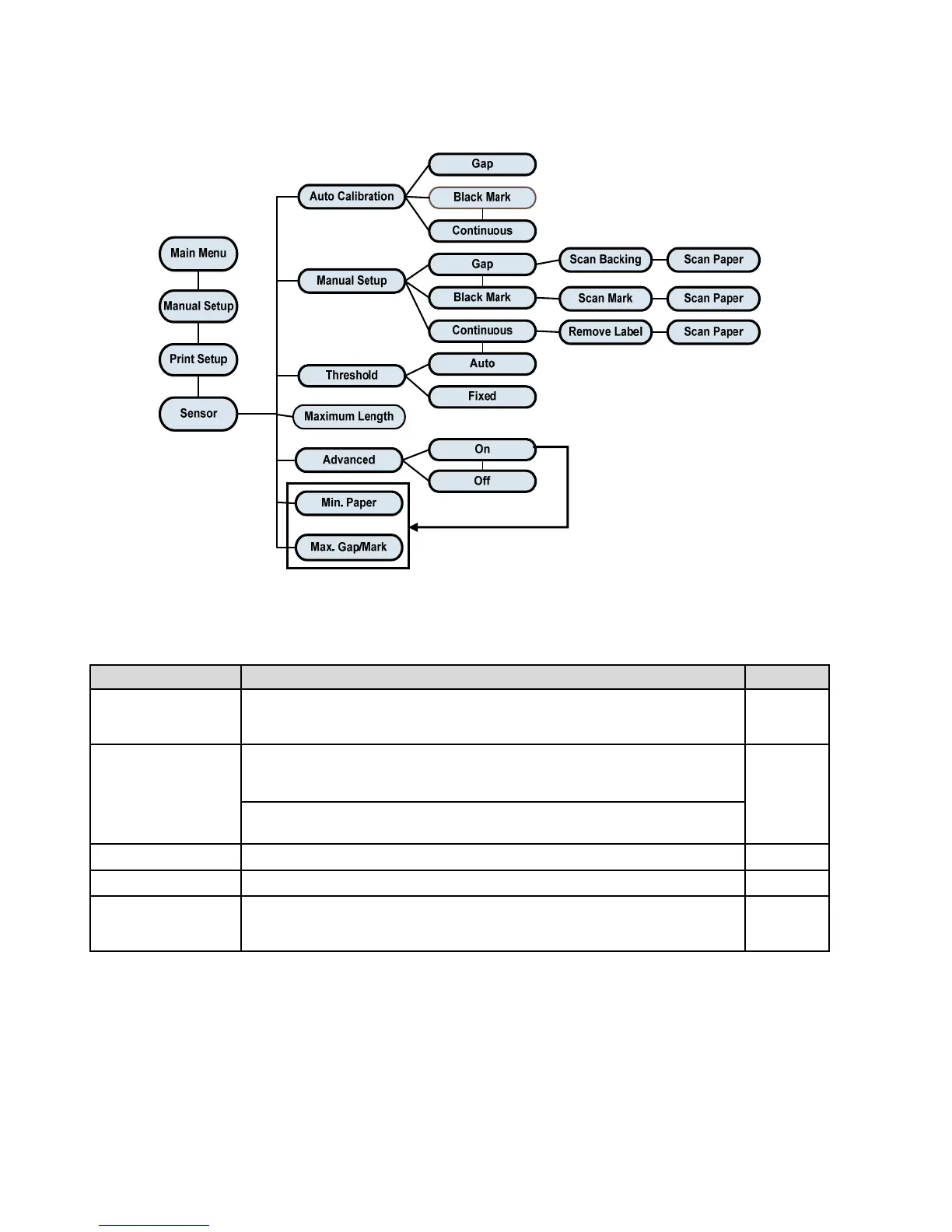
Auto Calibration
This item is used to set the media sensor type and calibrate the
selected sensor. Printer will feed 2 to 3 gap labels to calibrate the
sensor sensitivity automatically.
N/A
Manual Setup
In case “Auto Calibration” cannot apply to the media, please use
“Manual Setup” function to calibrate the sensor manually. Follow the
LCD steps as shown.
N/A
Note: You can open the media cover to move the paper but have to
close the media cover for each scan.
Threshold This item is used to fix the calibrated sensor sensitivity. Fixed
Maximum Length This item is used to set the max. Calibrate length. 253
Advanced
This item is used for pre-printed paper. If this advanced function is
turned “ON” then you can setup the min. paper and max. gap/black
mark size.
OFF















 To Next Page