33
6
LCD Menu Function
The M4L has an LCD panel to further enhance its capabilities to meet the demands of a wide
range of printing solutions. This includes an LCD control panel, 4 keys and 2 LED status
indicators.
Using the LCD to Set the Printer
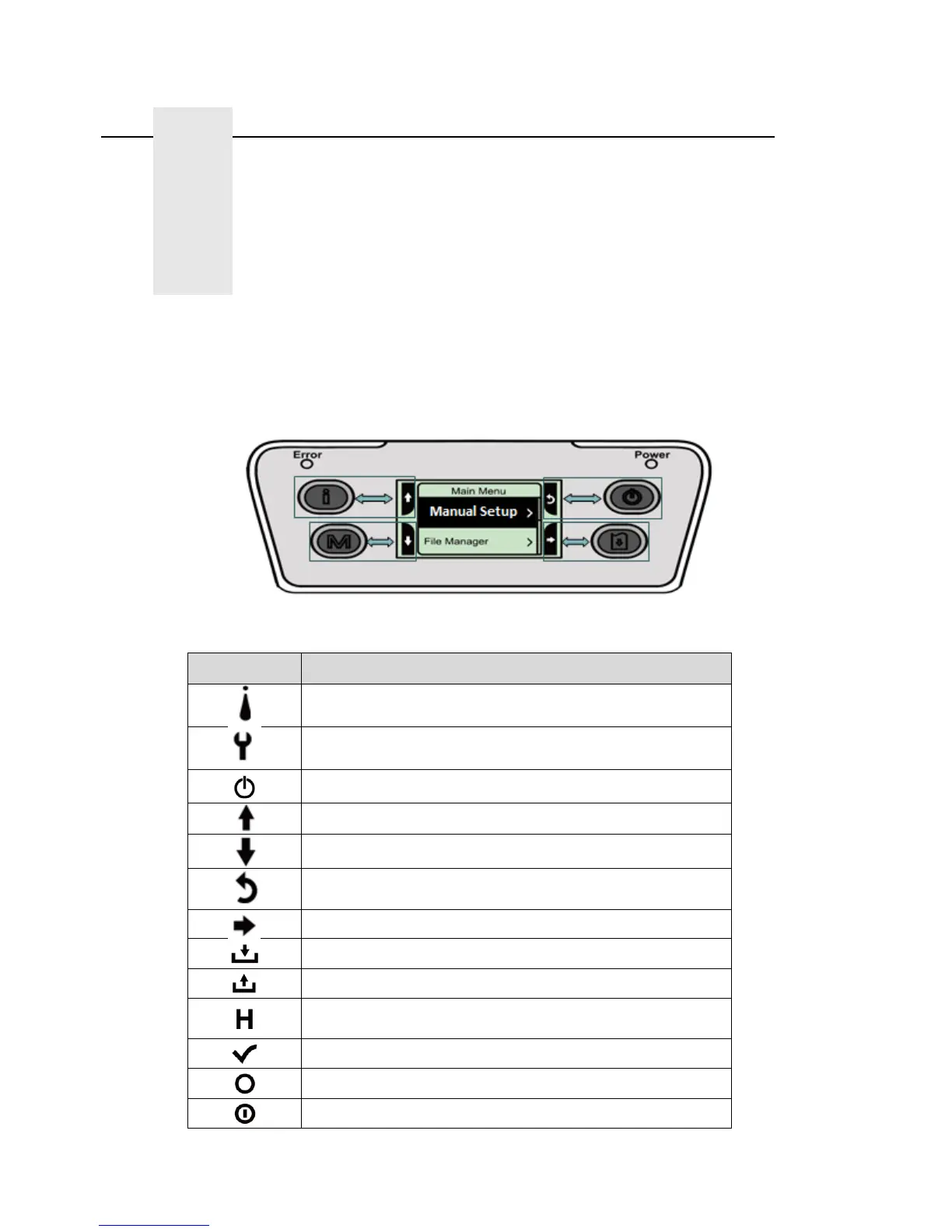
Press the “M” key to display the function menu screen as shown below
Use the 4 keys at the sides of the LCD to scroll, select, enter or return from the menu. The icon
functions are listed below.
Icon Function
Display printer information Key
Enter setting menu
Power Key
Scroll up
Scroll down
Return to previous menu
Enter to next menu
Enter setting mode
Exit setting mode
Save the selected settings and return to previous
menu
Select
Alter to OFF
Alter to ON















 To Next Page