34
Example:
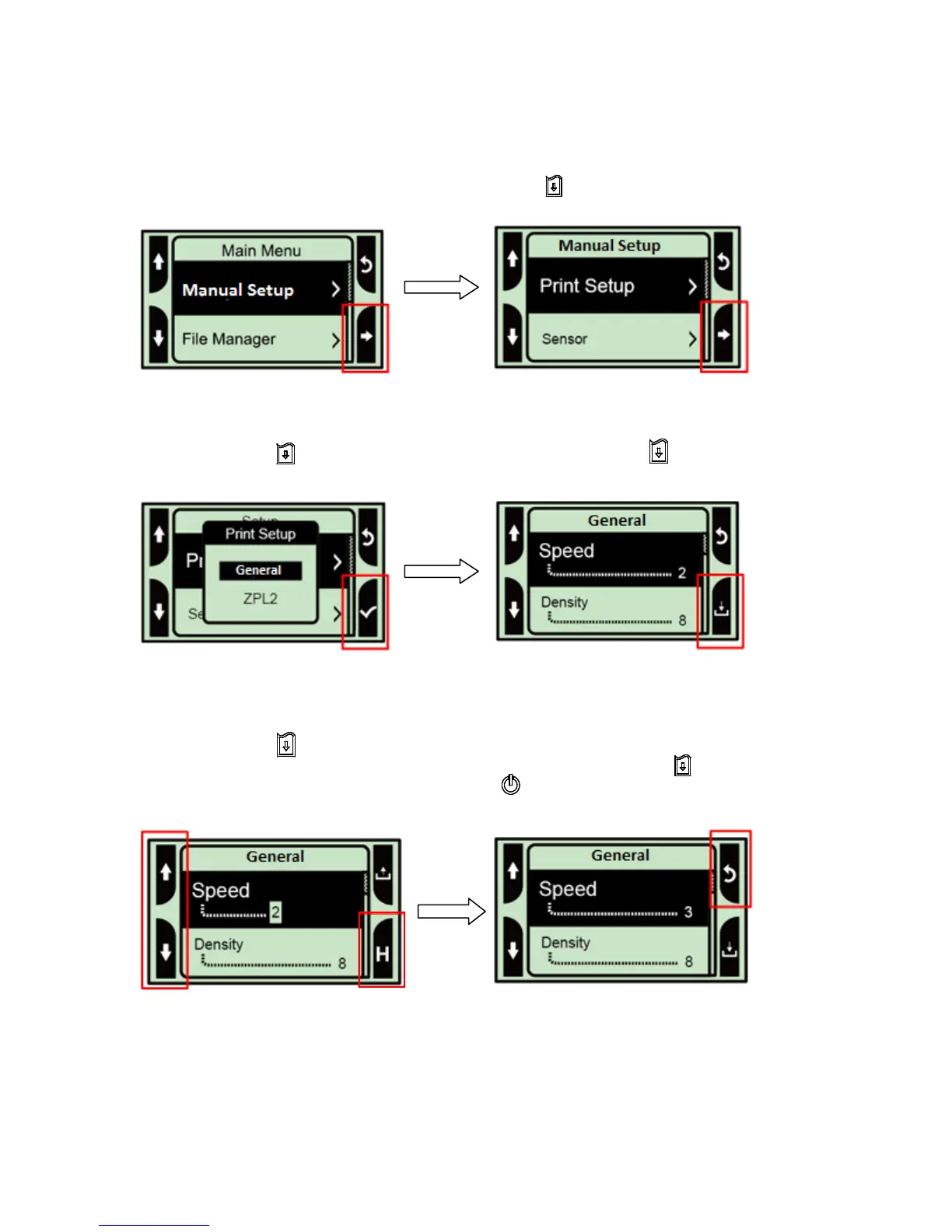
To change the Speed setting, follow the steps below:
Press “M” key to enter the Main menu. Press the Feed key to enter the “Manual Setup” item.
Press the Feed key to enter the “Print Setup” item. Press the Feed key to select the
“General” item and display the “Speed” setting mode.
Press the Feed key to enter to highlight the current speed setting. At this status, you can scroll
up or scroll down to select the value of print speed. Then press the Feed key to save the
selected value into the printer. Press the Power key multiple times to go back to “Ready
mode”.















 To Next Page