24
Chapter 2
Setting Up the Printer
IMPORTANT
Never attach the ribbon to the ribbon take-up spindle without a ribbon
take-up core installed.
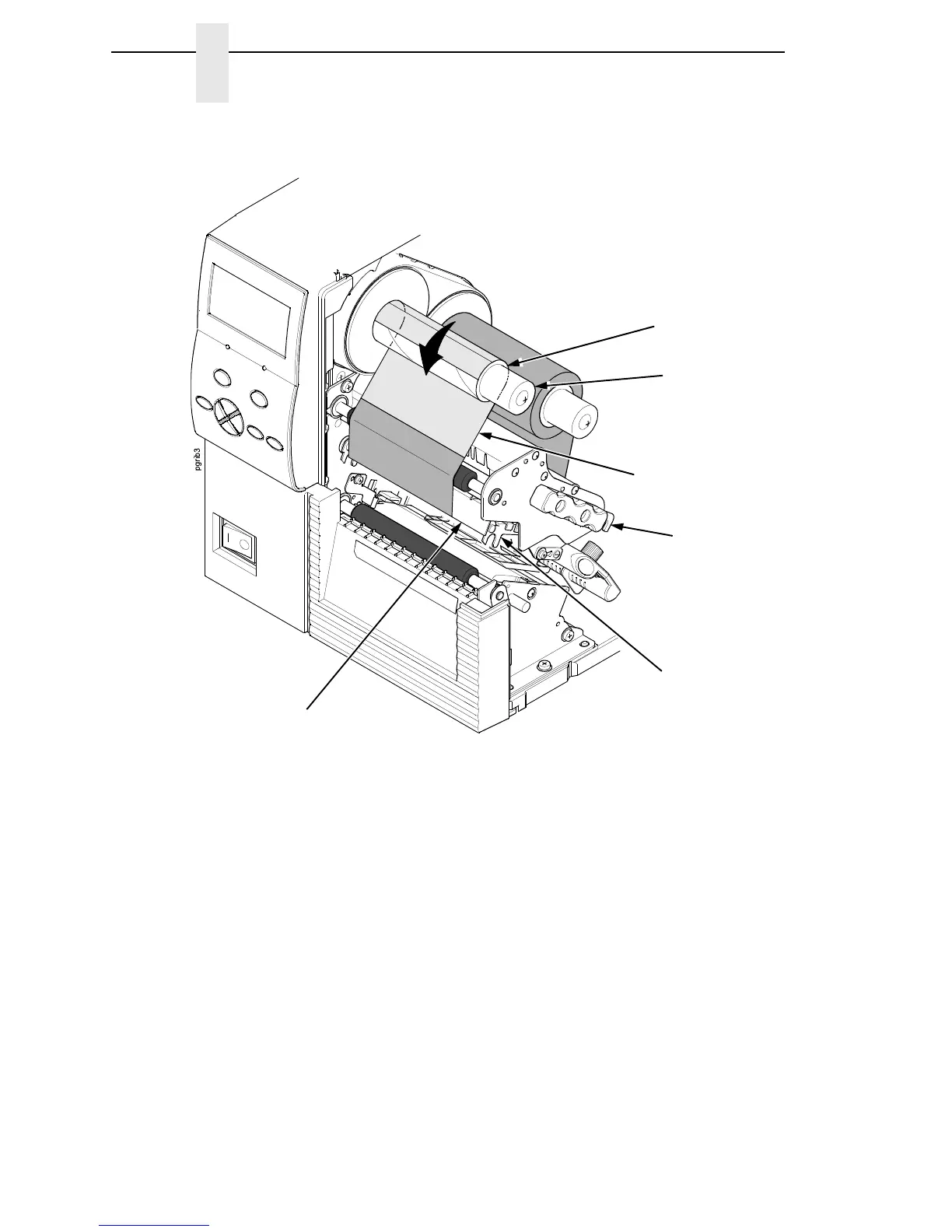
6. Attach the ribbon to the ribbon take-up core on the ribbon take-up spindle
with tape.
7. Manually rotate the take-up spindle counterclockwise until the ribbon
leader has passed the printhead.
8. Rotate the deck lock lever fully clockwise to close the pivoting deck, and
attached printhead.
Ribbon
Take-Up Spindle
Ribbon
Take-Up Core
Deck Lock Lever
Ribbon Leader
Pivoting Deck
Printhead














 To Next Page