OPERATION
Page 44 of 99 USER MANUAL PSPC UM-PSPC-06-E/10-2012
STARTING PRODUCTION
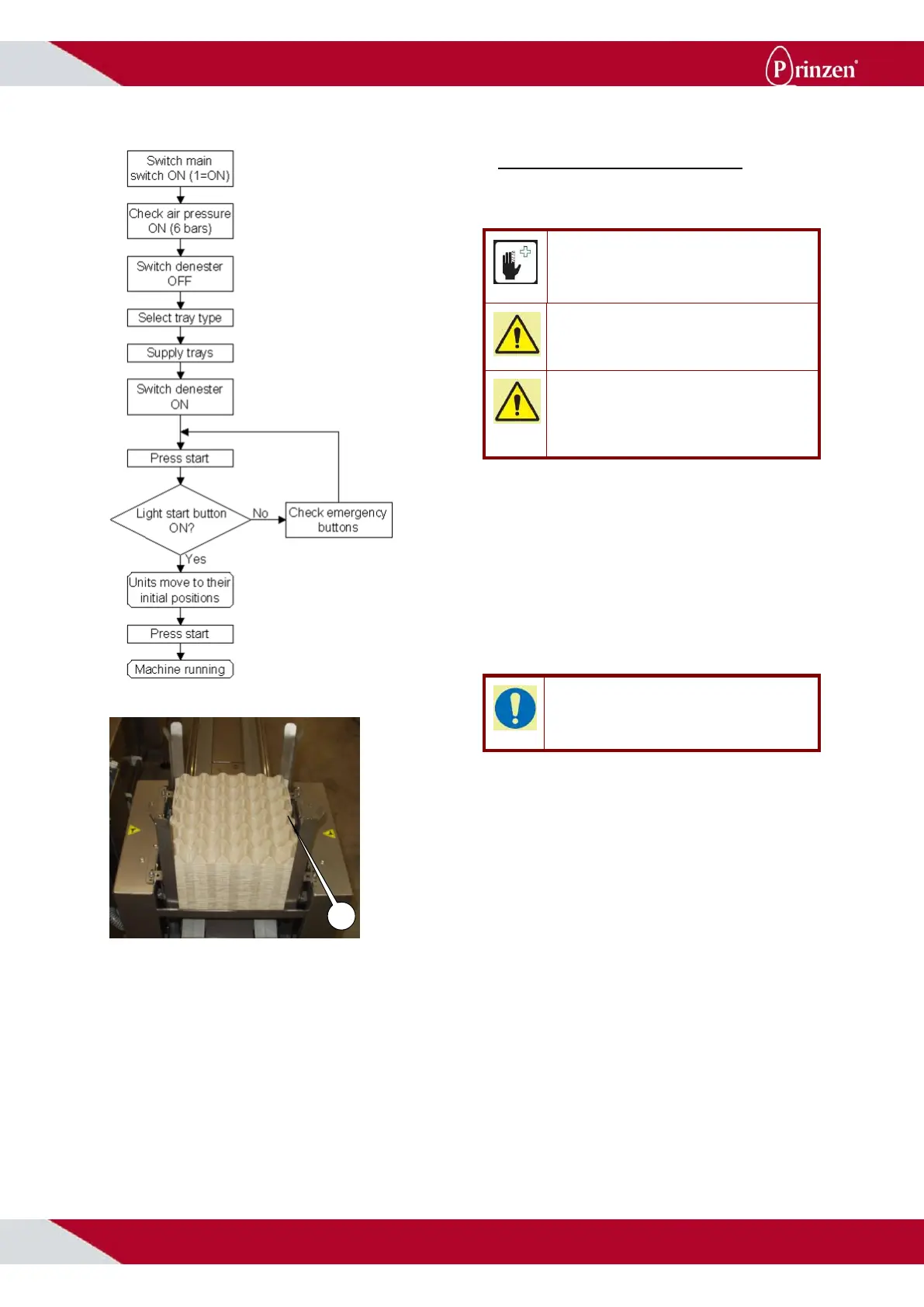
Follow below steps to start up the system:
CAUTION!
Make sure all protective covers are in place.
Make sure no persons are in danger.
ATTENTION!
Make sure no tools or other objects are present
inside the system.
ATTENTION!
Before starting the system make sure
maintenance is performed according to the
maintenance instructions further on in this
manual.
1. Switch the system ON.
2. When the system uses compressed air,
check the main air pressure. Set the air
pressure to 6 bars.
3. Set the denester selection switch to OFF.
4. Set the tray selection switch to the
appropriate tray type.
5. Fill the appropriate denester bunker with
the selected tray type. For the 30-cell tray,
place the trays with the tray grip pointing
towards the side of the output conveyor.
TIP!
When the trays in the stack are packed tightly
into each other, knock the stack loose before
filling the bunkers denester.
6. Set the denester selection switch to ON.
7. Push the start button to reset and
initializing the system.
8. Push the start button to start the system.
9. Now the system is running.



 To Next Page