OPERATION
UM-PSPC-06-E/10-2012 USER MANAUL PSPC Page 53 of 99
MAN MACHINE INTERFACE
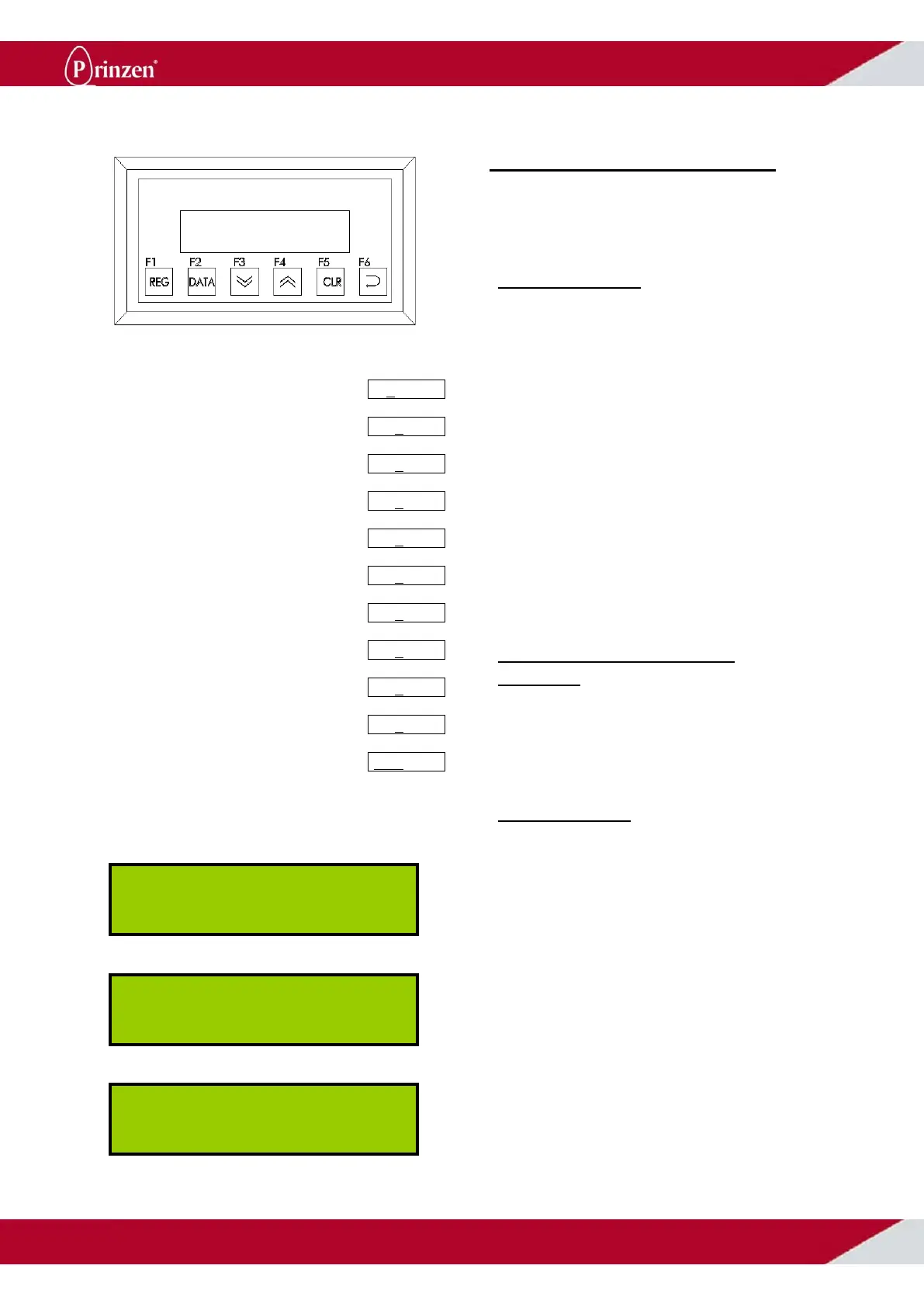
The Man Machine Interface (MMI) is mounted
in the operator panel.
BUTTONS MMI
The buttons on the MMI are for advanced
users of the system like maintenance
engineers or service engineers. By using the 6
buttons below the display it is possible to enter
sub menus, change timers, etcetera:
F1: Go to next screen.
F2: Go to previous screen.
F3: Change numerical values.
Change pick up position transfer arm.
Change tray set position transfer arm.
F4: Change numerical values.
Toggle functions ON/OFF.
F5: Reset.
F6: Acknowledge value (enter).
Select submenu (enter).
CHANGING NUMERICAL
VALUES
See alongside picture how to change a
parameter value with the MMI buttons.
DISPLAY MMI
As soon as the main switch turned ON, the
MMI performs a short self-test. During this test,
searching appears on the display.
Shortly after the system is switched ON, the
following information appears on the display.
When the system is started the display shows
an egg counter. This counter is reset each time
the system is turned OFF, or after pressing the
F5 button.
Press F6, the most right digit flashes.
Press F3, all digits move to the left.
The most right digit becomes 0
Repeat until all digits are 0.
Press F4 to increase most right digit.
Press F3 to move all digits to the left.
Press F4 to increase most right digit.
Repeat until desired value appears.
Repeat until desired number appears
Repeat until desired number appears
Press F6 to acknowledge number.
Prinzen PSPC
Data System V2.1
Machine running
0000345 eggs



 To Next Page