OPERATION
UM-PSPC-06-E/10-2012 USER MANAUL PSPC Page 47 of 99
CHANGE OVER TO 150 TRAY
Follow below steps to prepare the system for
running the 150-tray:
1. First wait until no more eggs are supplied
on the egg-collecting conveyor.
2. Set the clear selection switch to 1.
3. Wait until all eggs are placed into the
trays. No more eggs should be present
inside the system.
4. Set the clear selection switch back to 0.
5. Push the stop button.
6. Wait until all movements of the system are
stopped.
7. Set the denester selection switch to OFF.
8. Set the tray selection switch to the 150-cell
tray.
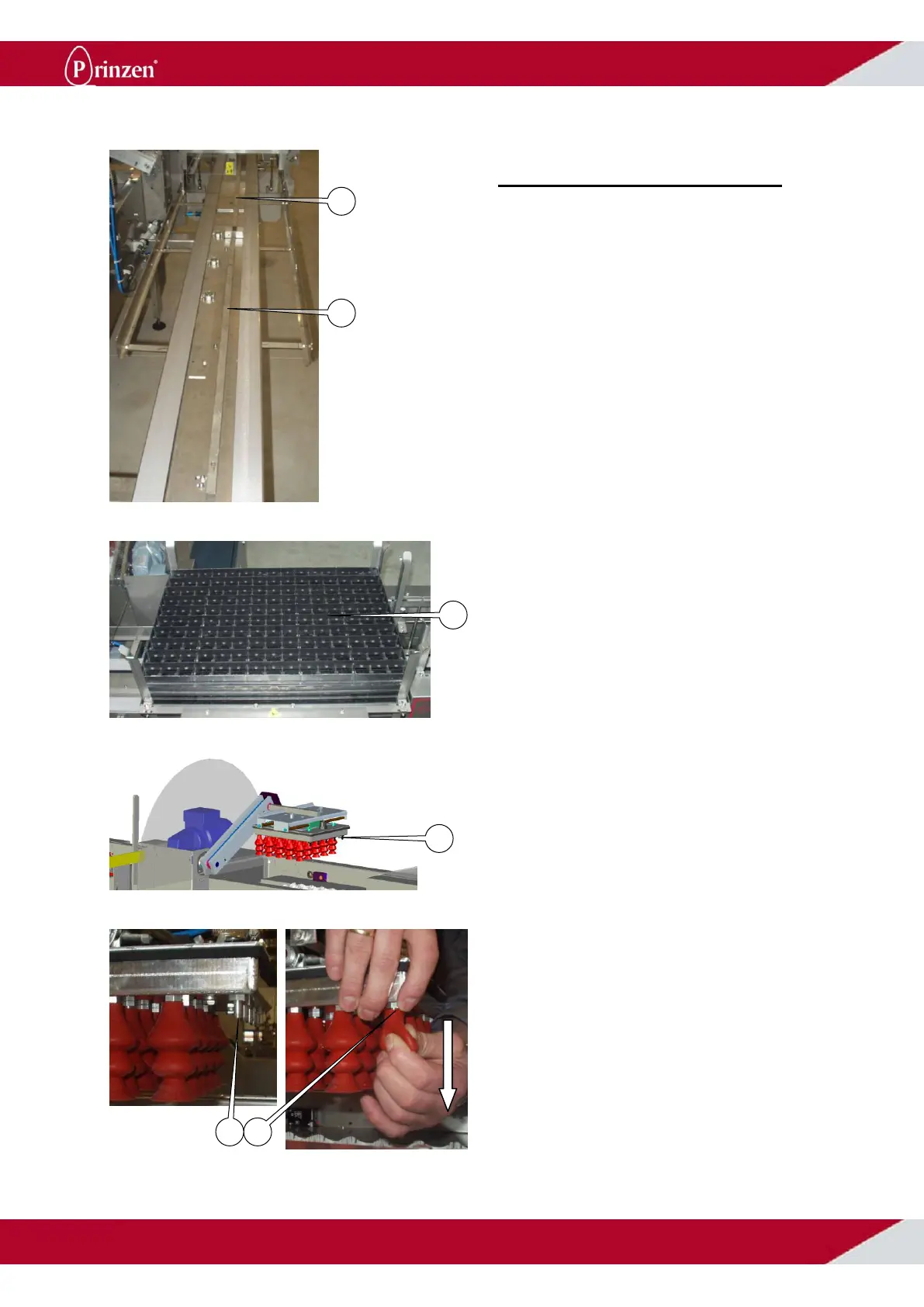
9. Slide the 30-cell tray guides towards the
denesters until they move down.
10. Fill the 150-cell denester bunker with the
150-cell trays.
11. Set the denester selection switch to ON.
12. Remove the 5 suction cups from the
vacuum head to have 5x5 suction cups.
Always remove the row of suction cups
pointing towards the roller track / infeed
conveyor.
13. Support the vacuum head while pulling the
suction cups from the nipples.
14. Push the start button to start the system.
15. Supply the first tray by activating the INCH
button. Then set the switch back to ON.
16. Now the system is running with the 150-
cell trays.



 To Next Page