OPERATION
Page 46 of 99 USER MANUAL PSPC UM-PSPC-06-E/10-2012
PRODUCT CHANGE OVER
CHANGE OVER TO 30 TRAY
Follow below steps to prepare the system for
running the 30-tray:
1. First wait until no more eggs are supplied
on the egg-collecting conveyor.
2. Set the clear selection switch to 1.
3. Wait until all eggs are placed into the
trays. No more eggs should be present
inside the system.
4. Set the clear selection switch back to 0.
5. Push the stop button.
6. Wait until all movements of the system are
stopped.
7. Set the denester selection switch to OFF.
8. Set the tray selection switch to the 30-cell
tray.
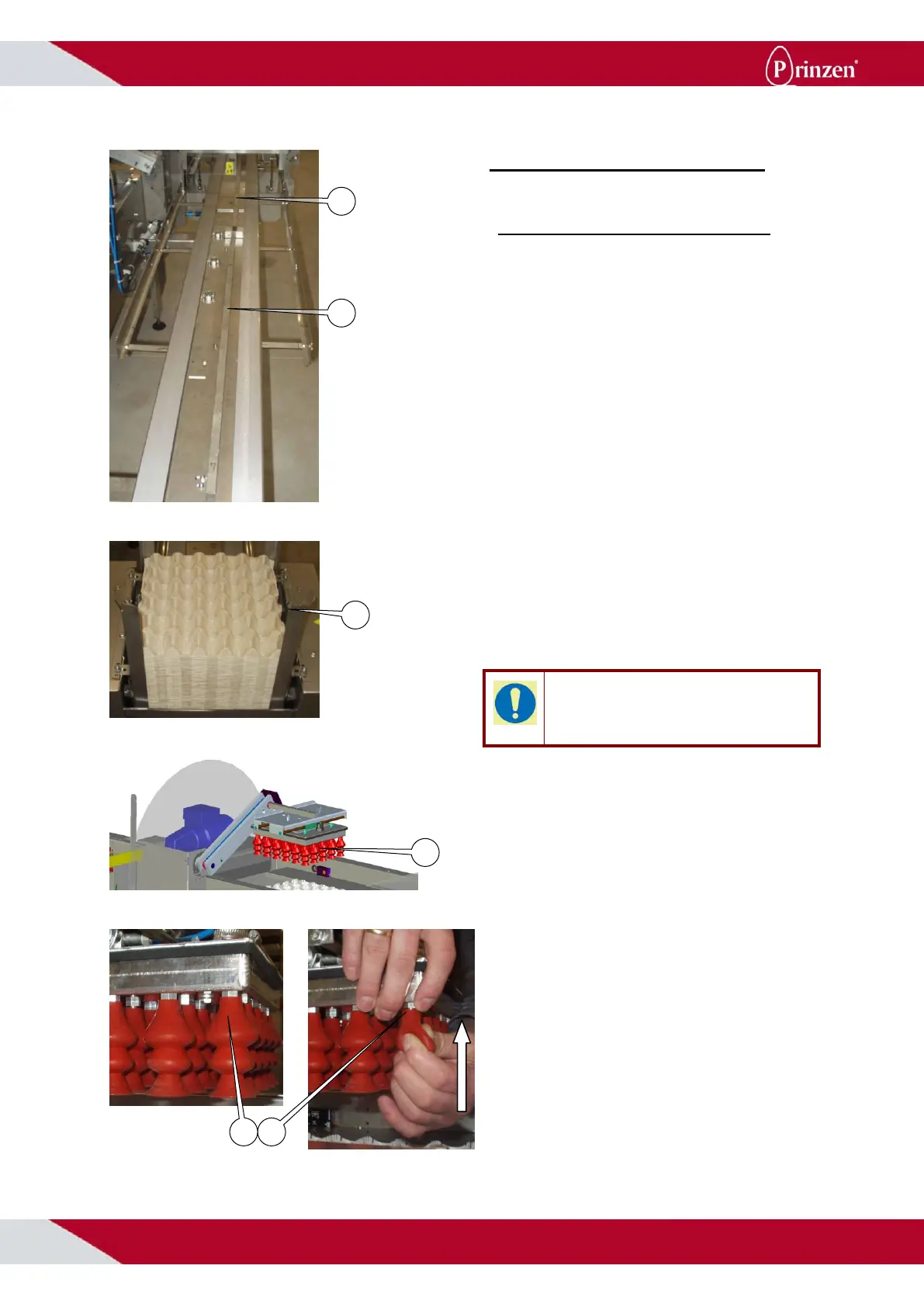
9. Pull the 30 cell tray guides up and slide
them towards the end of the conveyor for
guiding the 30 cell trays.
10. Fill the 30-cell denester bunker with the
30-cell trays. Place the trays with the tray
grip pointing towards the side of the output
conveyor.
TIP!
When the trays in the stack are packed tightly
into each other, knock the stack loose before
filling the bunkers denester.
11. Set the denester selection switch to ON.
12. Place the 5 suction cups onto the vacuum
head to have 5x6 suction cups.
13. Support the vacuum head while pushing
the suction cups onto the nipples. Make
sure the suction cups are completely onto
the nipples and are pointing straight
downward.
14. Push the start button to start the system.
15. Now the system is running with the 30-cell
trays.



 To Next Page