OPERATION
UM-PSPC-06-E/10-2012 USER MANAUL PSPC Page 39 of 99
EXPLANATION OF THE OPERATION
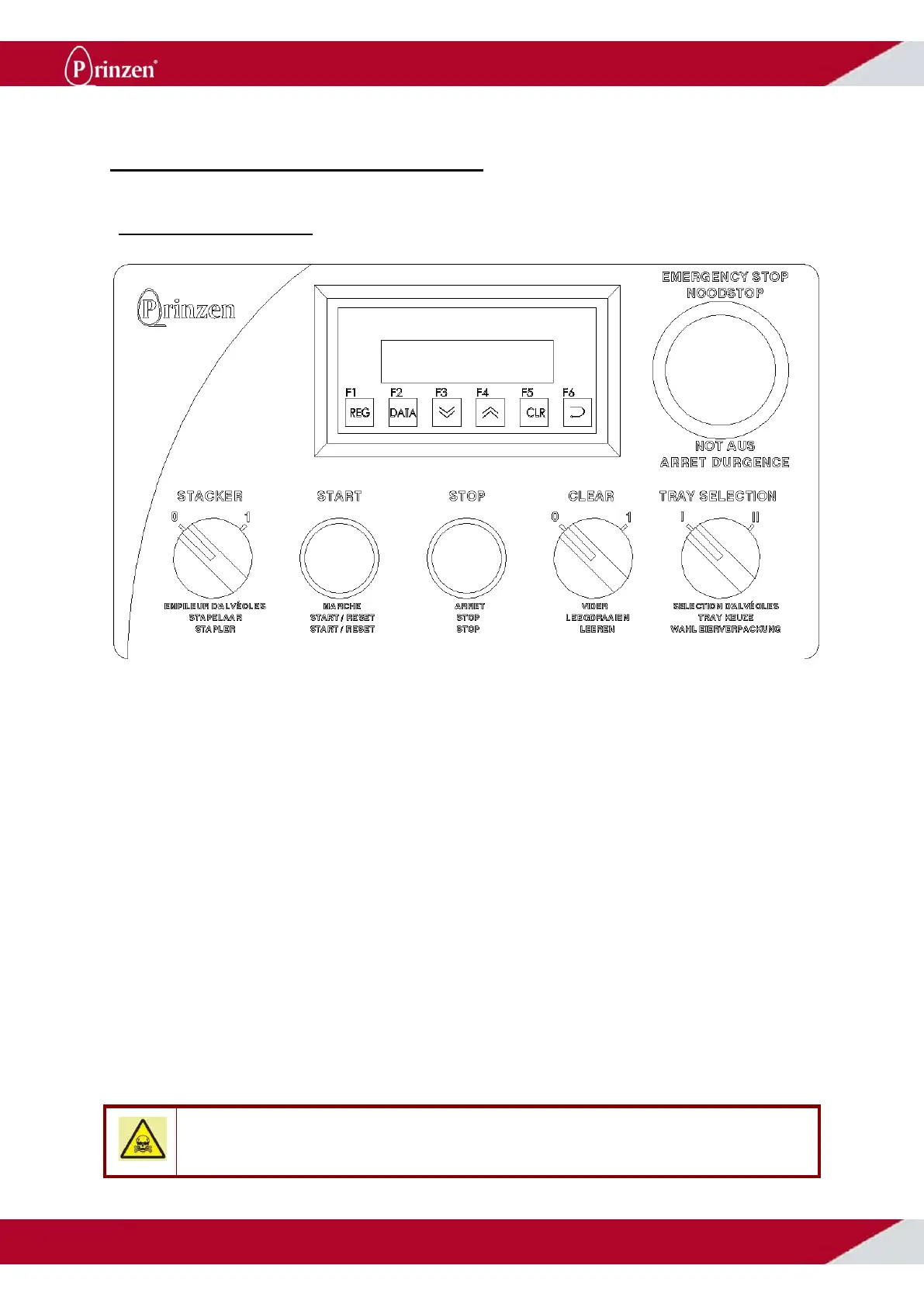
OPERATING PANEL
Man Machine Interface:
The display of the Man Machine Interface (MMI) gives information about the status of the system.
When the system is running production, an egg counter appears on the display. When the system is
stopped, the display shows the reason for stopping. See status messages further on in this chapter for
possible messages.
The buttons on the MMI are for advanced users of the system like maintenance engineers or service
engineers. With these buttons parameter settings for controlling the system can be adjusted. See Man
Machine Interface further on in this chapter for explanation how to use the buttons to change
parameter settings.
Emergency button:
After pushing the red button, the complete system stops. Only use this button in case of emergencies.
Start:
This button is a start-, but also a reset- and an initializing button.
After a breakdown, first the breakdown needs to be solved. By pressing the start button, the controller
verifies if all breakdowns are solved. When this is the case, the light inside the start button turns ON.
Now it is possible to start the system by pressing the start button again.
After switching the system ON, some units in the system (Transfer arm, roller track and cup conveyor,
optional easy stackers) need to move to their initial positions. By pressing the start button, these units
move to their initial positions. When the units are initialized, the light inside the start button turns ON.
Now it is possible to start the system by pressing the start button again.
DANGER!
Although a lot of safety measures are built into the control of the system, Prinzen cannot guarantee that no
dangerous situations will occur. Before you start the system, make sure no persons are in danger.



 To Next Page