Once all of the values for the "Pre-alarm" and "Main alarm" and the corresponding "Channel"
have been set, the device also allows you to enter a corresponding "Delay", so that the alarm is
not immediately triggered every time the alarm values are briefly exceeded.
There are 2 setting options:
This parameter determines the length of time between alarm condition 1 being
met and actual triggering of the alarm transmitter.
This parameter determines the length of time for which alarm condition 1 is no
longer met, until the alarm transmitter switches off again.
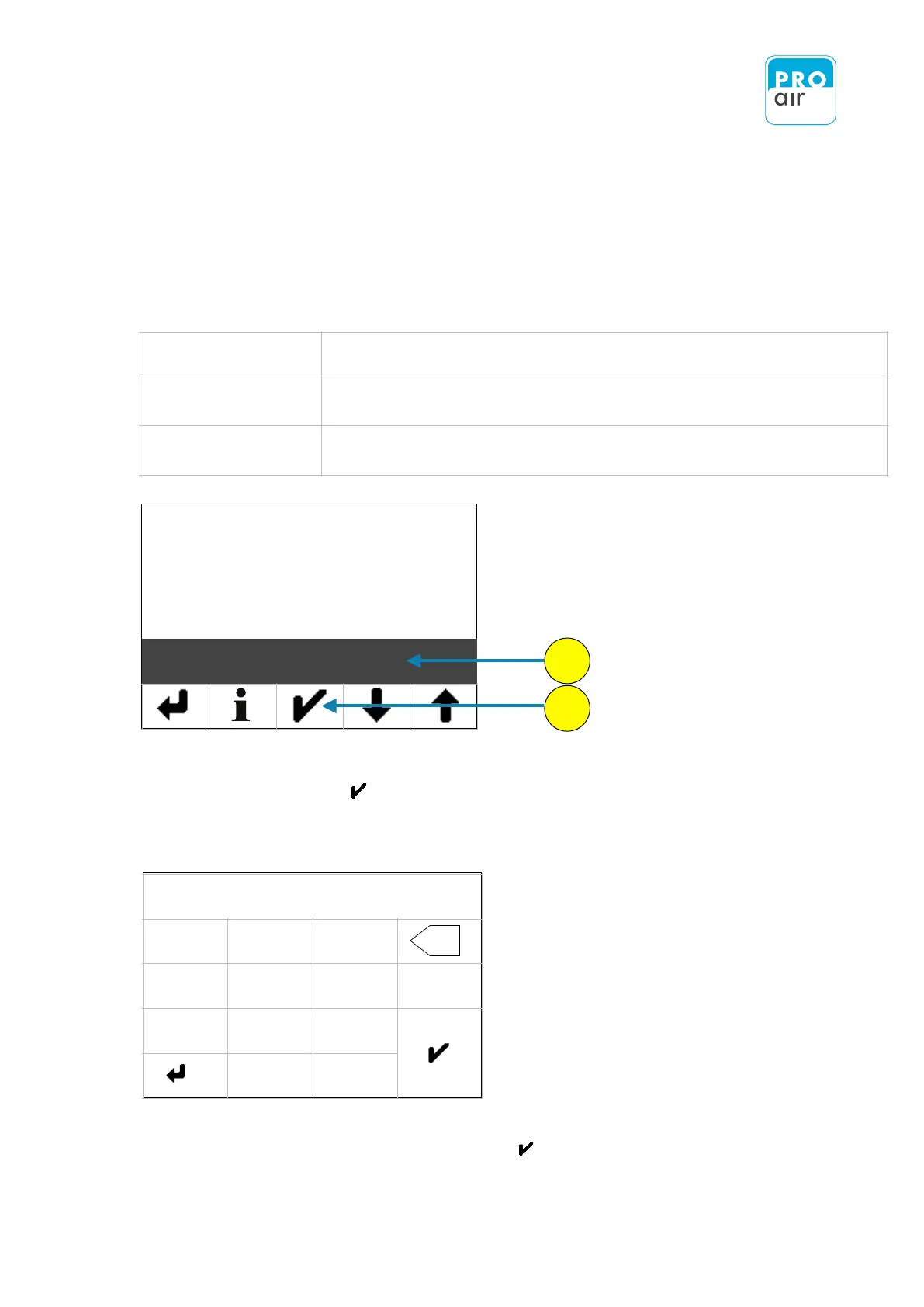
1. To define this setting, select the „On Delay" field (highlighted) and
confirm with "Enter" .
This brings you to the following setting menu:
Enter the desired value and confirm with „Enter“ .
The entered value is in seconds!!


 To Next Page