EasyManua.ls Logo

PRO AIR TPK 21 - Configuration of Alarm Output

PRO AIR TPK 21
132 pages
Print Icon
To Next Page IconTo Next Page
To Previous Page IconTo Previous Page
Loading...
11. Configuration of Alarm Output
84
The device has two alarm outputs. Each alarm output provides a pre- and a main alarm and
can be allocated to a measured value.
The input options are described step by step in detail below.
The procedure is as follows:
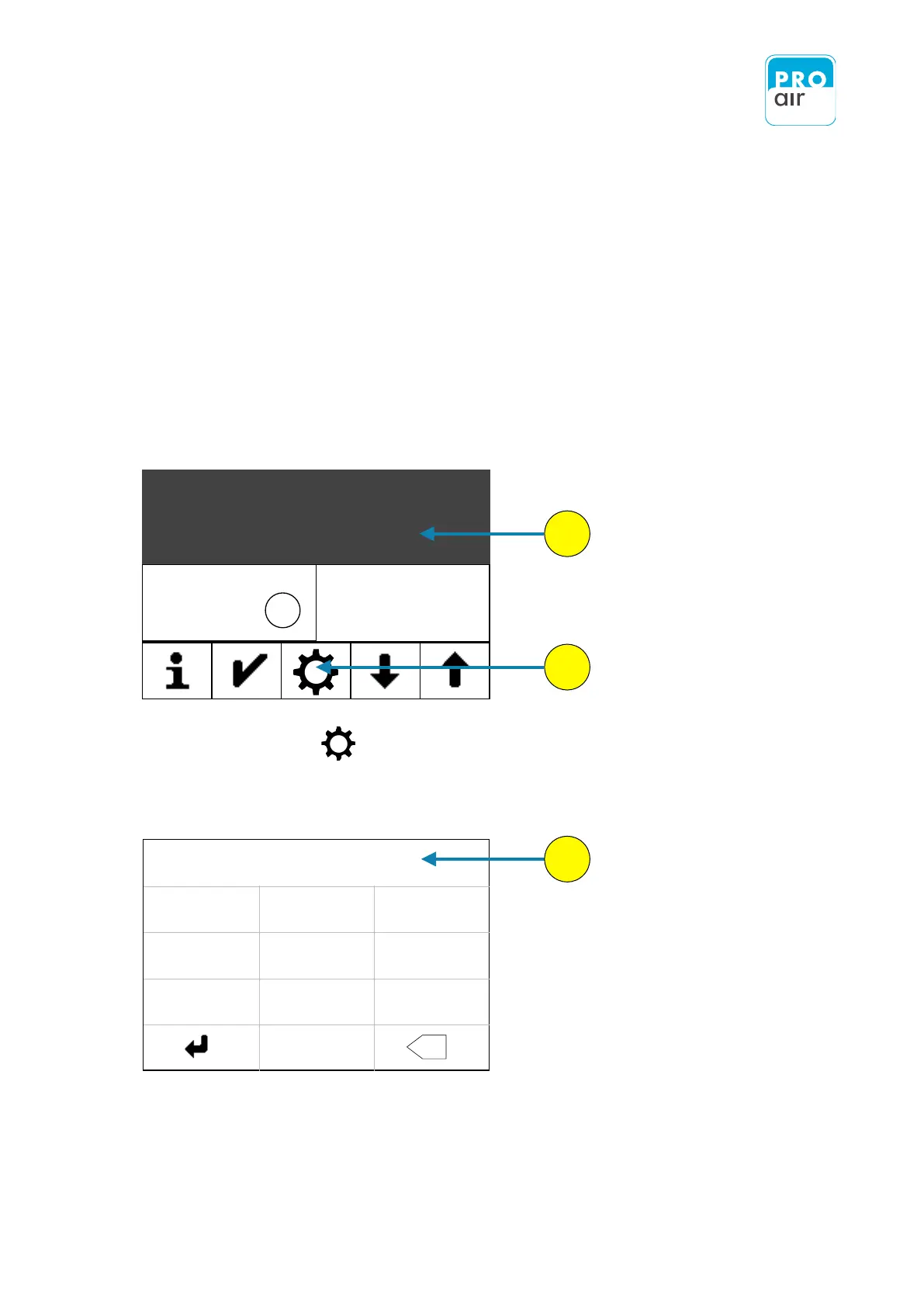
1. Select one of the three segment fields (the background turns dark and control keys appear
at the bottom of the display).
2. Select „Settings“
The following display appears:
PIN
- - - - - -
1
2
3
4
5
6
7
8
9
0
X
3. Enter your personal PIN code (if it has already been changed). If the device is
still in its factory settings, key in 111111.
1
2
3
Class
ISO 8573-1
1.17
bar
Dew-/Frostpoint
- 7.0
o
C
4
Pressure

Table of Contents