The filter setting is used to smooth out abrupt changes in the measured values, which can
slow down the display.
This menu item should be reserved for experienced users, since an incorrect choice
! of filter may distort the measured value.
BACKGROUND:
In exceptional cases in some dryers—adsorption dryers in particular—excessively high values
can be briefly output (especially when switching to the other container). This can trigger alarm
signals.
In order to prevent false alarms, an appropriate filter can be used to smooth out the
measured values.
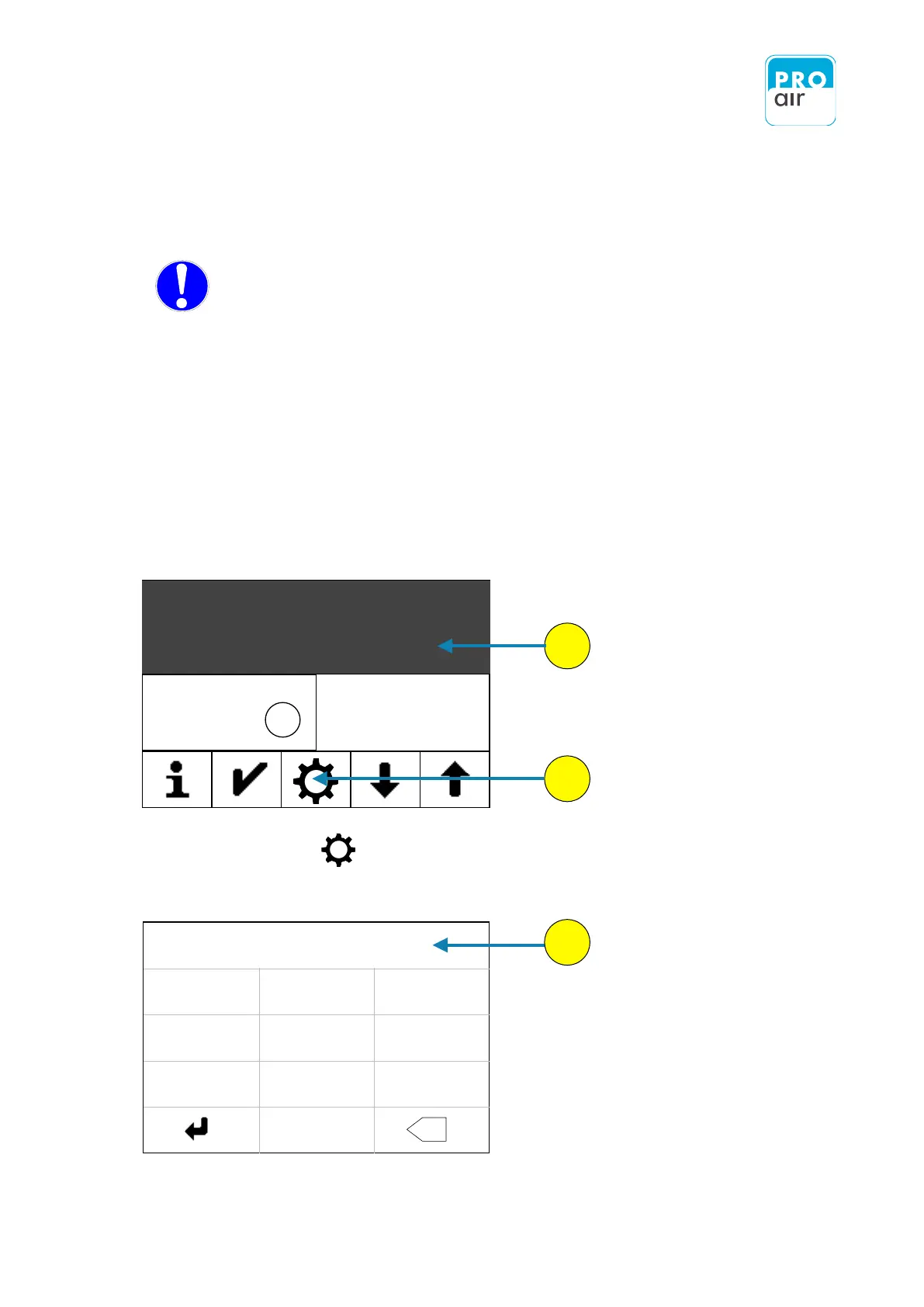
3. Enter your personal PIN code (if it has already been changed). If the device is
still in its factory settings, key in 111111.
The procedure is as follows:
1. Select one of the three segment fields (the background turns dark and control keys
appear at the bottom of the display).


 To Next Page