© 2015 Proceq SA 11
3.4.5 Orientation
The strongest signal results when the Center Line (9) of the probe is parallel to a bar. The Center Line
(9) in the Profoscope is the long axis of the instrument. This property is used to help determine the
orientation of the rebars (see 5.2.3).
4. Getting Started
A start-up test kit (two 16 mm / #5 diameter rebars) is provided with the packaging to help you
familiarize yourself with the instrument.
NOTE: Complete the tutorial or see a demo by a qualified Proceq representative.
1. Verify that there are no metal items on hands, fingers, or in the vicinity of the test area,
(e. g. steel frame of the table, metal trolleys etc.)
2. Power on: Press the On/Off Button (7)
on the
top
panel.
3. Reset the instrument with the Reset Key (3)
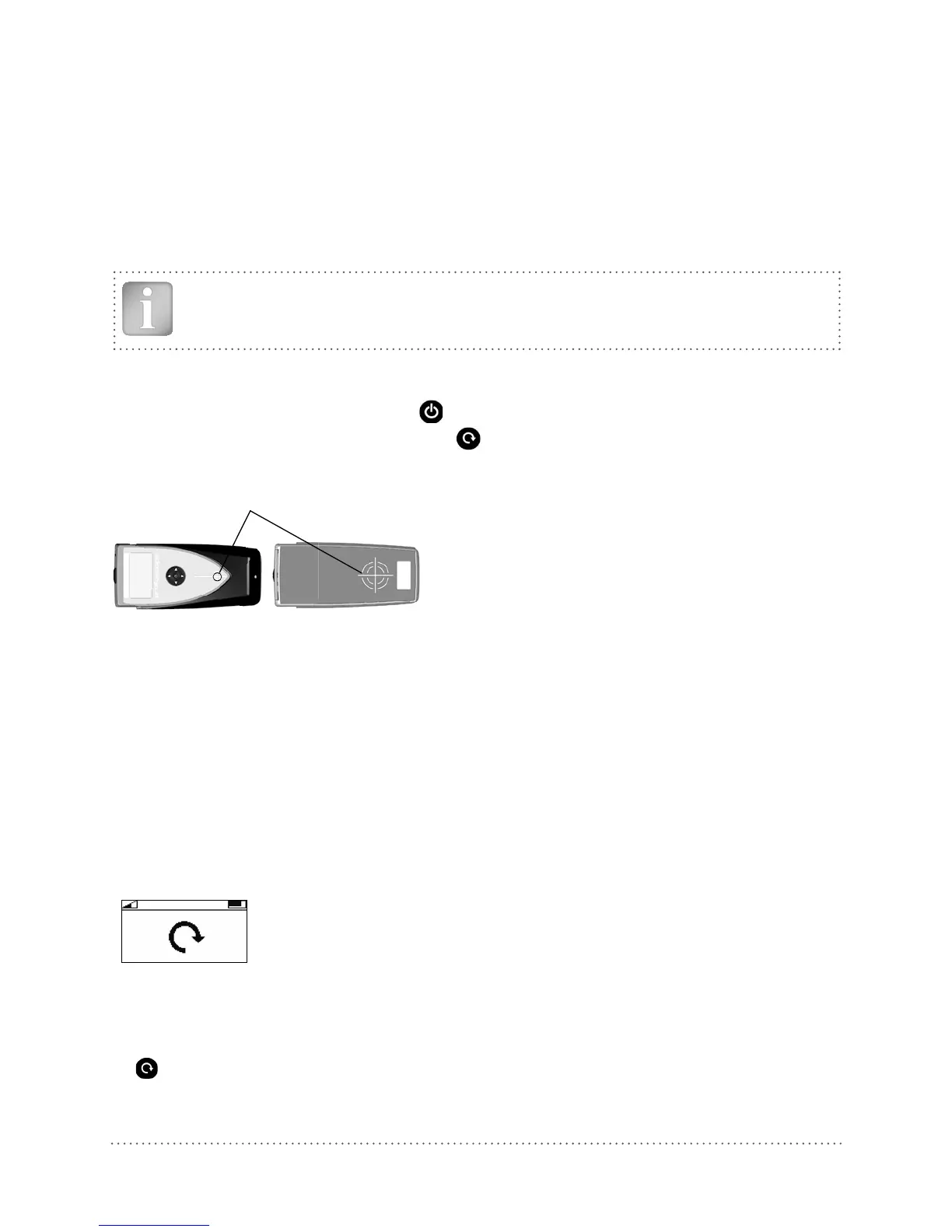
4. Check the location of the Measurement Center (MC) which indicates the center of the probe.
MC (4)
Fig 9: Measurement Center (MC)
5. Check the operation with the start-up test kit and confirm:
• The location and orientation of the rebars
• The position between two rebars
• Cover depths approximately 15 mm / 0.59 and 60 mm / 2.36”
• Diameter 16 mm / #5, see 3.4.1
Congratulations! Your new Profoscope is fully operational and you can now continue with your
measurements.
Performing a Reset
The pulse induction measuring principle is prone to drift with tempera-
ture and other external influences. Performing a reset corrects for any
drift and ensures accurate measurements. We recommend a reset every
5 minutes or so.
On power on, the Profoscope reminds the user to perform a reset.
Fig 10: Reset
Hold the Profoscope in free space (no metal within a 200 mm / 8” sphere) and press the Reset Key
(3)
. A circular arrow rotates on the display for approximately 2.5 seconds while the reset is car-
ried out.




 To Next Page