12 © 2015 Proceq SA
5. Performing a Real Test
Read the
Tutorial
Understanding the limits of the pulse induction principle
Complete
Getting Started
Check the operation of your Profoscope with the
start-up test kit
Regional Settings Change default settings to your regional standard
What do you
want to do?
5.2
Locate a Rebar
No further
Settings necessary
Locate the Rebar
Check the
Orientation
• Place center line directly over the
rebar
5.3
Measure
Cover Depth
Key-in Rebar
Diameter
Place Center Line
Directly over the
Rebar
Read off Cover Depth
• An accurate rebar diameter setting
will give an accurate cover depth
result
• Activate neighboring bar correction
if necessary
Create Rebar Grid
• Check minimum bar spacing
5.4
Measure Rebar
Diameter
Determining
Unknown Rebar
Diameter
Work with Default
• Known error tolerances given in
the Tutorial section
Drill Inspection Hole
• Remove all doubt
6.8
Memory
Function
6.8.1
Manual Storage
Mode
or
6.8.2
Automatic Storage
Mode
Prior to storage:
• Locate the rebars (see 5.2)
• Create rebar grid
(for Profoscope+
only)
5.1 Preparations
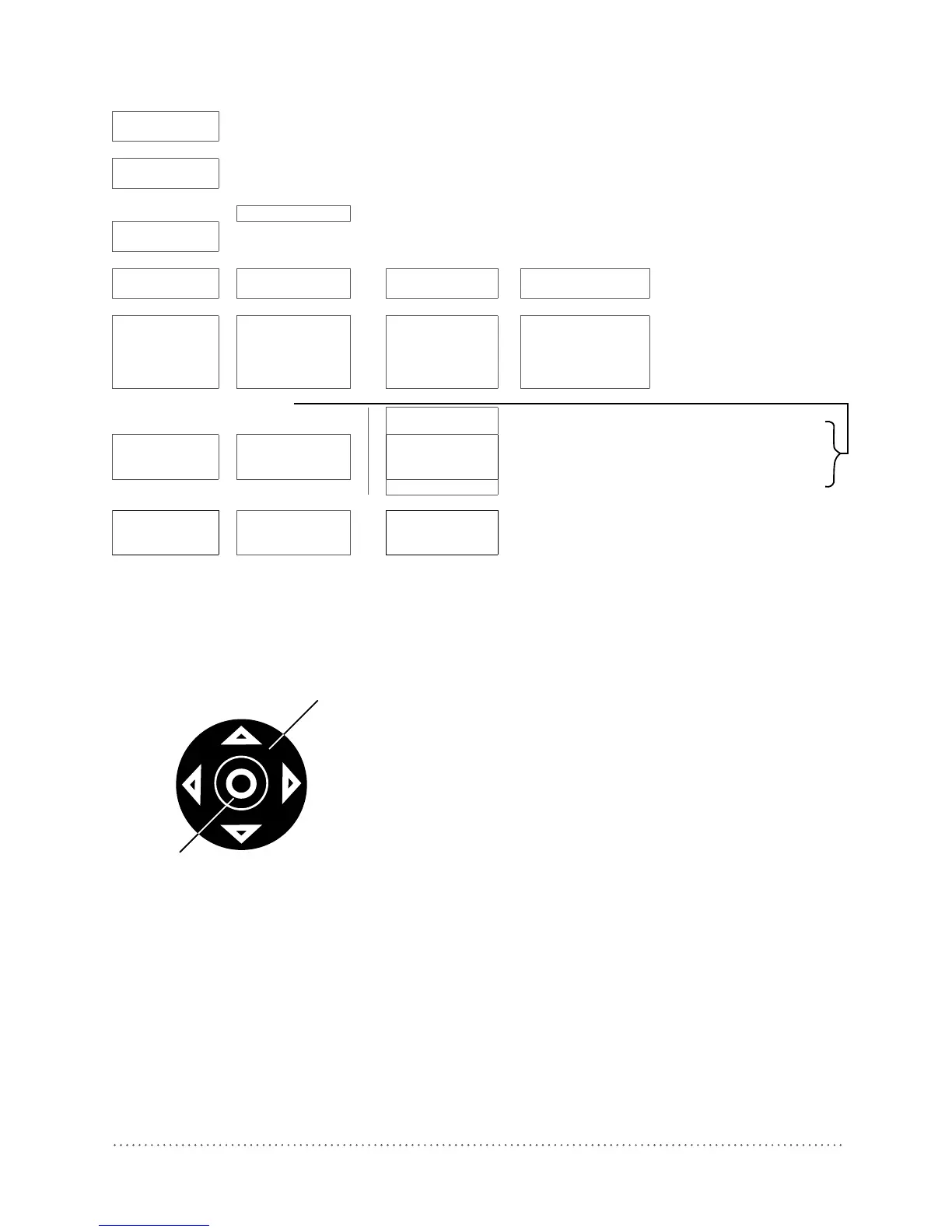
5.1.1 Measuring Screen Short Cuts
UP
Navigation (2)
LEFT
RIGHT
DOWN
Select Button (10)
Pressing the up arrow will switch the back-light on/
off.
Pressing the right arrow toggles between measuring
ranges.
Fig 11: Short cuts




 To Next Page