32 © 2015 Proceq SA
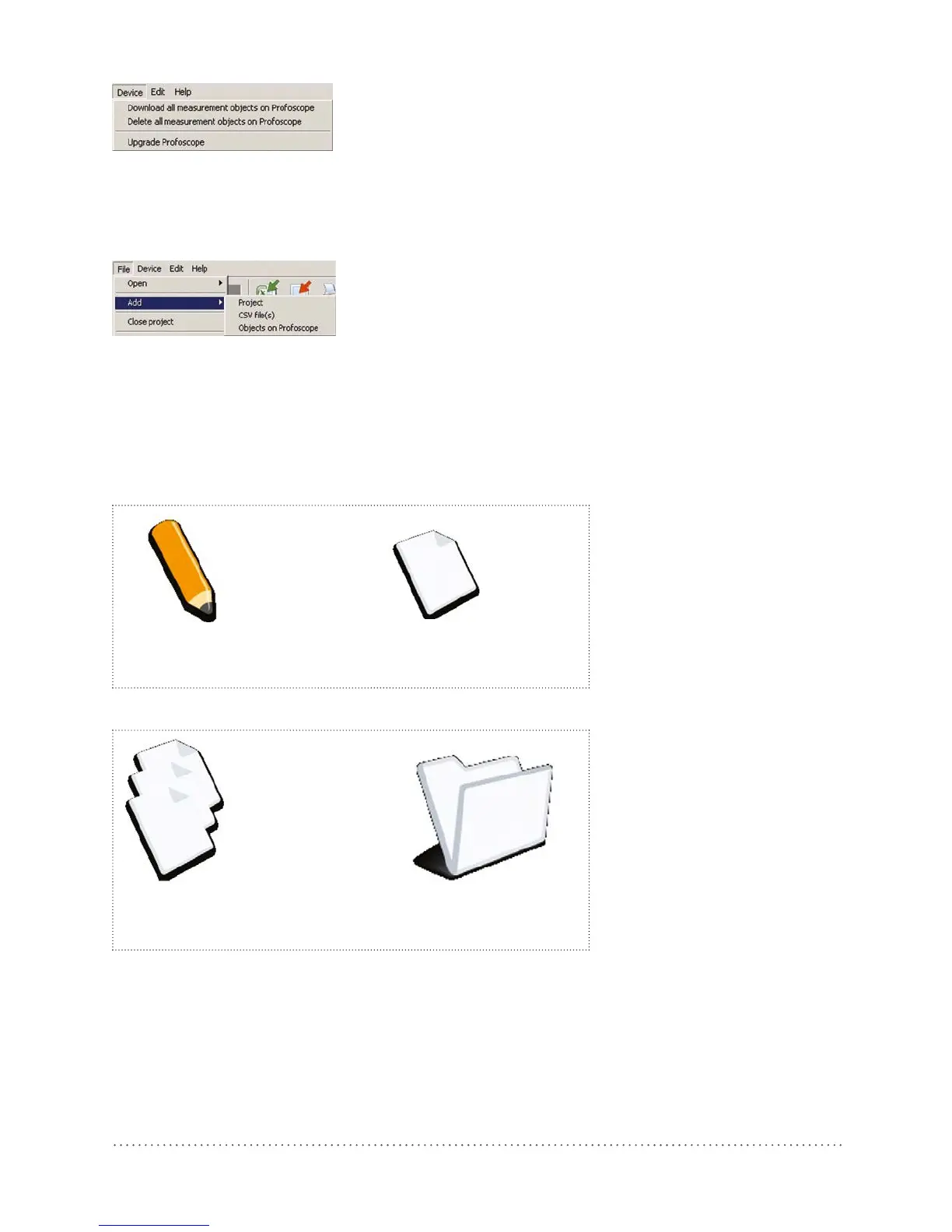
Fig 39: Profolinke Menu “Device”
Select the menu “delete all objects” to delete all data stored on Profoscope+. This will delete all
objects and cannot be undone.
Fig 40: Profolink Menu “File”
“Add” function synchronizes data between PC and
Profoscope+. In addition, locally stored data files can be added to an existing project.
11.2 Data Management and File structure:
Profoscope
Measurements




 To Next Page