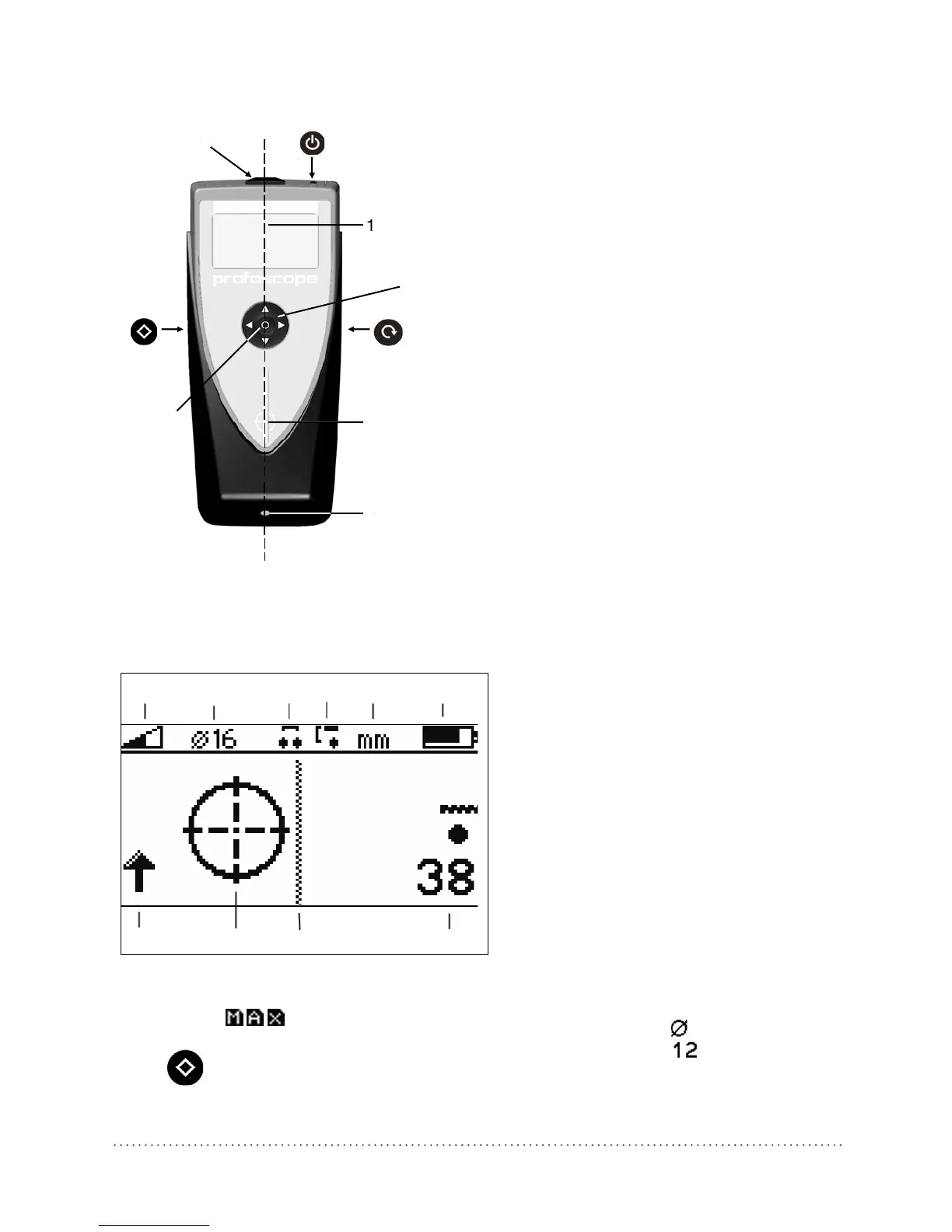
11 Measuring Range (Standard, Auto)
12 Reference Rebar Diameter
13 Neighboring Rebar Correction Active
14 Minimum Cover Alert
1]
Active
15 Measuring Unit
16 Battery Status
17 Signal Strength (Increasing / Decreasing)
2]
18 Rifle Scope
19 Center Line
20 Measured Cover Depth
Fig 2: Profoscope display
1]
The minimum cover alert is automatically deactivated, when the memory function is set. One of
the three icons appears instead, see 6.8.
2]
The signal strength arrow is replaced by the measured bar diameter: e. g. when the Function
Key (6) for bar diameter is pressed.




 To Next Page