26 © 2015 Proceq SA
6.4 Measuring
Range
Selection
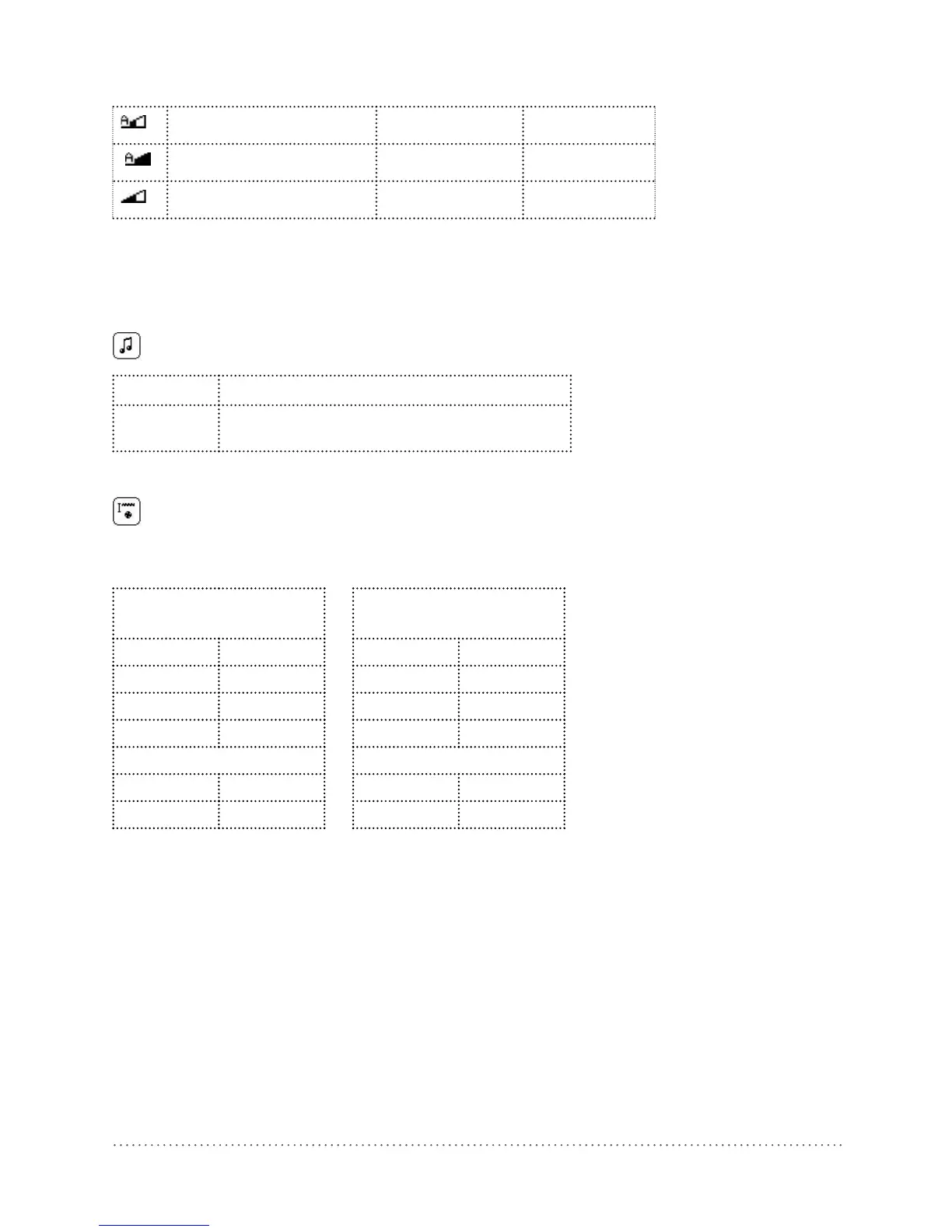
Auto Standard*
< 80 mm < 3 inch
Auto Large*
< 180 mm < 7 inch
Standard
< 80 mm < 3 inch
*The Profoscope measures first in the “Auto Standard” range. It switches automatically from “Auto
Standard” to “Auto Large” if the signal becomes too weak.
The range “Standard” must be set, when measuring over welded wire meshes.
6.5 Audio
Setting
The device can give an audible tone to assist in location or to give an
alarm when minimum cover alert is activated.
- No audio signals, silent
Centre Key pressed. Tone when rebar is centered.
Minimum
cover alert.
6.6 Minimum
Cover
If a minimum cover is selected, the LED is lit when the cover is below this limit. If audio is on,
an audio signal is given.
The minimum cover setting is possible with a cover up to 180 mm / 7.08”.
Metric, ASTM mm,
Japanese
ASTM
inch
- mm - inch
5 mm 0.20 inch
6 mm 0.24 inch
7 mm 0.28 inch
... ...
179 mm 7.04 inch
180 mm 7.08 inch
Tab. 3 Minimum covers




 To Next Page