© 2015 Proceq SA 31
10. Maintenance and Support
10.1 Protective Cover and Batteries
In order to prevent abrasion the instrument is protected by a self-adhesive protective cover. It is
recommended to check and replace this cover periodically.
Remove the two AA-batteries when the Profoscope is not used for longer periods to prevent dam-
ages due to battery leakage.
10.2 Support Concept
Proceq is committed to providing a complete support service for this instrument. It is recommended
that the user register the product on the www.proceq.com to ob- tain valuable information on avail-
able updates and other useful information.
10.3 Standard Warranty and Extended Warranty
The standard warranty covers the electronic portion of the instrument for 24 months and the me-
chanical portion of the instrument for 6 months. An extended warranty for one, two or three years
for the electronic portion of the instrument may be purchased up to 90 days of date of purchase.
11. Quick Reference Guide for ProfoLink (for Profoscope+ only)
11.1 Installation
Locate the file „Profolink_Setup“ on your computer or the CD and follow the installation wizard.
Open the Battery Compartment and connect the Profoscope+ to the USB port. If the icon ap-
pears on the Profoscope+ screen, the connection is established properly.
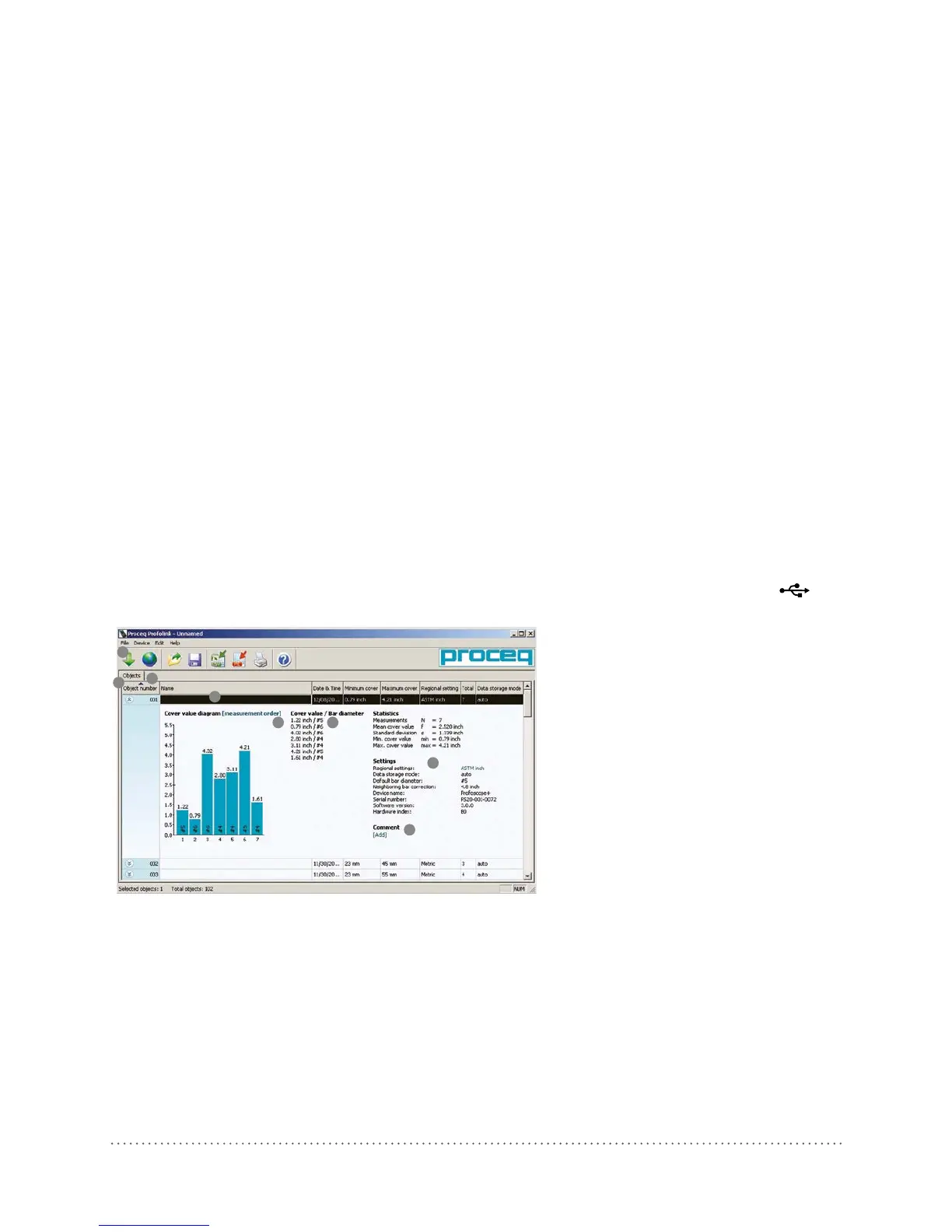
2
5
1
3
6
4
7
8
Fig 38: Profolink PC-Windows
1 Download objects from the Profoscope+
2 Expand object to see details
3 Measurement number
4 Cover value
5 Rebar diameter
6 Add object name
7 Switch between regional settings or units
8 Add comments




 To Next Page