6.2.3. Boot-Up message
Directly after startup, the device optionally transmits a CANopen boot-up message with its own node ID.
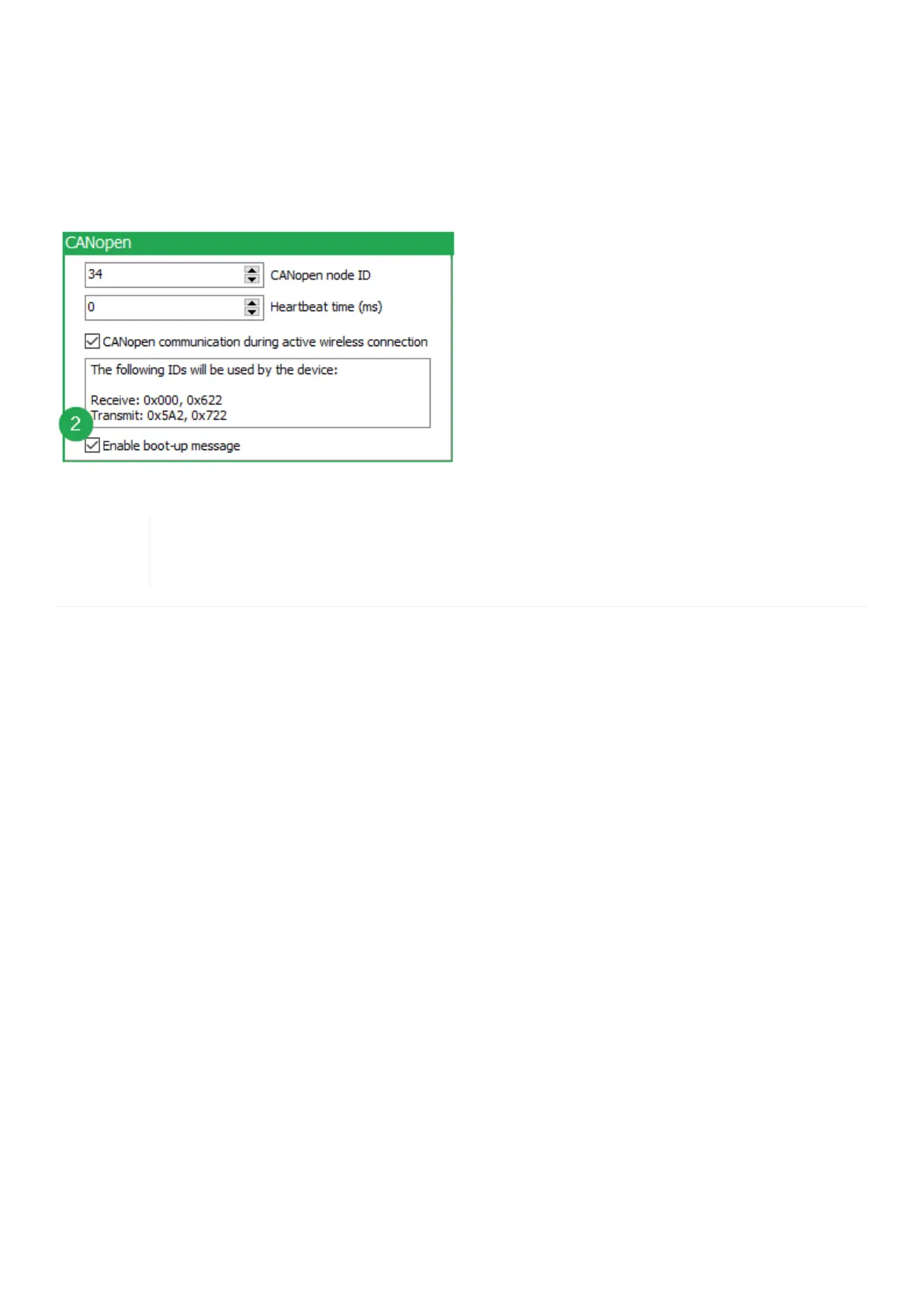
1. To enable the Boot-Up message, the Advanced Settings must be activated within the CANlink wireless
configurator software first. Refer to Enable Advanced Settings.
2. In the CANopen field of the Device tab enable the checkbox Enable boot-up message.
Figure 41. Enable Boot-Up message
When this function is enabled, the device expects an acknowledge message from another bus
participant. If no acknowledge message is received, for instance while no other CAN bus
participant is active, the LED changes to error mode according to chapter Indicator Element (LED).
CANlink wireless 4000 Device Manual



 To Next Page