The quality of the cut strongly depends on maintaining the correct
cutting speed; excessive slowing down overheats the material. It is
important that the machine operates at the highest possible speed while
maintaining a high work culture.
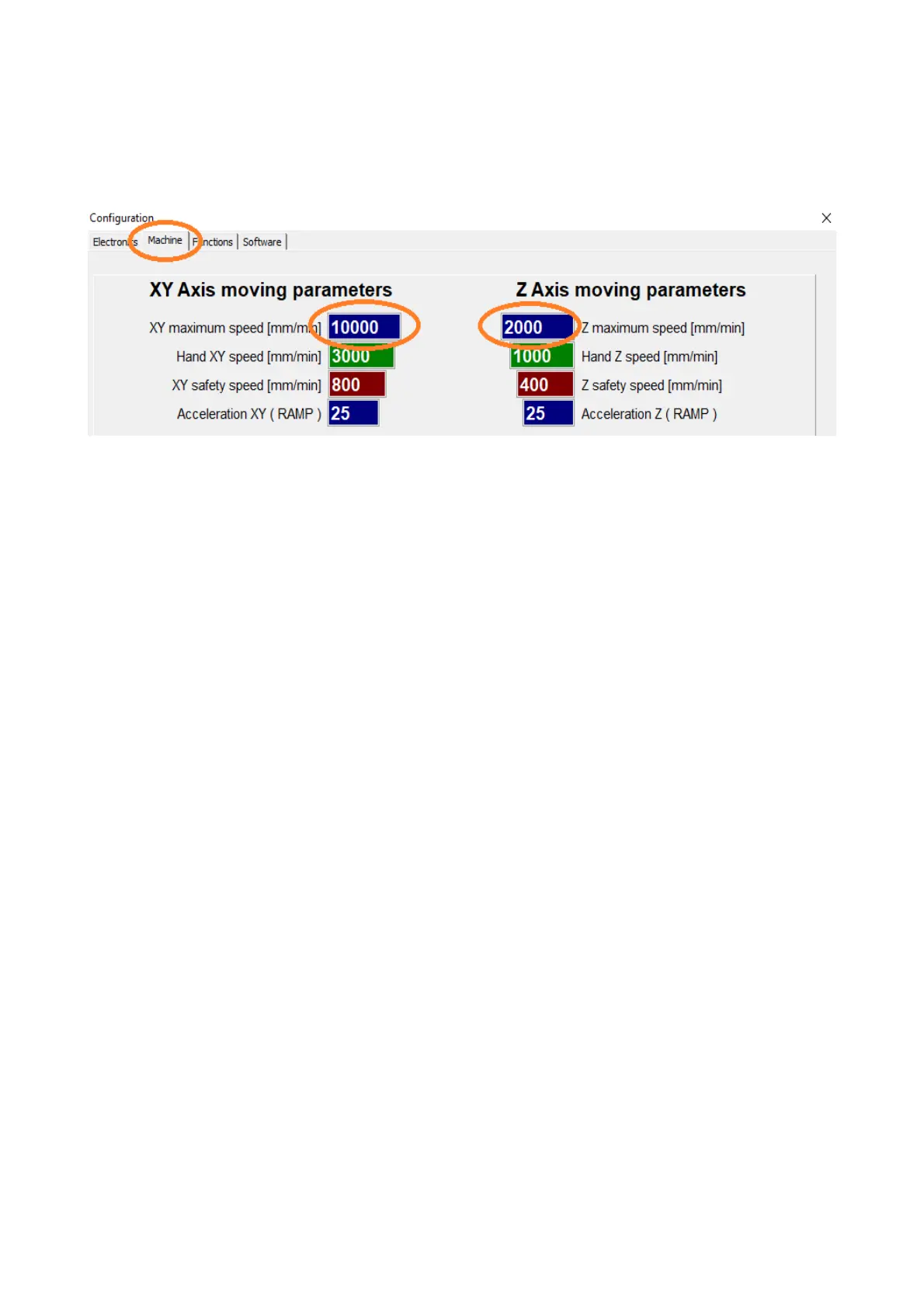
The first step is to determine the maximum speed of the machine.
To do this, move each axis with the SHIFT key held down. Increase
the speed gradually up to the expected speed and, to be sure, check the
+25% speed. If the machine starts to lose steps at any point, it means that
the critical speed for the machine has been exceeded. In this case, reduce it
by 25%.
The Hand speed is the speed at which the axis is moved by default with
the keyboard arrows, screen buttons or GamePad controller.
SHIFT key →forces the axis to travel at maximum speed.
CTRL key → forces axes to be driven at precise speed ( 10% of manual
speed).
upto the safe speed is the speed limit when cutting complex, very small
parts and is the speed at which the machine performs at sharp angles. A
high value of safe speed increases dynamics at the expense of work
culture, in extreme cases the motors may lose steps. A low value will slow
down the speed on small workpieces too much, which will worsen the
quality of the cut (overheating of the material). Suggested values are
1200mm/min for light structures, 300mm/min for very heavy structures.
Acceleration ( Ramp up length ) - determines the distance ( how long )
the machine accelerates ( and decelerates ) between the safe speed and the
expected speed. Large values increase smoothness of movements at the
expense of dynamics; small values increase dynamics at the expense of
working culture in fine / complex details. Suggested value is 15 for light
structures , 50 for very heavy structures.
15



 To Next Page