4.0 Commissioning the controller
Initial commissioning should be carried out STEP by STEP as
outlined in this manual. If something does not work correctly in one step
then there is no point in moving on to the next step without finding and
solving the problem. If user connects and configures everything at once, it
can be very difficult to find a possible error.
4.1 Software installation
DO NOT CONNECT THE CONTROLLER TO THE COMPUTER
BEFORE INSTALLING THE SOFTWARE AND USB DRIVERS !!!
The latest software version can be downloaded from the
manufacturer's official website: proma-elektronika.com → tab
"download". When installing the software, the USB drivers are
automatically installed. At the time of writing this manual, this is version
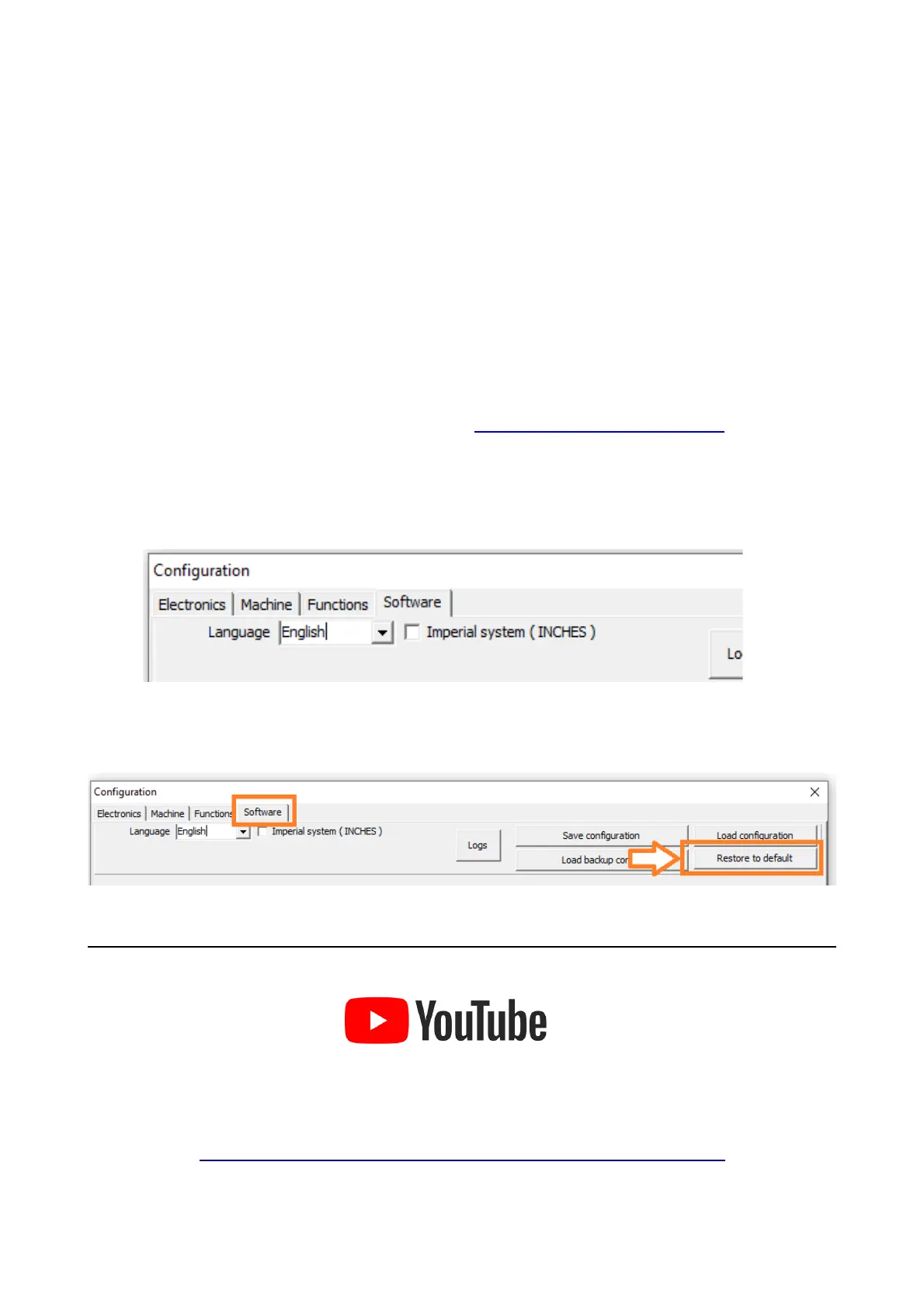
1.2.0 and the description applies to this version. During the first start-up,
select the language and units used in the programme.
The instructions assume that the software has factory settings. If this
is not the case, it is recommended to restore them during the first start-up.
Click the link below to go to useful VIDEO instructions :
EN : MyPlasm CNC Step by step
7



 To Next Page