13 Recovery and data transfer
In chapter 12.2 above, the location of all data on the disk is given,
which can be used for self-backup on external storage media.
The programme automatically performs backups and has several features
to aid data recovery.
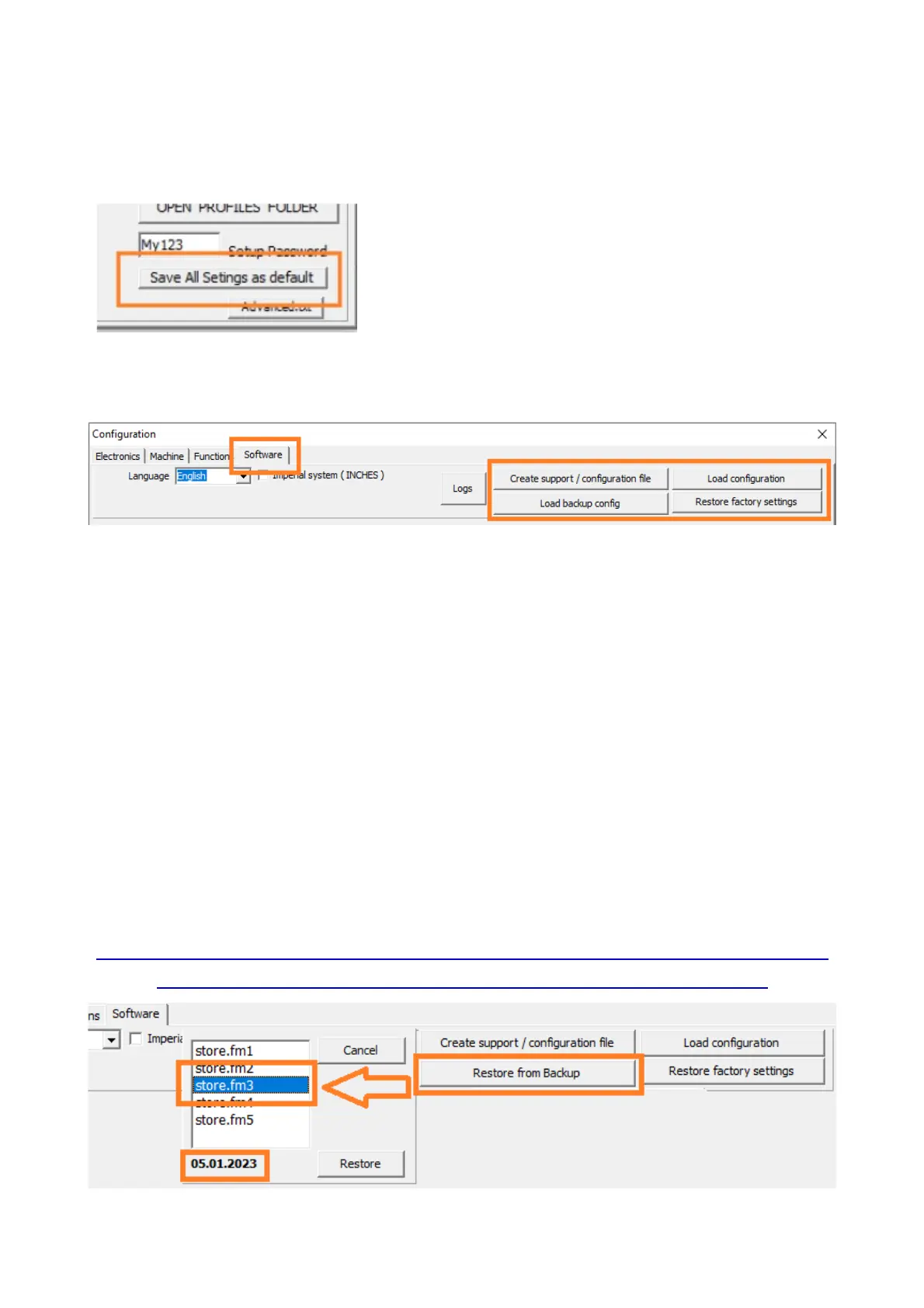
The special function saves the current
system configuration as the default ( factory
setting ) - the configuration will be restored to
this point when the button " Restore factory
settings" is clicked ( see below ).
*Use this feature only when the machine is properly configured.
Restore factory settings - restores the configuration saved with the "Save
All Settings as default" button from the special functions tab. If no such
saving has been performed, the default settings of the programme will be
restored (as if it had been newly installed). The material parameter
database is not modified or deleted.
Create support file - The software configuration data is zipped ( ZIP ) and
saved to the desktop - the file is ready to be emailed to support
( contact@proma-elektronika.com ).
Open configuration - allows the configuration to be recreated from the
support file - both functions are also useful for transferring configuration
data between profiles or computers.
Restore from Backup - Allows you to recover from Automatic Backups
( by Copy Date ) .
THIS IS THE FIRST ACTION THAT SHOULD BE TAKEN WHEN
A FUNCTION HAS STOPPED WORKING PROPERLY.
41



 To Previous Page