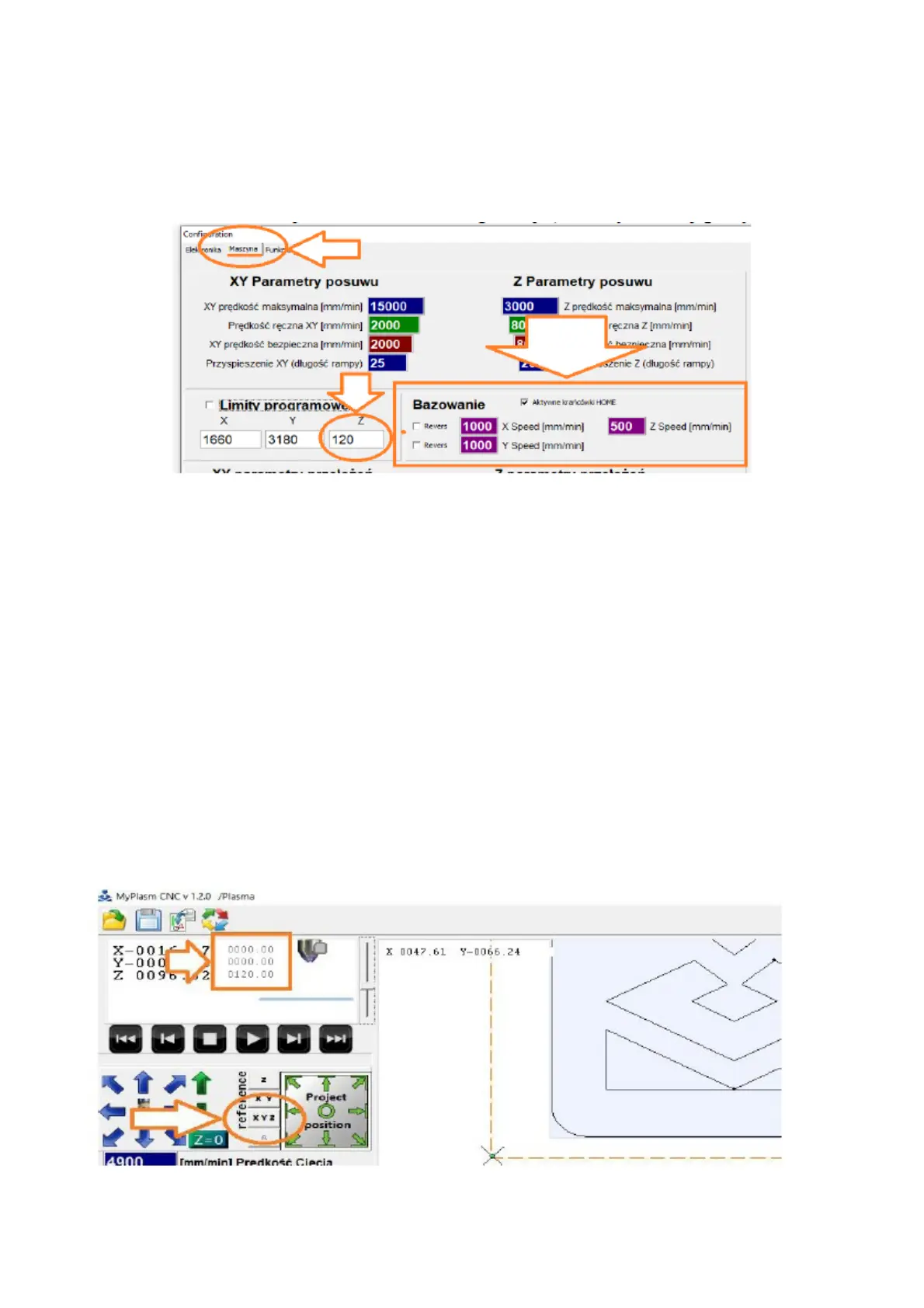
6.2 SETTING THE HOMING
In the "MACHINE" tab, the homing option can be activated and the
automatic basing speed can be specified. There is also an option to change
the basing direction of the X, Y axis. By default, the X axis is based to the
left and the Y axis is based "down" ( towards us ). The Z axis is always
based to the top ( maximum LimitZ position ).
If the limit switches are working correctly, automatic basing can be
tested. To do this, click the Reference XYZ button in the main
programme window, which will start the basing procedure :
1) The Z-axis will be raised upwards ( to the sensor ), then descend
from it and the machine Z-coordinate ( "small coordinates" ) will
be assigned the maximum value from the Limit Z position ( 120.00
in the example ).
2) The X axis drive will be driven to the left ( right when "Revers" is
selected ) until it meets a sensor, after which it will move off and
assign X machine = 0000,00 ( or LimitX for "Revers" selected )
3) The Y-axis drive will be run down/up/away ( up/away from us when
"Revers" is selected ) until it meets a sensor, after which it will
descend and assign Y = 0000.00 ( or LimitY for "Revers" selected ).
20



 To Next Page