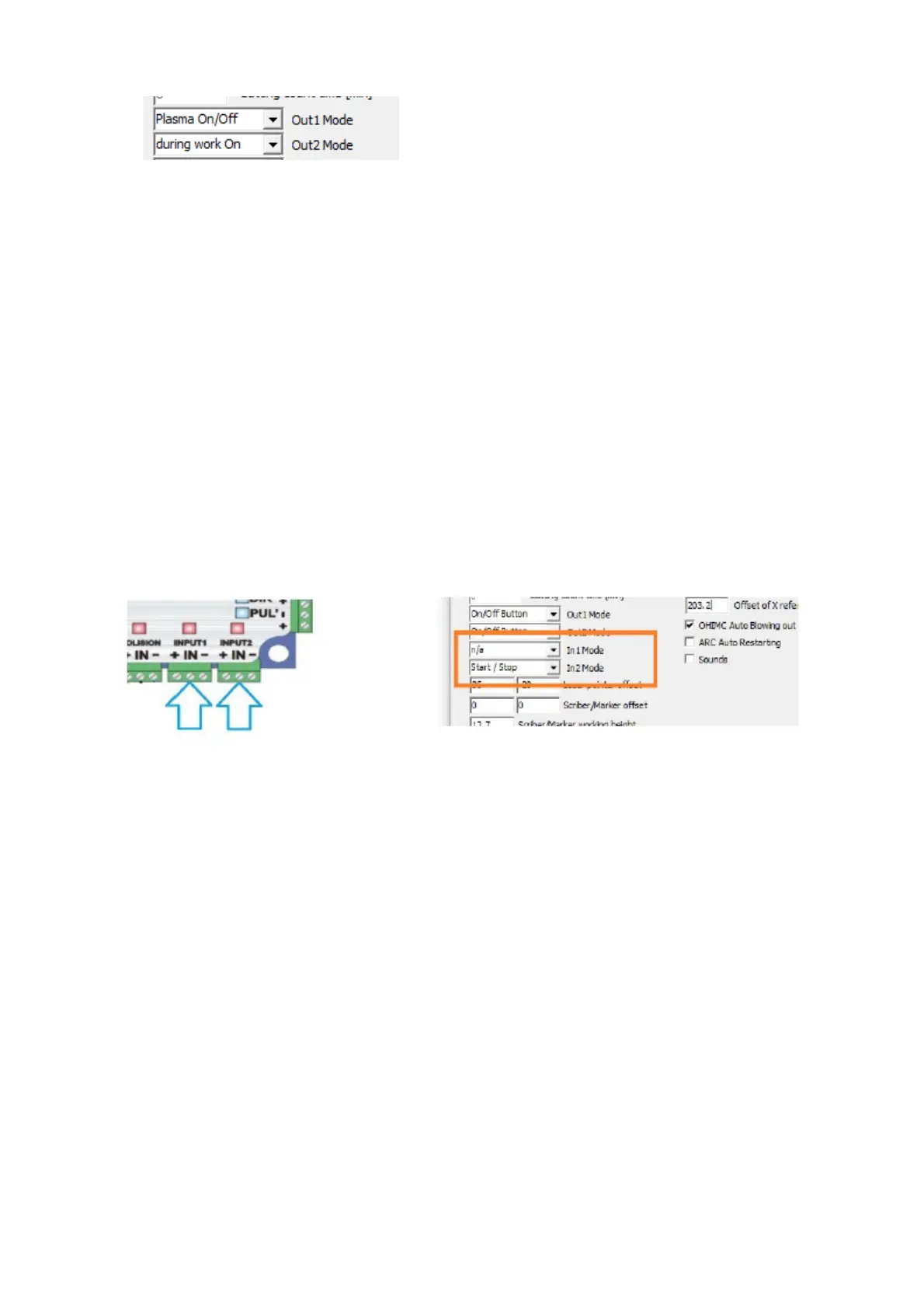
Output options :
n/a : Inactive
Plasma On/Off : Equivalent output to the plasma switching output. Can use
for gas/flame cutting output
During work on : Output active during automatic operation.
On/Off button : Output activated by its own button on the screen (possibility
of defining its own button graphics: create file Out1.bmp or/and Out2.bmp in
the profile folder.
Z axis down : Signal of lowering the torch ( for pneumatic Z axes )
Scribber / Marker : Activate the engraving/marker function.
11.4 Functions of input1, input2
If the output of the fourth axis is active, input1 is assigned to operate the
HOME limit/sensor of this axis.
n/a : Input not active
TorchUp / TorchDown : obsolete function of the external THC
ARC OK : Confirmation of main arc ignition from plasma source.
Start/Stop : External push button Start/Stop automatic operation
ALARM : alarm input ( possibility to define your own text )
*If the fourth axis is used,
always Input 1 is the HOME function for that axis.
36



 To Next Page