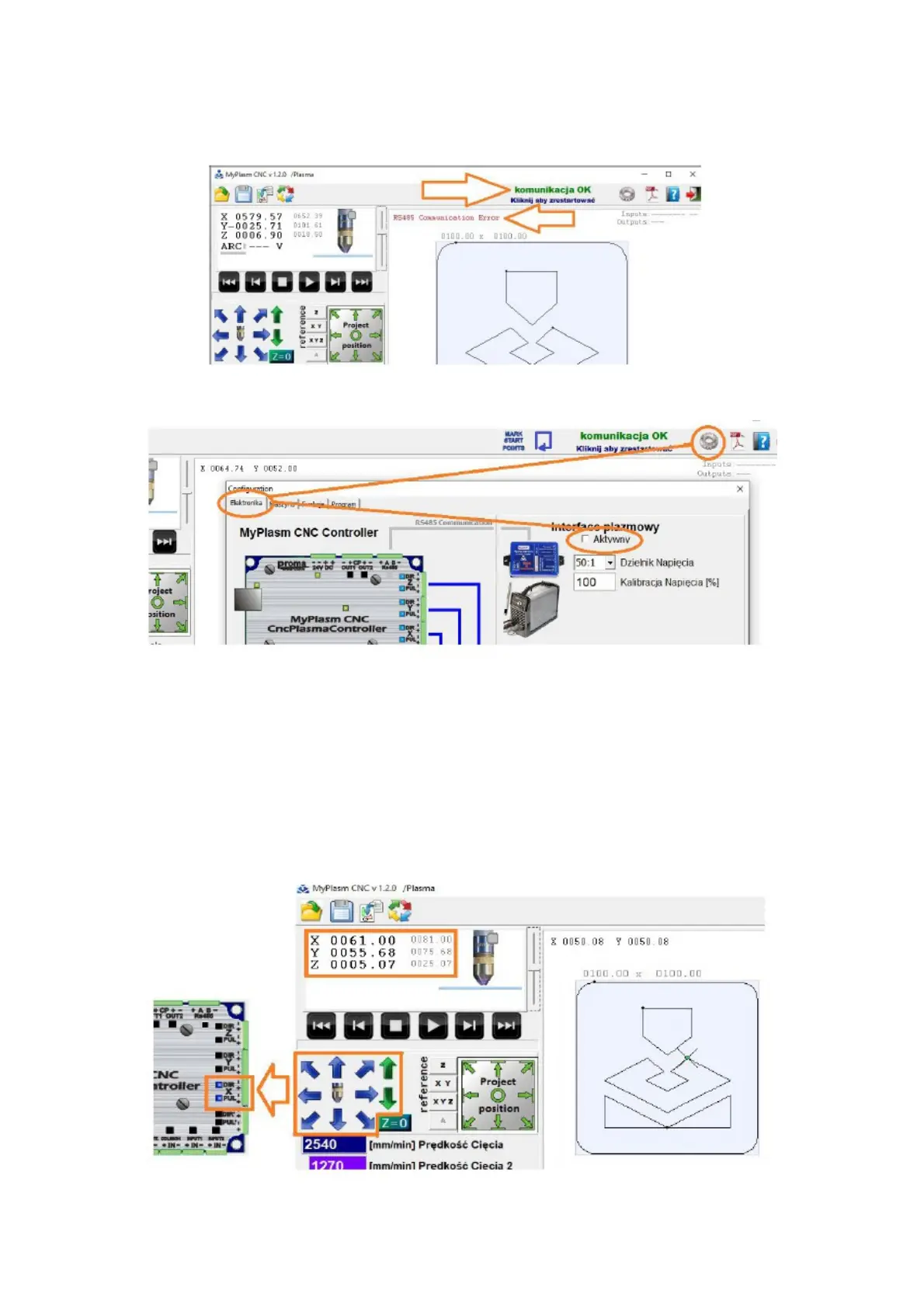
If everything is working correctly the program should display a
message about correct communication with the controller. There may be
a message about a communication problem RS485 / with the plasma
interface ( because it is not currently connected ).
The message should disappear when the Plasma Interface is deactivated.
In this state, the software should not display errors. It is possible to
control the controller outputs. By clicking the manual control arrows ( or
keyboard arrows ) the XY axis coordinates should change and the blue
LEDs on the STEP(PUL)/DIR outputs of the controller should light. The
PgUp / PgDown and Green arrow keys are used to control the Z axis. The
PUL LEDs light up always during movement and DIR only in one
direction ( determines the direction ).
9



 To Next Page