EasyManua.ls Logo

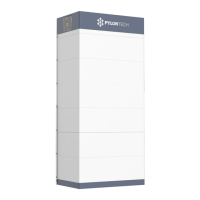
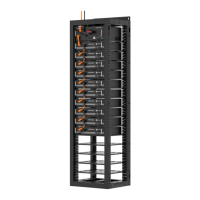
Pylontech PowerCube-X1 - User Manual

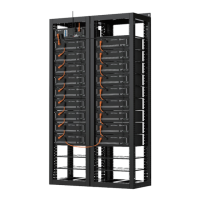
Pylontech PowerCube-X1
48 pages
Print Icon
To Next Page IconTo Next Page
Loading...
Lithium-Ion Phosphate Energy Storage System
PowerCube-X1/X2 Operation Manual
For UL version
Information Version: 2.4
US20PIXV1001

Table of Contents

Questions and Answers

  • M
    Martin BaileySep 9, 2025
    How to fix Pylontech PowerCube-X1 Storage when all battery module status LEDs are not working?
    • N
      Nicole DavisSep 10, 2025
      If all battery module status LEDs are not working after turning on the BMS, the possible causes are: failure of the DCC/DC power board or control board, a broken communication cable from the BMS to the first battery module, or a broken power cable. You should change the control module (BMMS module), change the broken communication cable, and check all the power cables and connections to ensure they are fine.
  • K
    Karen WilliamsSep 8, 2025
    Why is the Pylontech PowerCube-X1 Storage BMS status LED red but all battery module LEDs are green?
    • J
      jenniferramirezSep 8, 2025
      This usually means the battery string is under protection, possibly due to over current protection or failure protection. Use the monitoring or maintenance software to check the battery cell and battery module for alarms. Also, check the communication cables and ensure the battery string is not reversed in connection, as reversed connection is a serious danger.
  • W
    William ReedSep 7, 2025
    Why is the Pylontech PowerCube-X1 Storage BMS Status LED red and the buzzer sounding?
    • S
      sarahmartinSep 7, 2025
      The possible causes are: the output relay is non-separable switching, the buzzer has failed, or the output relay has a false alarm. To resolve this, check the output relay for a short circuit. You may need to change the relay or the control module (BMS module). If the buzzer has failed or there is a false alarm, change the control module (BMS module).
  • L
    Laura FrancisAug 22, 2025
    What to do if the Pylontech Battery Pack Status LED is red but battery modules are green?
    • R
      ryanhernandezAug 23, 2025
      If the BMS Status LED is red while the battery modules' LEDs are green, it indicates the battery string is under protection due to possible over current or failure. Use monitoring or maintenance software to check for alarms in the battery cell or module. Also, check the communication cables. Note that reversed connection is a serious danger!
  • J
    Jeremy WrightSep 4, 2025
    Why does my Pylontech Battery Pack show a temperature of -40?
    • G
      Gary Esparza Jr.Sep 5, 2025
      If the battery module displays a temperature of -40 on your Pylontech Battery Pack, it is likely due to a failure in the temperature sampling wires. Check the wires of the temperature sampling module.
  • S
    Shelby RodriguezSep 3, 2025
    What causes single cell over/low voltage in Pylontech Battery Pack?
    • M
      Mrs. Courtney Cooke DDSSep 3, 2025
      If the monitor or maintenance software shows that a single cell has over voltage or low voltage on your Pylontech Battery Pack, it might be due to cell voltage sampling failure. Check the wires of the cell sampling module. Alternatively, the cell itself may have failed, requiring you to change the battery module.
  • D
    Dr. Lisa LiuSep 2, 2025
    What does it mean if some battery module LEDs are red or off on my Pylontech Battery Pack?
    • K
      Kristen KimSep 2, 2025
      If one or more of the battery module’s Status LEDs are red or not lighting up on your Pylontech Battery Pack after turning on the BMS, it indicates that the specific battery module has failed. In this case, replace the faulty battery module. Also, check the communication cable and address distribution.
  • N
    Nicole WrightSep 1, 2025
    Why is the Status LED red and the buzzer sounding on my Pylontech Battery Pack?
    • J
      joseph52Sep 1, 2025
      If, after turning on the BMS, the Status LED is red and the buzzer is sounding on your Pylontech Battery Pack, it could be due to a non-separable switching output relay. Check the output relay; if you find a fault, determine the cause of the short circuit and change the relay or the control module (BMS module). It may also be caused by the buzzer failing, so consider changing the control module (BMS module).
  • H
    howardsaraAug 31, 2025
    Why is the Status LED flashing red on my Pylontech Battery Pack?
    • M
      maria05Aug 31, 2025
      If the Status LED is flashing red on your Pylontech Battery Pack after turning on the BMS, it indicates that the self-check couldn’t pass. If something is wrong, please contact with seller or sells agent.
  • B
    butlersarahAug 29, 2025
    What causes the BMS Status LED to fail on a Pylontech Battery Pack?
    • J
      Jennifer MckayAug 29, 2025
      If the BMS Status LED is not working, but all battery modules’ Status LEDs are green on your Pylontech Battery Pack, the control board may have failed. Consider changing the control module (BMS module).

Summary

Safety and System Overview

Safety Information

Explains safety symbols, general warnings, and required precautions for system operation.

Product Introduction and Specifications

Introduces the PowerCube-X1/X2 system, detailing its specifications, modules, controller, and interfaces.

System Diagrams and Indicators

Illustrates system connection diagrams and explains LED status indicators.

Installation Procedures

Tools, Safety Gear, and Handling

Lists required tools, safety gear, and provides guidelines for handling battery modules and racks.

Installation Environment Requirements

Details environmental checks including cleaning, temperature, cooling, heating, fire extinguisher, and grounding.

Component and Rack Installation

Guides on installing BMS, battery modules, MBMS, and fixing the rack.

Cable Connections and Addressing

Explains grounding, power, communication cables, and ADD switch settings for system connectivity.

System Power On;Off Procedures

Provides step-by-step instructions for powering on and powering off the battery system safely.

Operation and Maintenance

System Debugging Process

Details the steps and procedures for debugging the battery energy storage system.

Troubleshooting Common Issues

Lists common problems and their solutions for system troubleshooting.

Component Replacement Procedures

Guides on replacing battery modules, BMS, and MBMS units.

Battery Maintenance and Checks

Covers periodic checks like voltage, SOC, cables, balancing, relay, history, shutdown, and recycle.

Storage, Shipment, and Appendices

Storage and Shipment Guidelines

Provides guidelines for storing battery modules and covers shipment regulations.

Annexes: Diagrams and Checklists

Includes annexes with cable connection diagrams and installation/turn-off progress lists.

Pylontech PowerCube-X1 Specifications

General IconGeneral
BrandPylontech
ModelPowerCube-X1
CategoryStorage
LanguageEnglish

Related product manuals