46
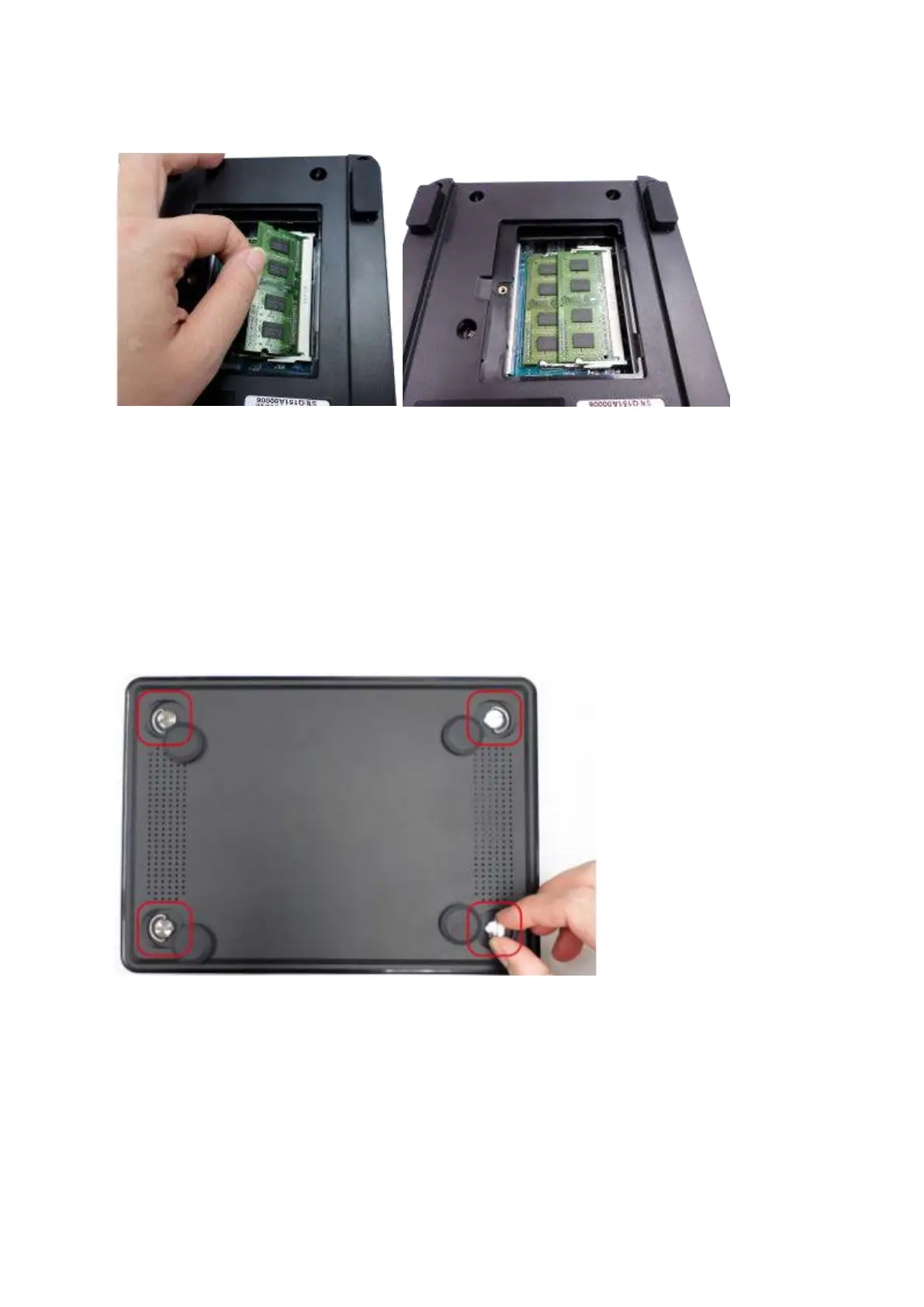
properly w it h t he clips in place.
4. Close t he NAS cover and fast en t he screw. Reconnect t he power and network cables
to t he NAS.
5 .2 TBS- 4 5 3 A
1. Rem ove t he rubber feet and loosen t he four hand screws on t he bot t om of t he NAS.
Then lift t he com part m ent cover away.
2. To rem ove installed m em ory m odules, pull t he retent ion clips on each side so that t he
m odule t ilt s up for easy rem oval.



 To Next Page