54
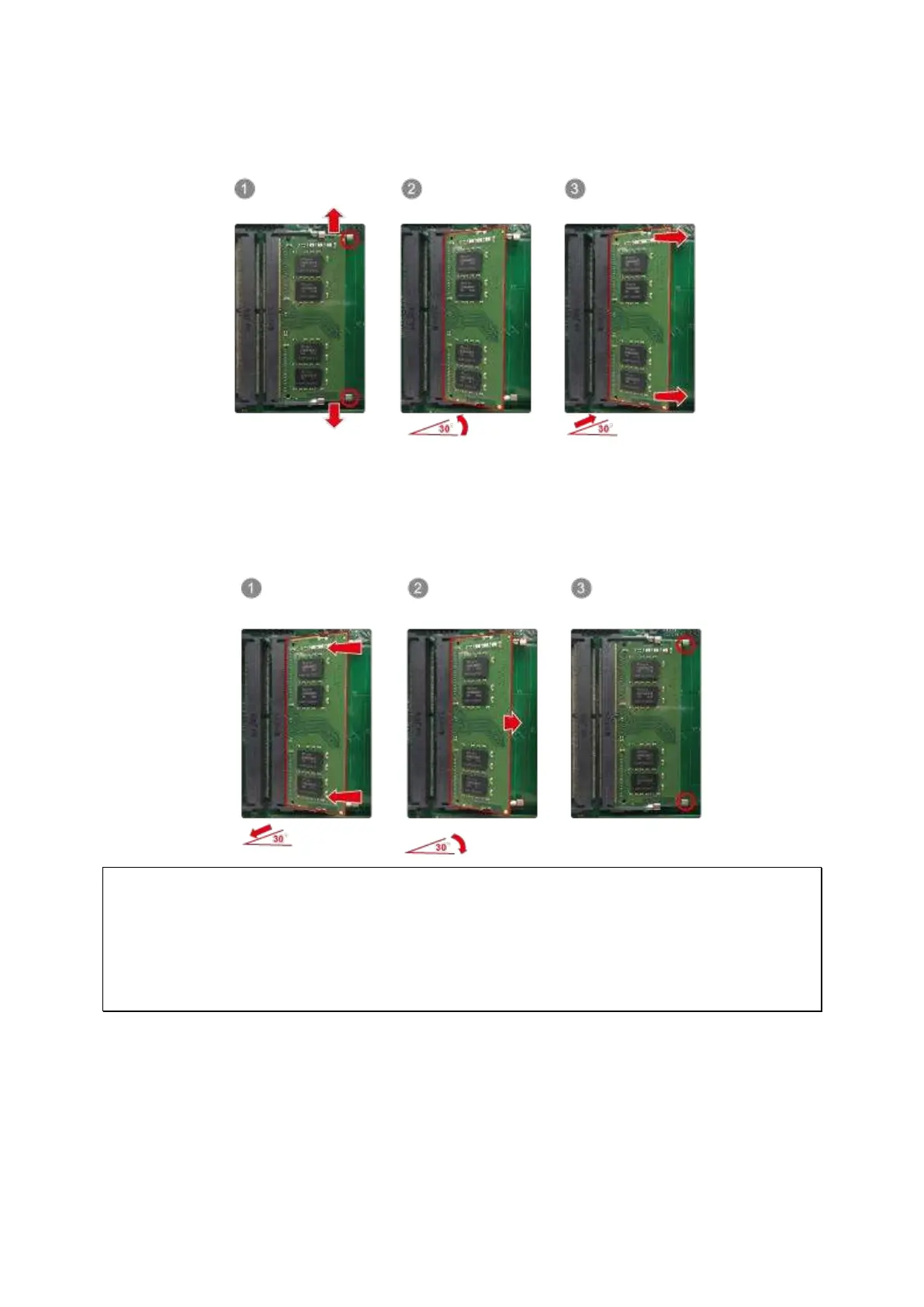
3. To rem ove installed m em ory m odules, gent ly pull the ret ent ion clips out wards on each
side so that t he m odule t ilt s up at a 30-degree angle for easy rem oval. Rem ove m odule.
4. Hold the m em ory m odule by grasping it s edges. Align t he notch on the RAM m odule
with the ridge in t he m em ory socket . Slide t he m em ory m odule into the socket at a
30- degree angle. Ensure t hat t he m odule is firm ly insert ed int o t he socket and that
the retent ion clam ps are secure.
N ot e: The m axim um supported m em ory is 64GB.
For one SODI MM m odule, insert m em ory int o slot A2 or B2.
For t wo SODI MM m odules using dual channel, insert m em ory into A1 and A2, B1 and B2,
or A2 and B2.
For three SODI MM m odules, insert m em ory int o A1 and A2 and B2 or B1 and B2 and A2.



 To Next Page