58
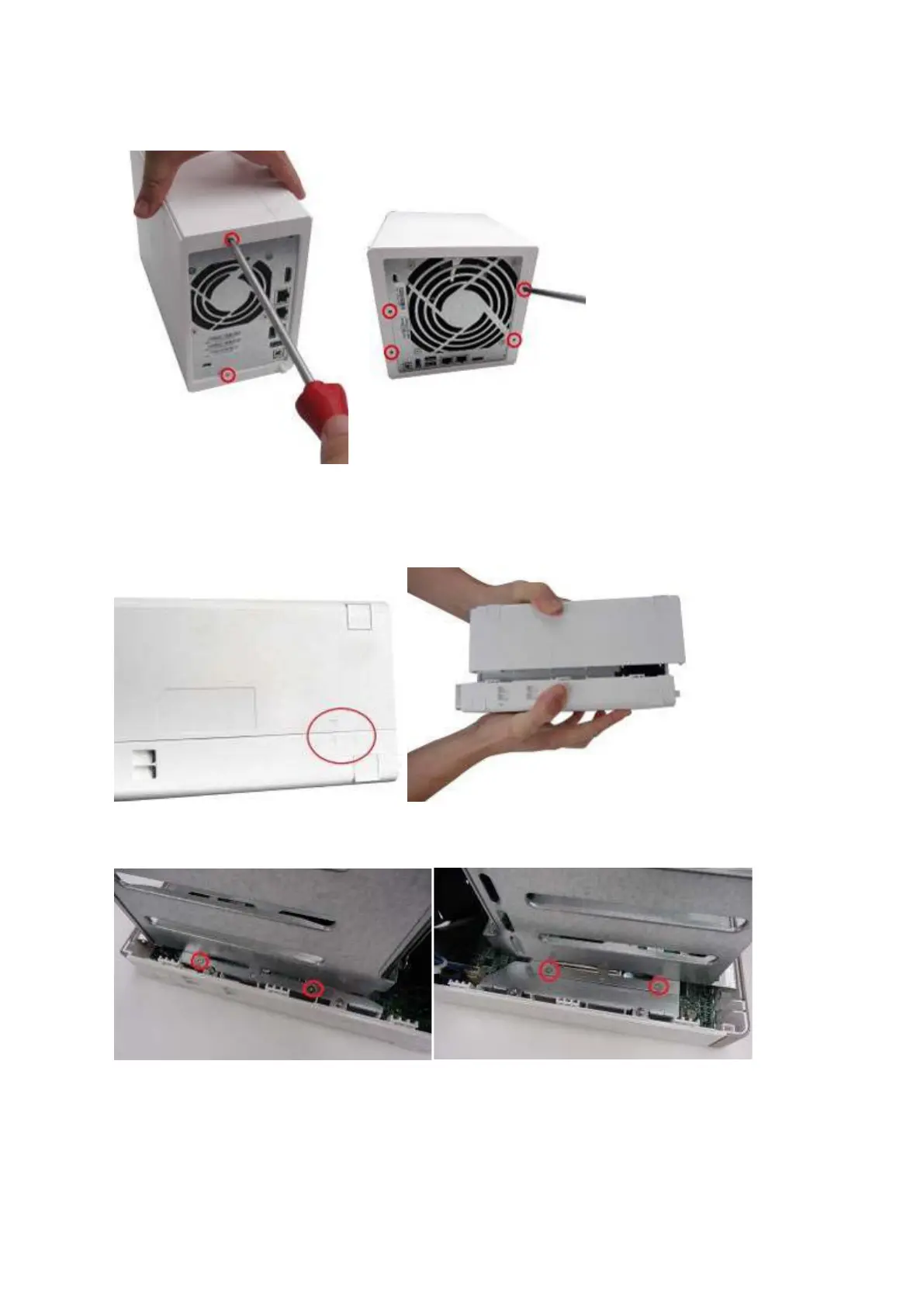
it w ill have t w o screws. A 4- bay NAS will h a ve four.
2. Gently rem ove t he case cover of t he NAS by sliding it apart ( see t he underside of t he
NAS for visual indicators of the NAS case being locked/ unlocked)
3. Rem ove the four inner screws ( two on each side) of t he hard drive cage.
4. I f it is a 4- bay NAS, you will also need to rem ove t wo screws on t he top of t he hard drive
cage.



 To Next Page