

EasyManua.ls Logo

QuadQuestions QQ190 - User Manual

QuadQuestions QQ190
60 pages
Print Icon
To Next Page IconTo Next Page
Loading...
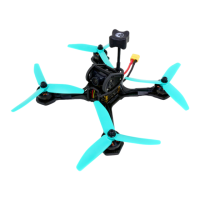
QQ190™ RTF
Racing Drone
User Manual V .96
Q1 2017
Page 1

Table of Contents

Question and Answer IconNeed help?

Do you have a question about the QuadQuestions QQ190 and is the answer not in the manual?

QuadQuestions QQ190 Specifications

General IconGeneral
BrandQuadQuestions
ModelQQ190
CategoryDrones
LanguageEnglish

Summary

Before You Begin

Safety Warning Disclaimer

Details risks, personal injury, fire hazards, and adult supervision requirements.

General Information

Before First Flight

Emphasizes safety and local laws before commencing flight operations.

Required Equipment

Lists necessary additional gear for operating the drone.

Recommended Equipment Setups

Suggests gear configurations for different skill levels.

Highlights & Features

Details the drone's key attributes and specifications.

Electronics

Explains the onboard technologies and components.

Component Identification

Initial Setup

RC Calibration

Process to calibrate radio controls.

New or Changed Setup

Existing setup (if you have already configured Betaflight) ADVANCED

First Flight

Propeller Rotation Warning

Warns about incorrect propeller installation and associated risks.

Flight Modes

Manual modes

Explains Rate (ACRO) mode for advanced flying.

Calibrating the Accelerometer

Trimming the Accelerometer

On Screen Display (OSD) Items

Connecting to a Computer

Connecting Your QQ190 to a Computer

Programming an Arm Switch

Backing Up Your Tune

Backing Up Your Switch Settings

Flashing New Tunes

Flying Tips

Battery Warnings

Important information about monitoring and managing LiPo battery levels.

Reset Procedure

Troubleshooting

My QQ190 Will Not Arm

Solutions for the drone failing to arm.

My QQ190 Falls Out of the Sky

Troubleshooting steps for loss of flight control.

My QQ190 Flips Upside Down and Out of Control When Armed

Solutions for unexpected flips and loss of control.

My Motors Dont Spin the Right Direction

Fixes for incorrect motor rotation.

Appendix A-OSD Configuration

RSSI

RSSI Calibration Procedure

Steps to calibrate RSSI for accurate signal strength readings.
OSD Configuration Details

Updating via TBS Agent Software