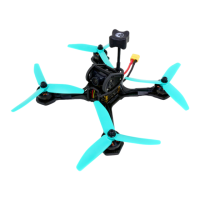
Reasons to fly in Rate mode
•
Rate mode makes acrobatics such as ips and rolls much easier.
•
Rate mode allows for smooth and precise control of the drone during FPV ight.
•
Rate mode requires less processing power.
•
Rate mode makes the QQ190™ y more naturally like a glider, which can be more
intuitive and feel more natural.
•
Rate mode allows for smoother videos
Rate mode can be mastered with lots of practice and determination- It can be
intimidating to learn at rst, but trust us, it is the only way to y!
Calibrating the Accelerometer
The Accelerometer helps when ying in angle and horizon mode. It does not affect
rate mode. If the quad is ying funny in angle or rate mode, try calibrating the
accelerometer.
•
Step 1- remove props
•
Step 2- put the quad on a level
surface
•
Step 3- plug in battery
•
Step 4- use the stick command for calibrating the accelerometer while the
quad is unarmed.(gure 19)
**NOTE. the accelerometer and gyro undergo a startup procedure when the QQ190™
is rst plugged in. This means that when you plug it in, you have to set the drone
down immediately without moving it for the calibration procedure to complete. You
will see the LEDs on the Colibri icker briey after plugging the battery in, indicating
that the startup procedure is taking place. If you interrupt the startup procedure, it
can lead to poor ying performance. The solution is to unplug and replug the battery
and set the QQ190™ down again to let the startup procedure complete.


 To Next Page
 Loading...