Page 24 of 133
Version 3.0 Rev r000
Date 25-08-2010
Part No. 96000001
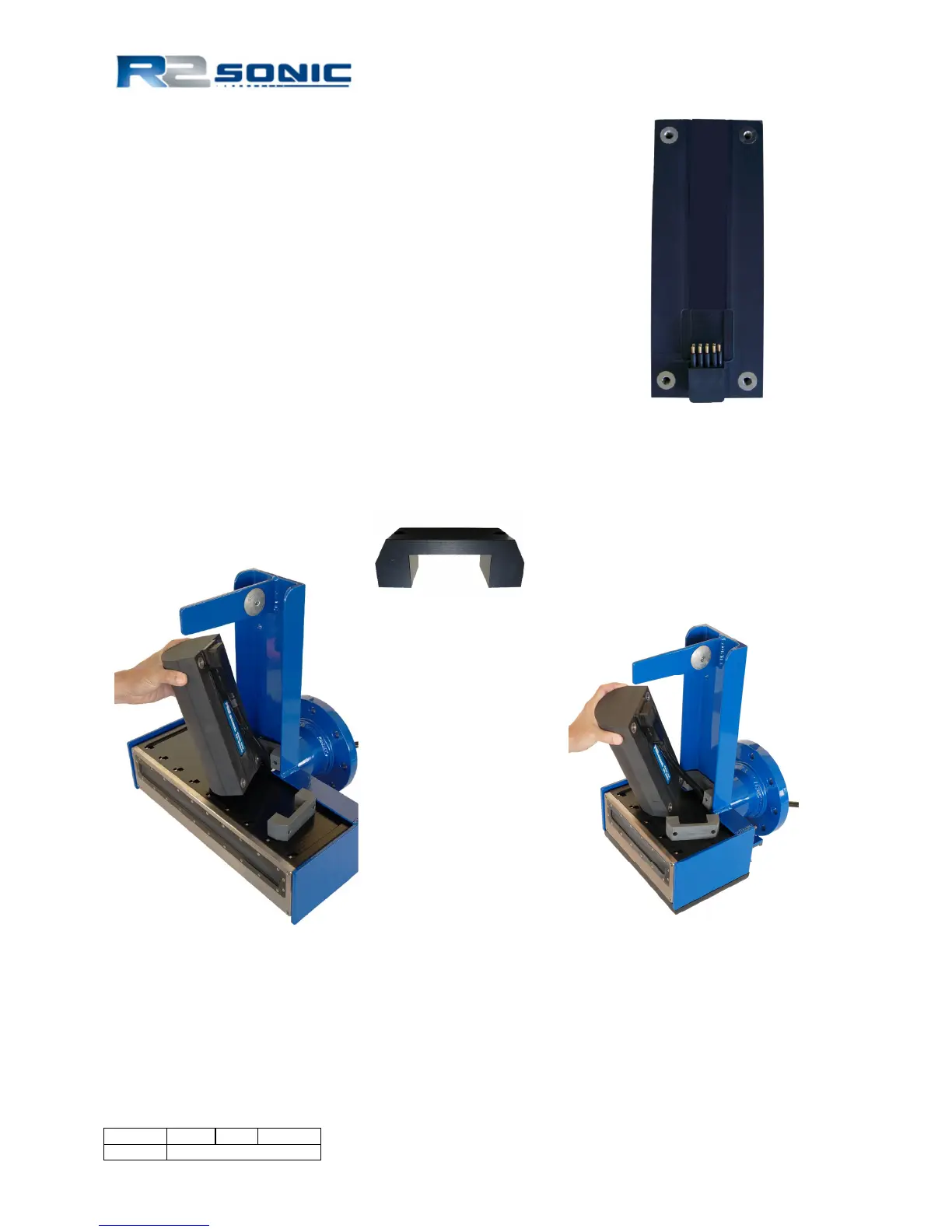
3.1.3 Mounting the Projector
The projector is secured to the frame with two, 35mm stand offs.
The stand-offs allow room for the Projector to Receive Module
cable to be run. A 6mm drive hex screw secures the projector
through the stand-off. The Projector’s connector faces towards
the protection fin. Connect the 0.439m interconnect cable’s
female end to the Projector’s male bulk head connector. When
the connectors are mated, there should be no visible gap between
them. A very light spray of silicon lubricant will aid seating the
connector.
Figure 15: Projector Stand-off
Figure 16: Mounting the projector
Figure 14: Sonic 2024 Projector
Sonic 2024 Sonic 2022



 To Next Page