Page 57 of 133
Version 3.0 REV r000
Date 25-08-2010
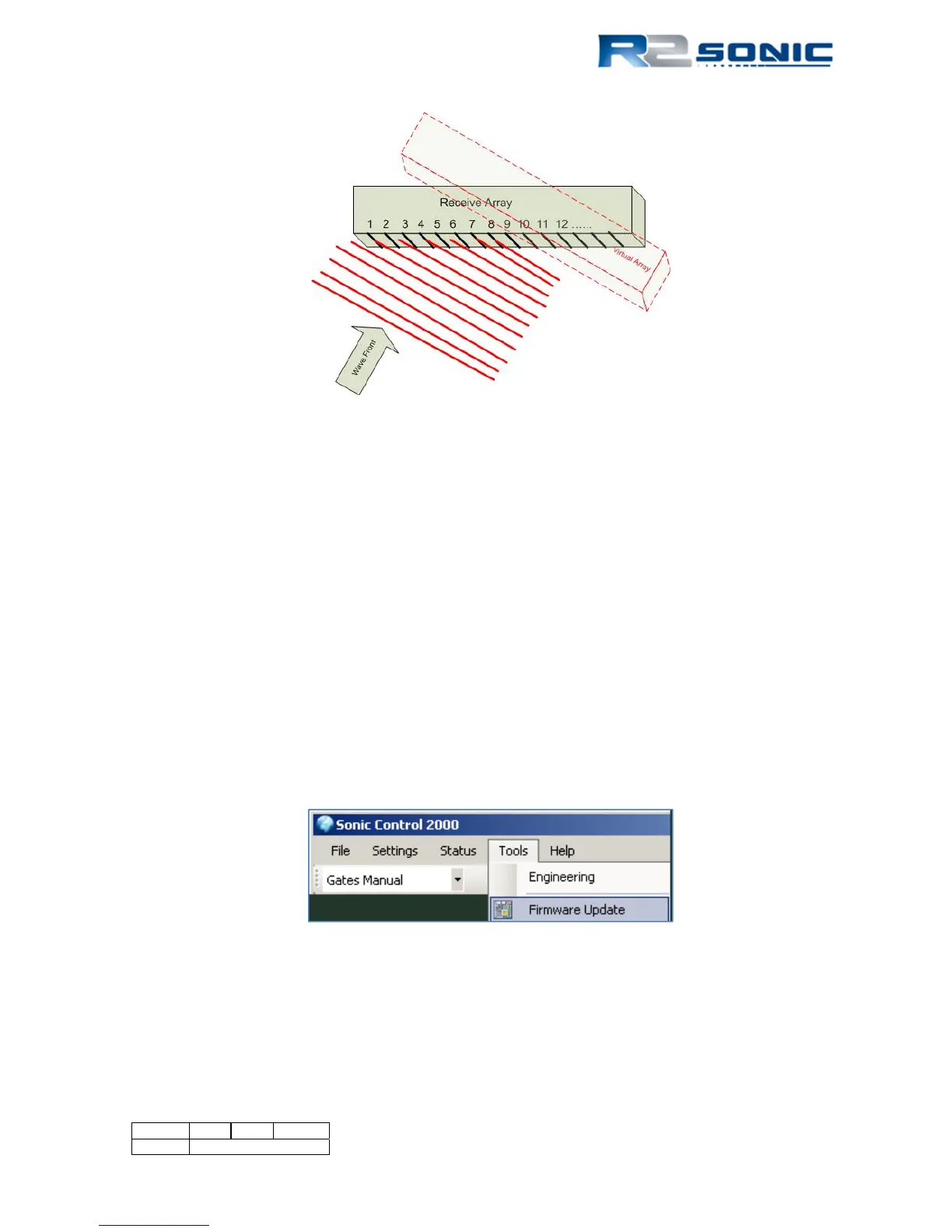
Figure 51: The angular acoustic wave front will strike each receive element at a different time
As the wave progresses across the face, each receive element will see the wave at a slightly different
time and thus a slightly different phase. The formed beam is steered in the direction of the acoustic
wave by selectively adding delay to each receive element’s data until the data is coherent and in
phase. In Figure 46, receive element 1 would have the most delay applied, whereas receive element
8 would have no delay; thus a ‘virtual array’ will be formed.
6.6 Tools | Firmware Upgrade
When R2Sonic issues a firmware upgrade, it will be made available to the customer, allowing the
customer to upgrade their system by themselves. There are two firmware upgrades possible: SIM
upgrade and/or sonar head upgrade. The upgrade file will be designated either Simb$ (SIM) or
Head$ (sonar head); the extension will be *.bin.
Place the upgrade file in a directory on the computer hard drive. Go to Tools | Firmware Upgrade;
use the browse button to search for the correct upgrade file to down load to either the SIM or the
sonar head.
Figure 52: Select Tools; Firmware Upgrade



 To Next Page