Page 42 of 133
Version 3.0 Rev r000
Date 25-08-2010
Part No. 96000001
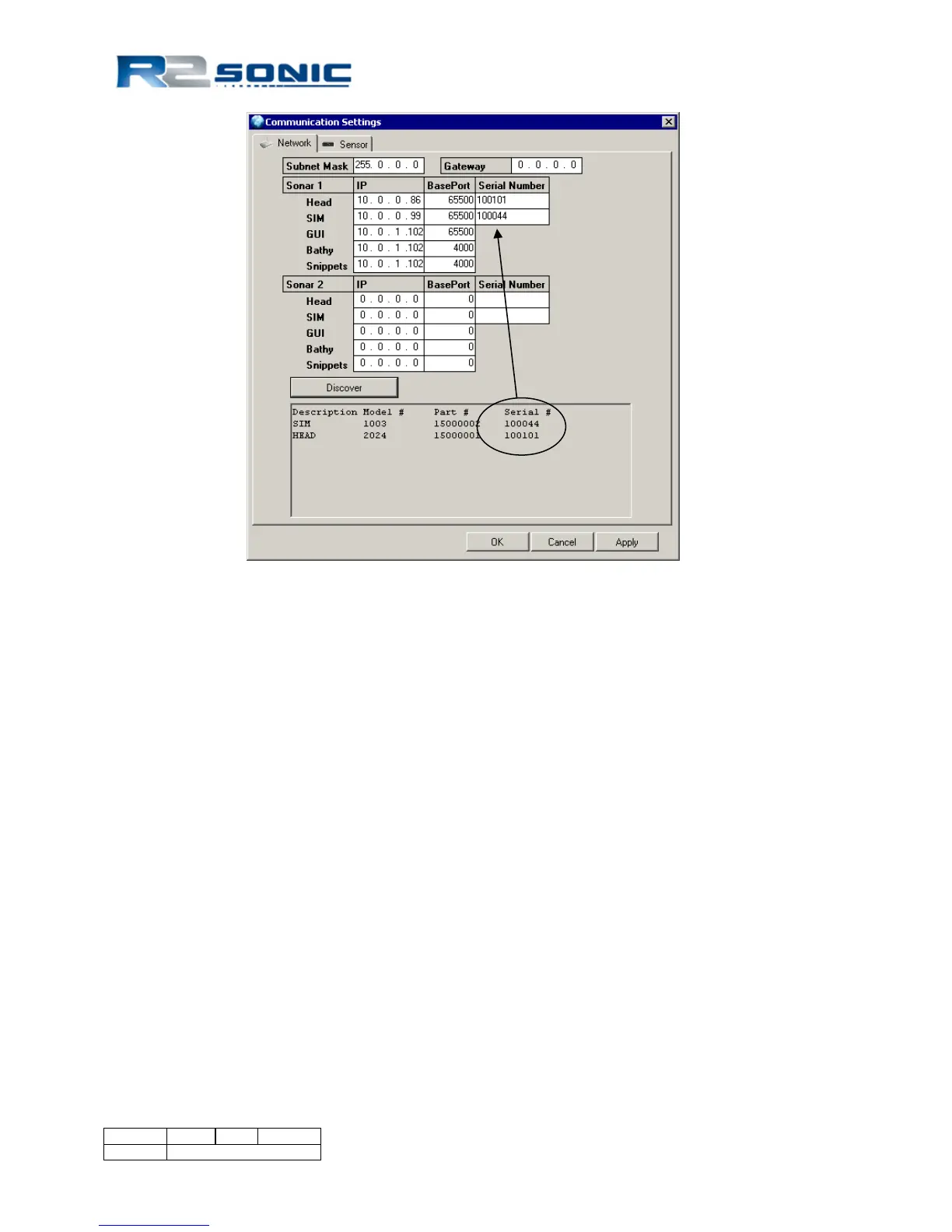
Figure 34: Sonic Control Network setup
Until the correct serial numbers are entered, there will be no communication. Once the correct
serial numbers are entered, click Apply and dots will be visible in the wedge display signifying
communication is established. Using Discover will guarantee that the serial numbers will be entered
correctly and verify Ethernet communication between devices.
6.2.3 Configuring Network Communication
• The network settings allow freedom in selecting IP numbers for various pieces of
equipment.
• The most important settings to get right are the Subnet Mask (upper left corner of the
Network settings dialog) and the GUI IP number. If these numbers are wrong, the Sonic
Control program will not be able to configure the sonar head and SIM. The GUI IP number
and subnet mask, entered in the Network Settings dialog, is the IP address and subnet
mask assigned to the computer that is running the Sonic Control program.
• To verify computer network setup run ipconfig/all from the command line or command
prompt.



 To Next Page