RME EAGLE User Manual Rain Master Irrigation Systems
Page 68 Chapter 6 Setup Key Operations
NOTE: Should you forget to enable the security code, the code will
automatically become enabled at midnight and no one will be allowed to
operate the controller without first entering the security code.
6.7.2 Disabling Security Code (LOCKED Controller)
Once the Security Code feature has been enabled, it will be necessary to enter the security code
every time you wish to operate or change your controller.
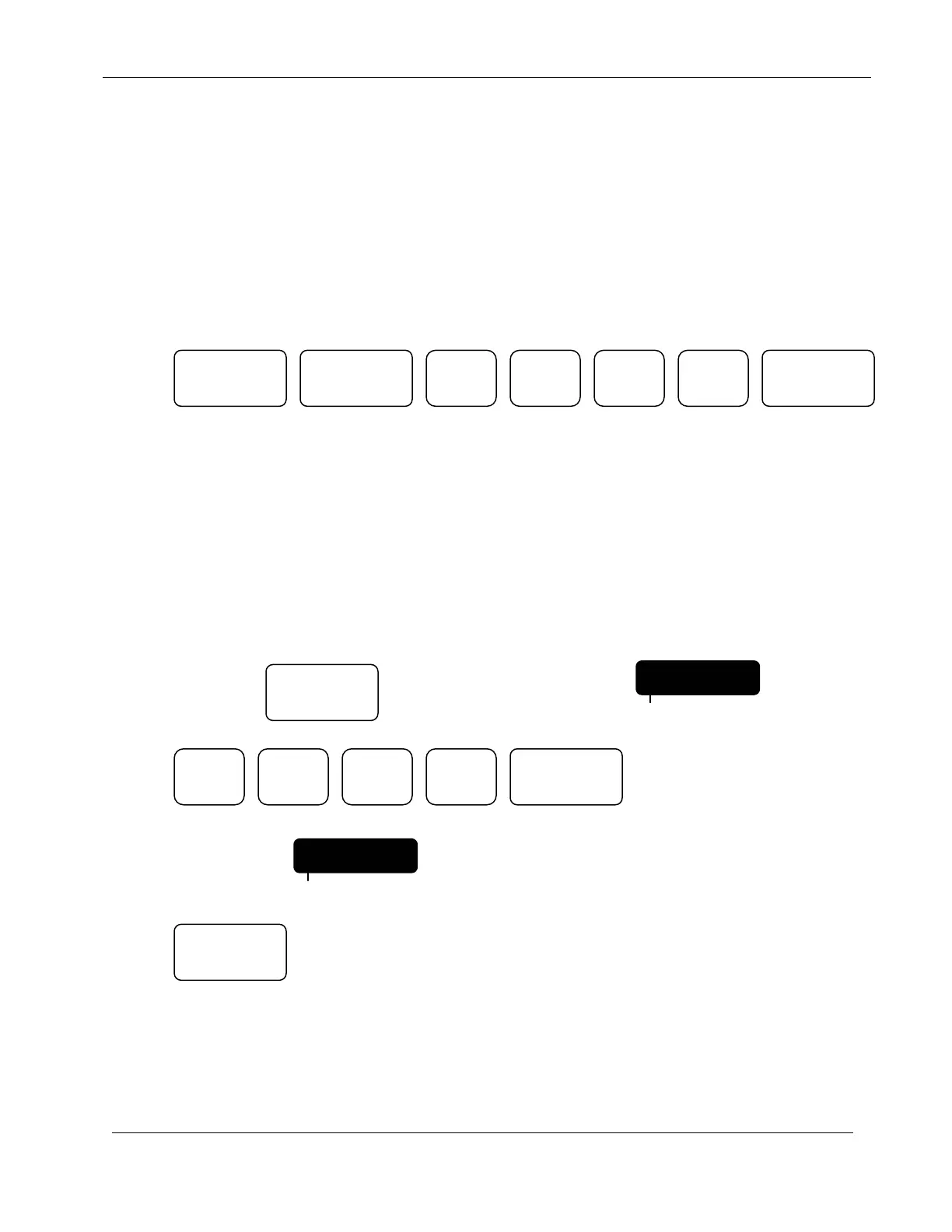
EXAMPLE: To disable the security code used in the previous example,
Press:
The controller will return to the Automatic Mode.
6.7.3 Eliminating Security Code
To eliminate the Security Code completely, you must first disable the security code as described
above.
EXAMPLE: To remove the Security Code,
Continue to Press: Until display indicates: CODE
Press:
Display will indicate:
Press:
The controller will return to the Automatic Mode.
1
ENTER
CODE0000
PROGRAM
MANUAL ENTER
SETUP
CODE1960
PROGRAM
ENTER
QUIT


 To Next Page