Raisecom
ISCOM2600 (B) Series Product Description
Raisecom Proprietary and Confidential
Copyright © Raisecom Technology Co., Ltd.
SNMP interface, Console interface, and USB
interface
Service downlink interfaces (1–24) LEDs
Service uplink interfaces (25–28) LEDs
POE, SYS, PWR1, PWR2, MST, STK, USB, and
SNMP LEDs
PoE mode switching button
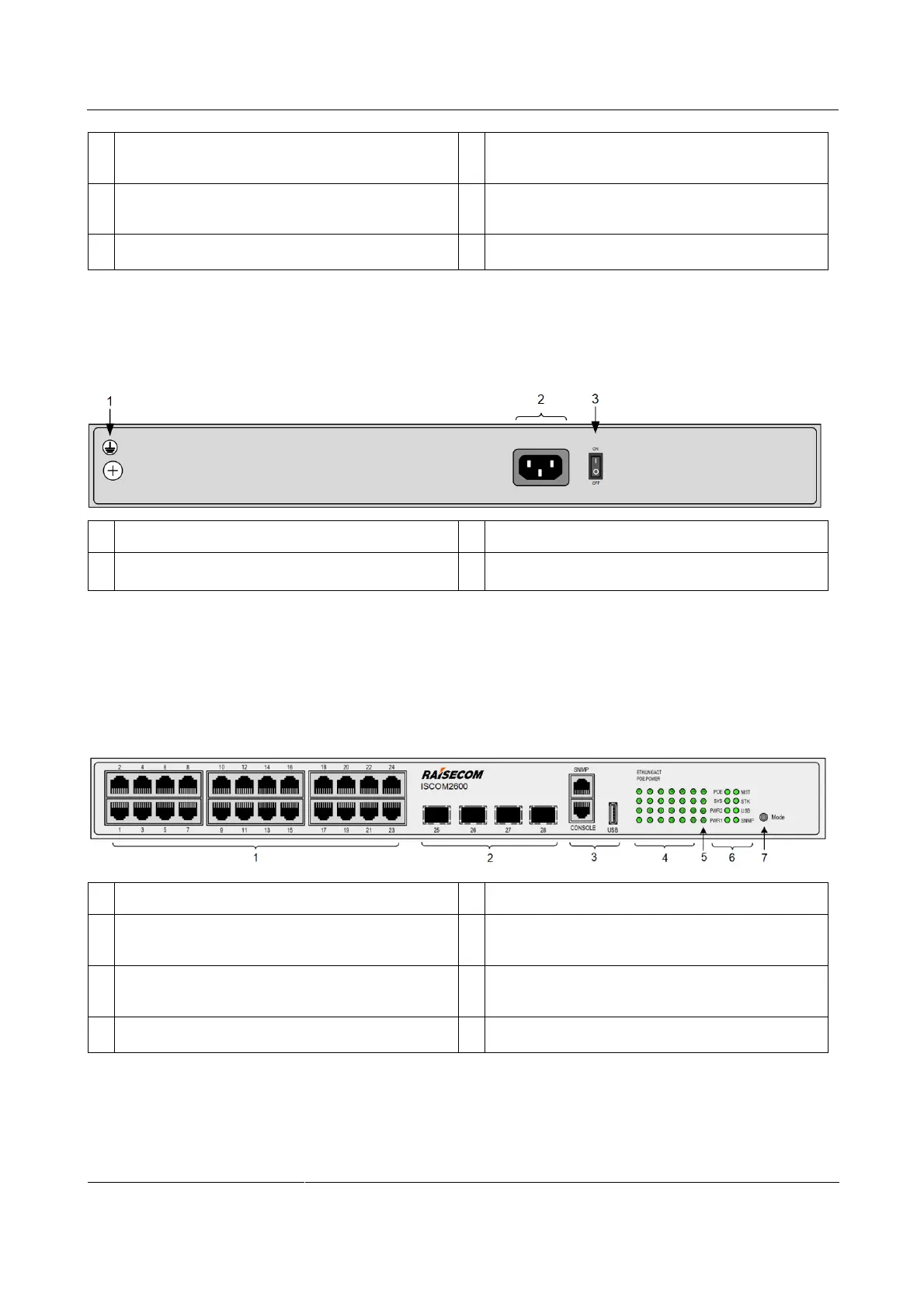
Figure 2-32 shows the rear panel of the ISCOM2600-28X-PWR/PWH-AC/S.
Figure 2-32 Rear panel of the ISCOM2600-28X-PWR/PWH-AC/S
Switch for the power interface
ISCOM2600-28X-PWR/PWH-AC_DC
Figure 2-33 shows the front panel of the ISCOM2600-28X-PWR/PWH-AC_DC.
Figure 2-33 Front panel of the ISCOM2600-28X-PWR/PWH-AC_DC
Service downlink interfaces (1–24)
Service uplink interfaces (25–28)
SNMP interface, Console interface, and USB
interface
Service downlink interfaces (1–24) LEDs
Service uplink interfaces (25–28) LEDs
POE, SYS, PWR1, PWR2, MST, STK, USB, and
SNMP LEDs
PoE mode switching button
Figure 2-34 shows the rear panel of the ISCOM2600-28X-PWR/PWH-AC_DC.



 To Next Page
 Loading...



