Raisecom
ISCOM2600 (B) Series Product Description
Raisecom Proprietary and Confidential
Copyright © Raisecom Technology Co., Ltd.
Table 2-9 Mode button
Press it to
switch the
displaying
mode of the
service
downlink
interface
(1–24)
LED.
If the PoE LED is green after the Mode button is
pressed, it indicates that the service downlink
interface (1–24) LED is the PoE status LED.
Take interface 1 for example.
Green: interface 1 is supplying power through
PoE.
Off: interface 1 is not supplying power through
PoE.
If the PoE LED is off after the Mode button is
pressed, it indicates that the service downlink
interface (1–24) LED is the interface status LED.
Take interface 1 for example.
Green: the link is connected properly.
Blinking: the link is receiving or sending data.
Off: the link is disconnected or connected
improperly.
2.5 Power interfaces
2.5.1 DC power interface
Introduction
The DC power supply provides -48 VDC power.
Interface
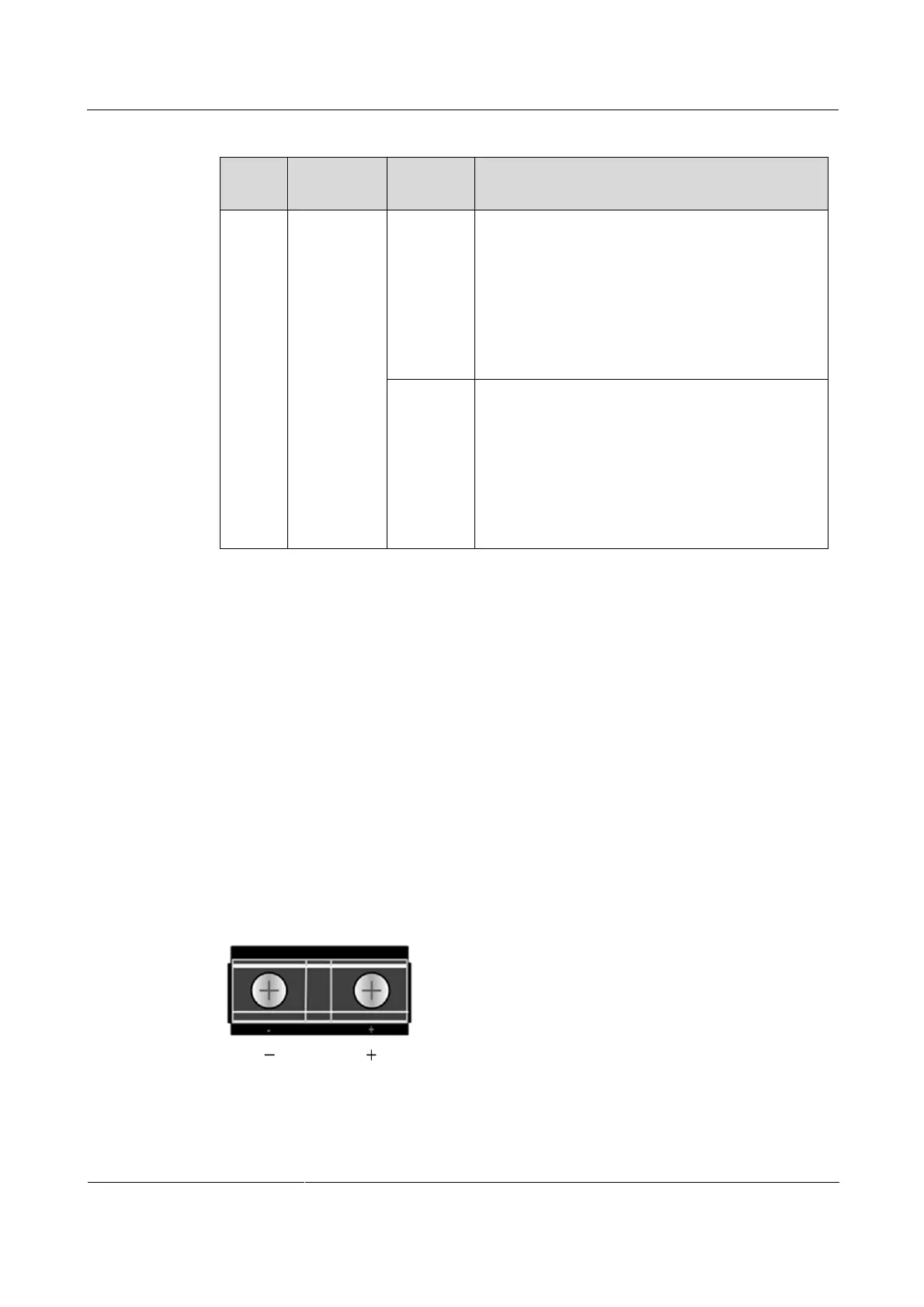
There is a DC power input interface for inputting DC power on the panel of the ISCO2600
series switch, as shown in Figure 2-36.
Figure 2-36 DC power interface
Table 2-10 describes the DC power interface.



 To Next Page
 Loading...



