TND
™
Tablet User Manual 7
2. Getting Started
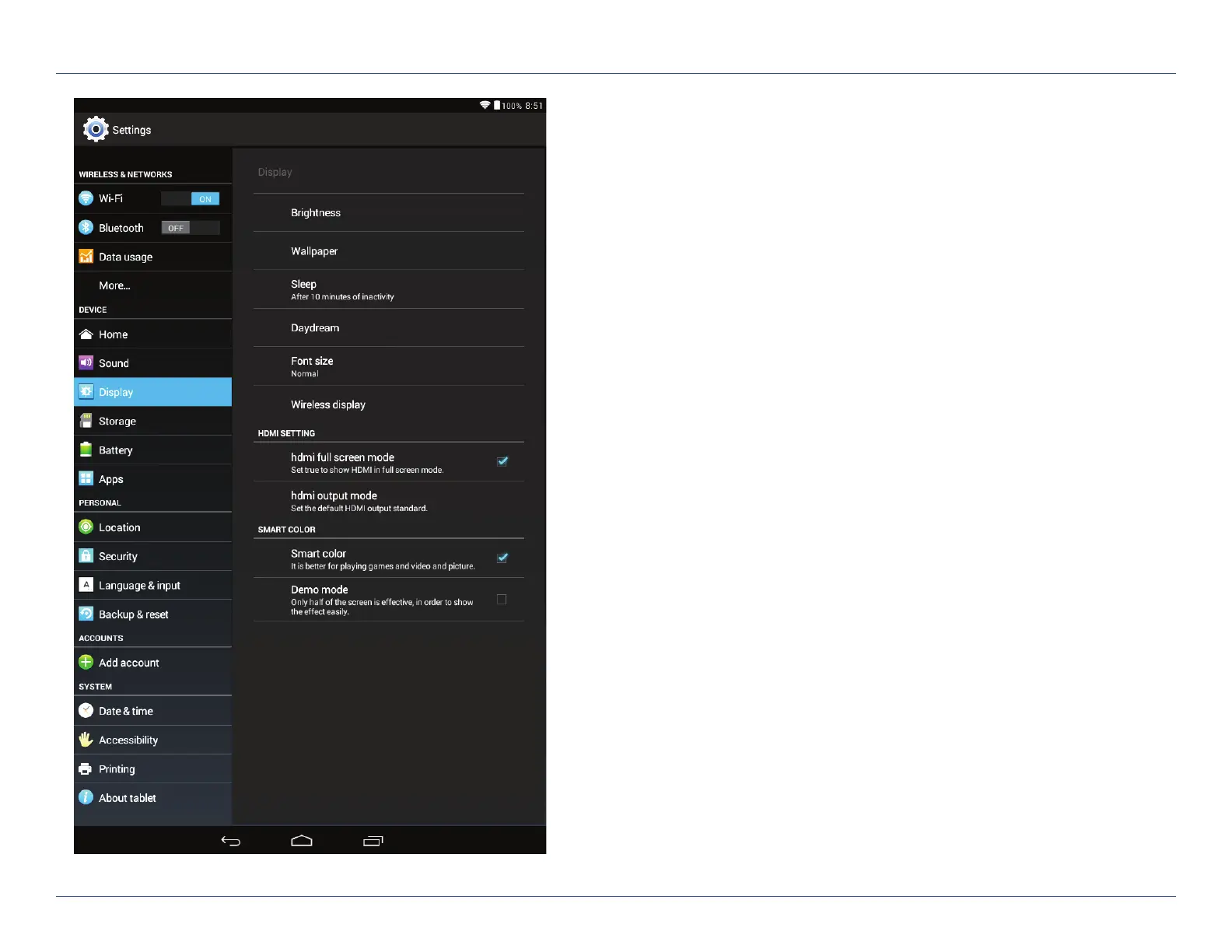
All Settings
Wireless and Networks
• Wi-Fi – View and connect to available Wi-Fi networks.
• Bluetooth – Pair with another device using Bluetooth.
• Data usage – Monitor how much data has been used by different apps.
Device
• Home – Select a different launcher. This will change the home screen
that appears when the tablet powers on.
• Sound – Set volumes for different features and enable/disable sounds.
• Display – Set brightness, wallpaper, and appearance.
• Storage – View how much internal storage is available on your tablet.
• Battery – View time spent on battery and battery power used
by different apps.
• Apps – View apps. Swipe right to view: downloaded, on SD card,
running, all.
For Sales Information Please Contact
RoadTrucker Inc
(www.RoadTrucker.com)
8312 Sidbury Rd.
Wilmington, NC 28411
(800) 507-0482 / (910) 686-4281













 To Next Page