TND
™
Tablet User Manual 8
2. Getting Started
All Settings
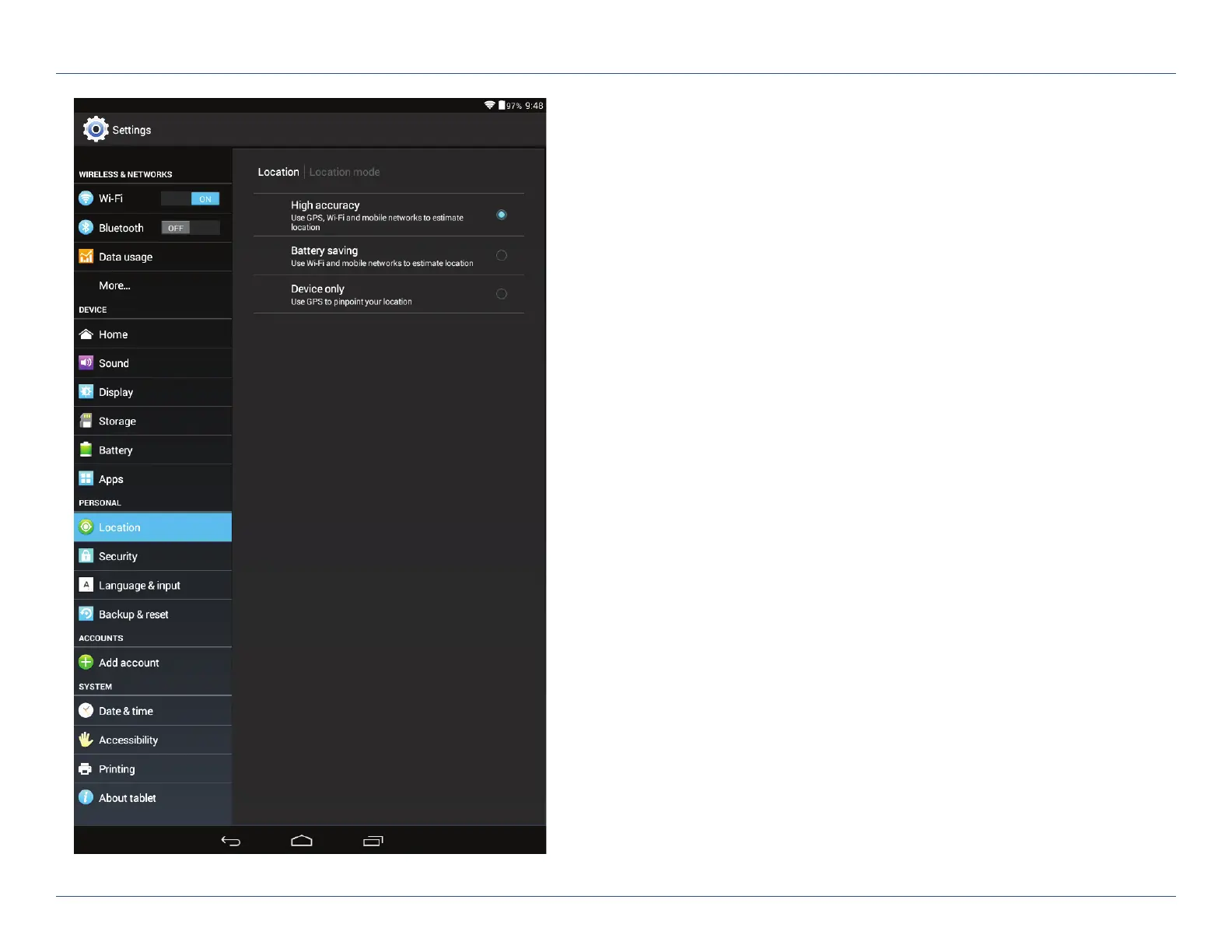
Personal
• Location – View location mode, requests, and reporting.
High accuracy mode is recommended.
• Security – Enable screen security (each time the screen turns on)
and encryption (each time the tablet powers on). Also view
passwords, device administration, and credential storage.
• Language & input – Set language and keyboard information,
as well as speech options and pointer speed.
• Backup & reset – Back up the data stored on your tablet.
Accounts
• Add accounts – Add your email or other accounts.
System
• Date & time – Set date and time, time zone, and clock format.
• Accessibility – Enable spoken feedback to help blind and
low-vision users.
• Printing – Enable printing services.
• About tablet – View network status and version numbers.
For Sales Information Please Contact
RoadTrucker Inc
(www.RoadTrucker.com)
8312 Sidbury Rd.
Wilmington, NC 28411
(800) 507-0482 / (910) 686-4281













 To Next Page