57
8. Press Accept to continue copying the file or press Cancel to select a
different file. A Please Wait prompt will open while the files are being transferred.
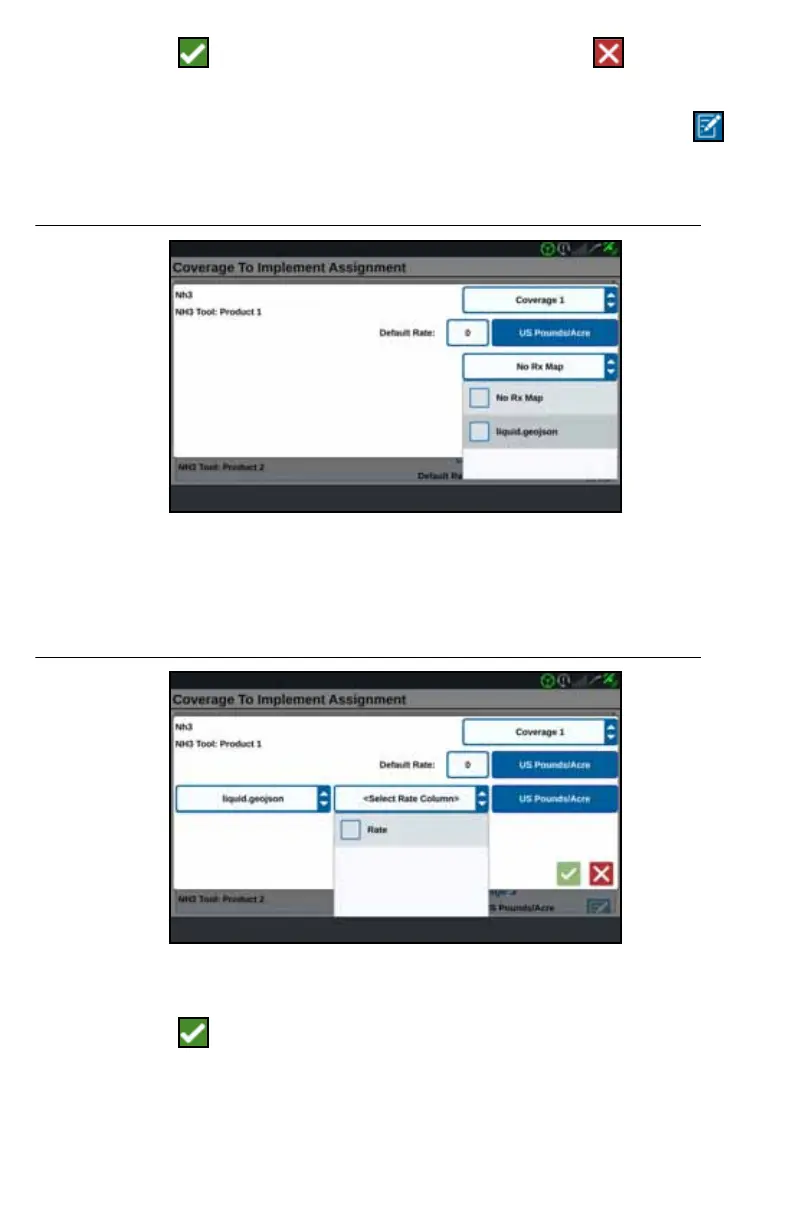
9. Start a job. On the Coverage to Implement Assignment screen select Edit
beside the desired prescription map.
FIGURE 32. Coverage to Implement Assignment
10. Select the desired prescription map from the No Rx Map drop-down.
11. Select Rate from the <Select Rate Column> drop-down.
FIGURE 33. Coverage to Implement Assignment NH3
12. If needed, adjust the units and conversion factor.
13. Press Accept . The Coverage to Implement Assignment window will open
showing the Rx Control for the product.



 To Next Page
 Loading...








