P/N 016-4010-001 Rev. A 9
CALIBRATION
GPS ONLY CALIBRATION
NOTE: The System Information, DTC, and Machine Test screens can be viewed during calibration. For further
information on these settings, refer to the following sections of this manual:
• “System Information” on page 68
• “Diagnostic Trouble Codes (DTC)” on page 61
GPS CALIBRATION
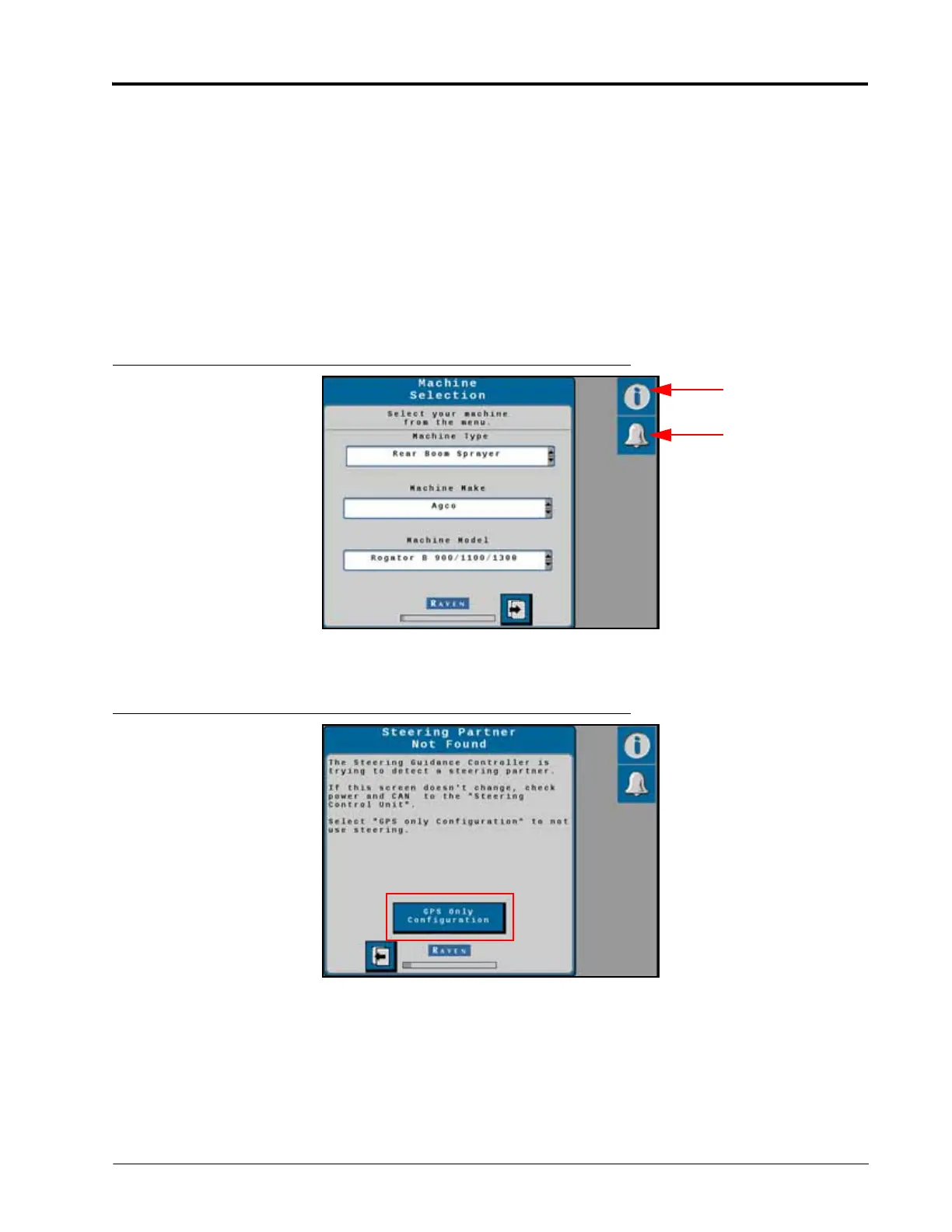
NOTE: The system information for the RS1 can be viewed during calibration by pressing the System
Information icon. To view the Diagnostic Trouble Codes (DTC), press the Alarm icon.
FIGURE 4. Machine Selection Screen
1. Select the Machine Type, Machine Make, and Machine Model from the Machine Selection drop-down boxes.
FIGURE 5. GPS Only Configuration Button
2. Select GPS Only Configuration to begin the calibration process.



 To Next Page
 Loading...





