CHAPTER 6
44 Raven RS1™ Guidance and Steering Calibration & Operation Manual
• Current Wheel Angle - Displays the WAS angle detected during calibration.
• Center Learning - When selected, the Center Learning option the system will continuously correct its
calibrated center position while the machine is steering straight ahead.
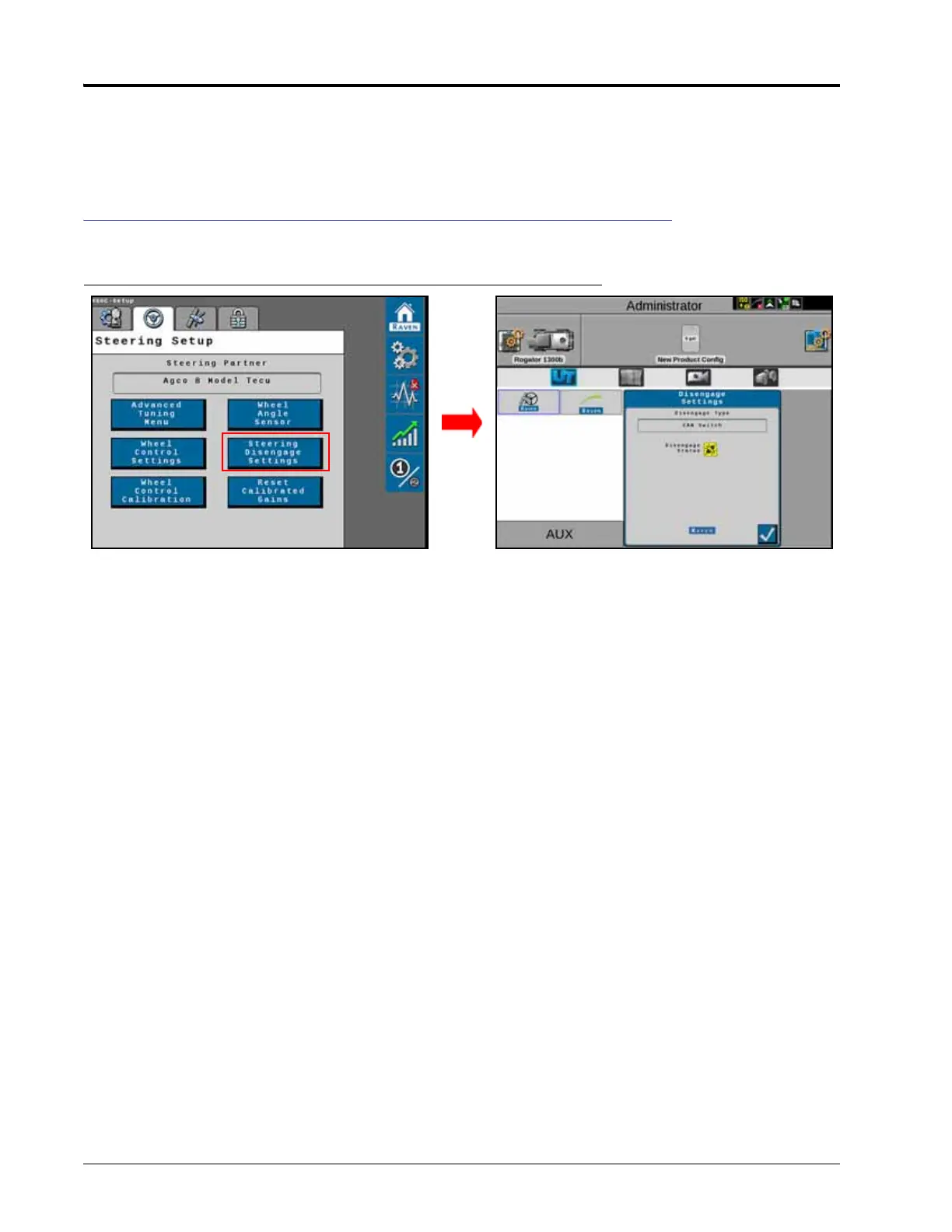
RESUME/DISENGAGE SETTINGS
FIGURE 10. Steering Disengage Settings Screen
• Disengage Type - Displays the type of disengage switch being used in the system. Disengage switch types that
may be displayed in this area include:
◦ CAN Switch
◦ Pressure Transducer
◦ Encoder
◦ Flow Switch
• Disengage Status - Indicates the status of the disengage switch. Disengage switch status types displayed in
this field include:
◦ Green - The disengage switch is detected and the steering wheel is not moving. The RS1 system may be
engaged when this status is displayed.
◦ Red - The disengage switch is detected and the steering wheel is moving. The RS1 system may not be
engaged when this status is displayed.
◦ Yellow - No disengage switch is detected in the system. Turn the steering wheel to activate the disengage
switch. If the disengage switch is not activated, check cabling for loose or missing connections.



 To Next Page
 Loading...





