CHAPTER 11
78 Raven RS1™ Guidance and Steering Calibration & Operation Manual
FIELD UPDATES
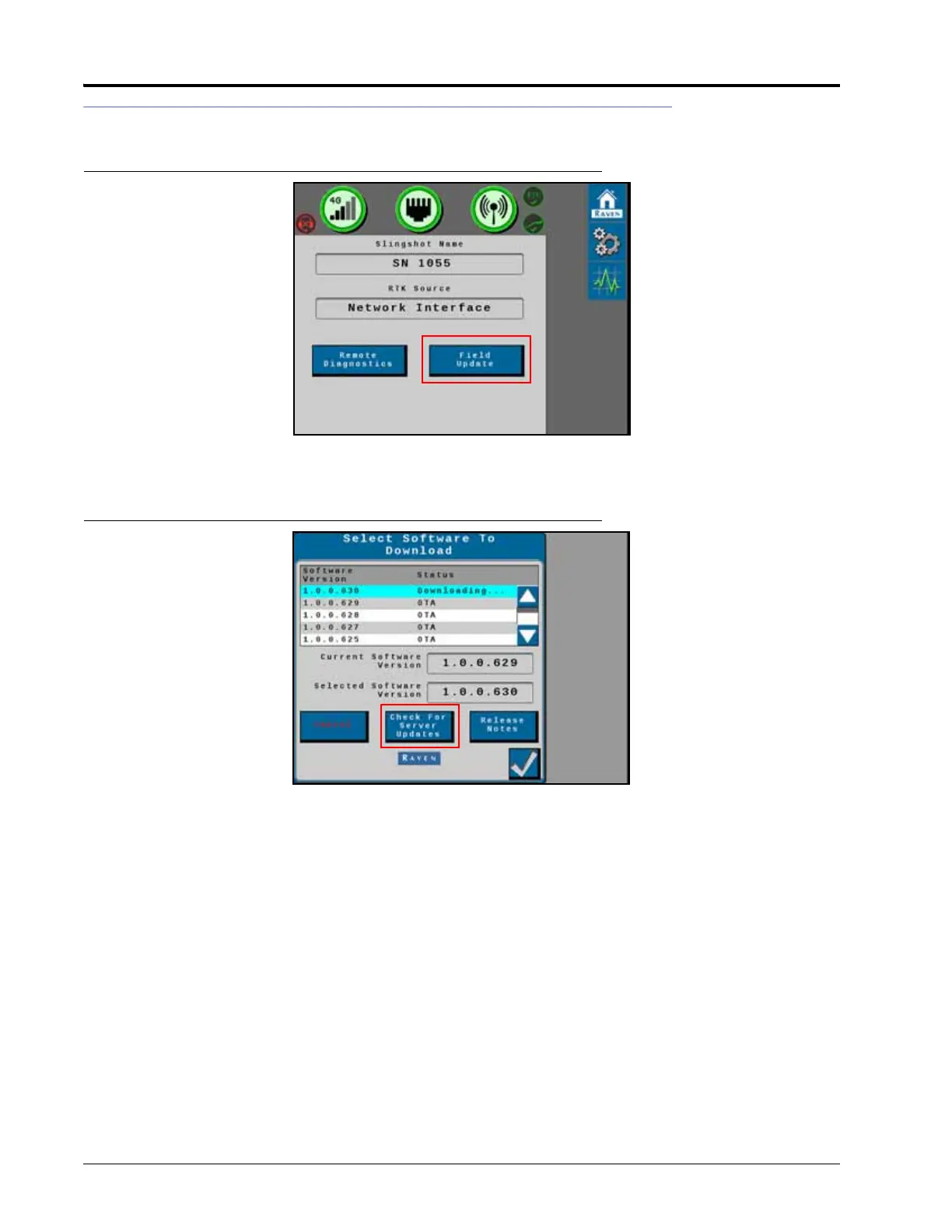
FIGURE 6. Slingshot Hone Screen
1. Select the Field Update button to view the latest software updates for the RS1 unit.
FIGURE 7. Software Download Screen
2. Select Check for Server Updates.
NOTE: This will search the RS1 system for the latest software updates.
3. Select the desired software update from the list.
4. Select Accept.
NOTE: The software is downloaded to the RS1 unit, but is not installed in the system until later in the
procedure.
NOTE: When the button is pressed, the following warning screen appears notifying the user that cellular data
will be used to download the software and asks if the user would like to proceed with the download.



 To Next Page
 Loading...





