CHAPTER 4
28 VSN® Operation Manual
ANALOG VIDEO DISPLAY WIDGET
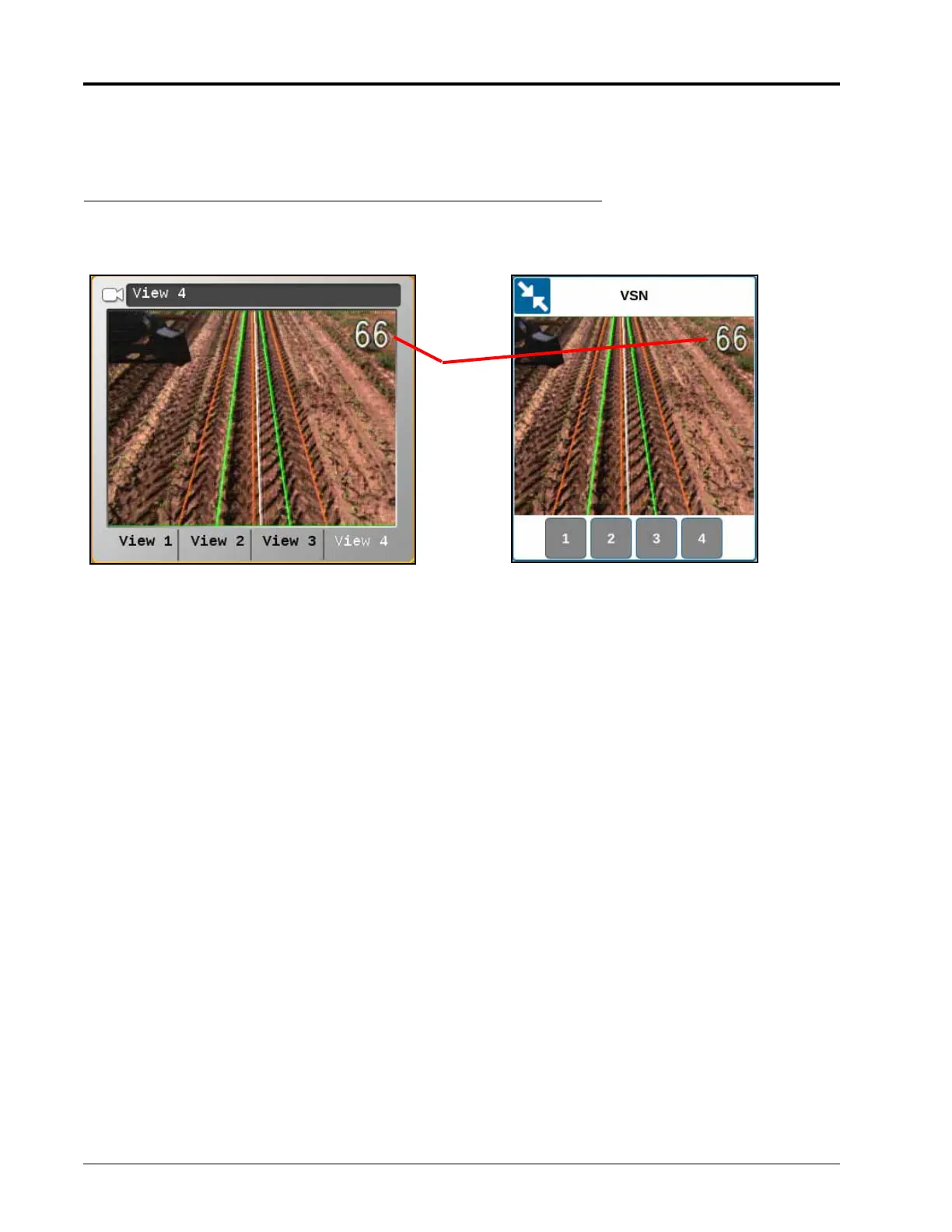
The Analog Video Display widget can be helpful when troubleshooting the visual guidance system.
FIGURE 3. Analog Video Widgets
NOTE: Refer to the Viper/Viper 4+ Installation and Operation manual (P/N 016-0171-539) or CRX Operation
Guide (P/N 016-0171-664) for information on adding widgets.
Solution Quality Display. The solution quality is displayed on the analog video display from the VSN camera.
Vehicle Heading. The current vehicle heading is displayed on the VSN analog video as a white line.
Rows. The green lines shown on the analog video display should correspond with crop rows shown in the video
image.
Furrows. The brown lines displayed in the analog video should correspond to the furrow bottoms.
Solution
Quality
ROS Camera
Widget
CRX Camera
Widget








 To Next Page