Service Manual Rayjet
Adjusting the Mini-Manager Options
Tab „Options“
07/09/2010 Trotec Produktions- und Vertriebs GmbH_Linzer Strasse 156, A-4600 Wels, Austria, Technical Support 21 / 53
tel_+43 (0)7242 239-7000, fax_+43 (0)7242 239-7380, mailto: rayjet@troteclaser.com www.rayjetlaser.com
5 Adjusting the Mini-Manager Options
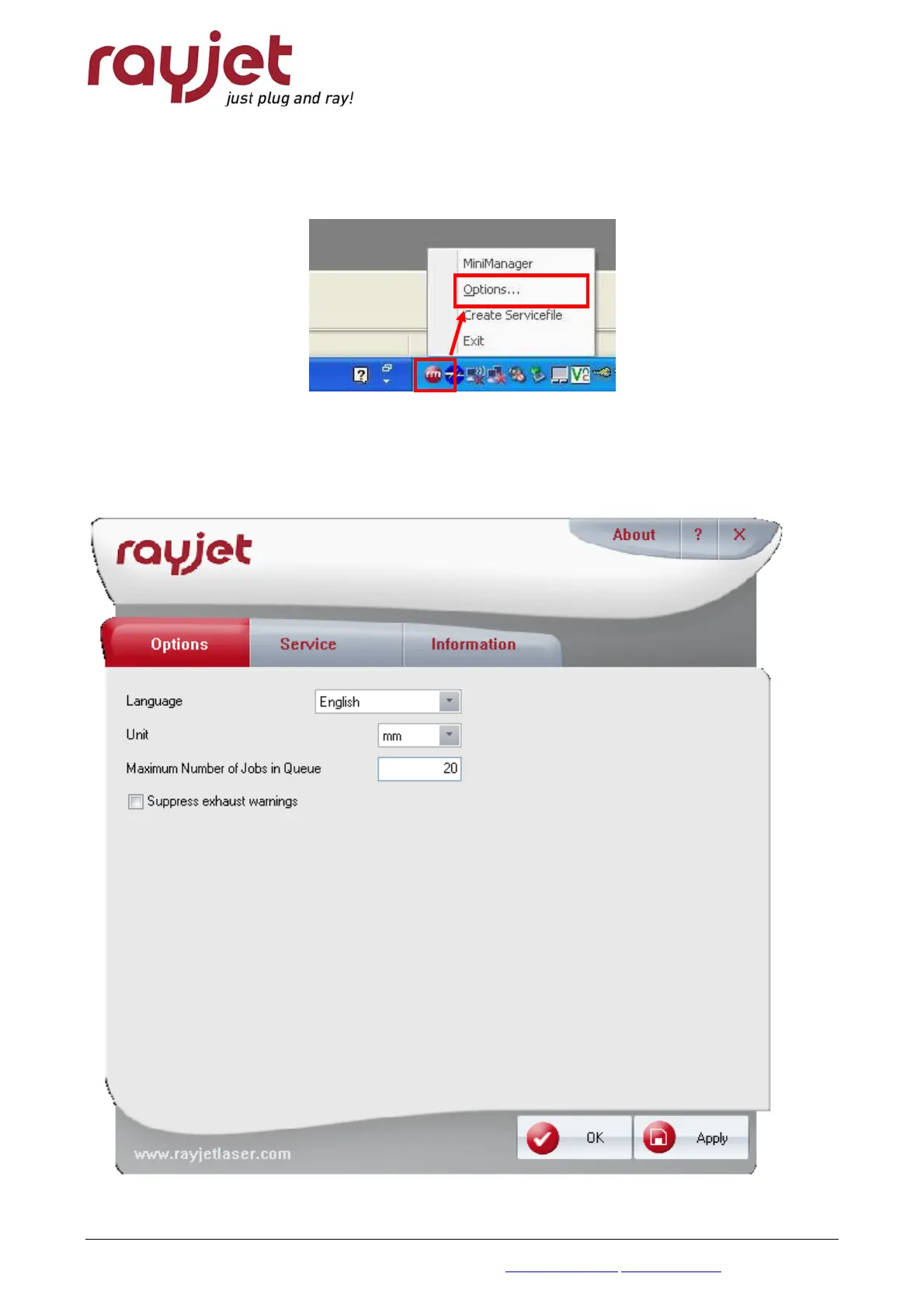
You enter the options menue via right-click on the small red rayjet-icon on the left side of the task
bar when minimanager is active.
5.1 Tab „Options“
Here you can set preferred language and the used unit. Additionally you can set the maximum
number of Jobs which are shown in the Job Queue of the Minimanager ang decide if you want to
suppress warnings of the (Trotec) exhaust system.



 To Next Page