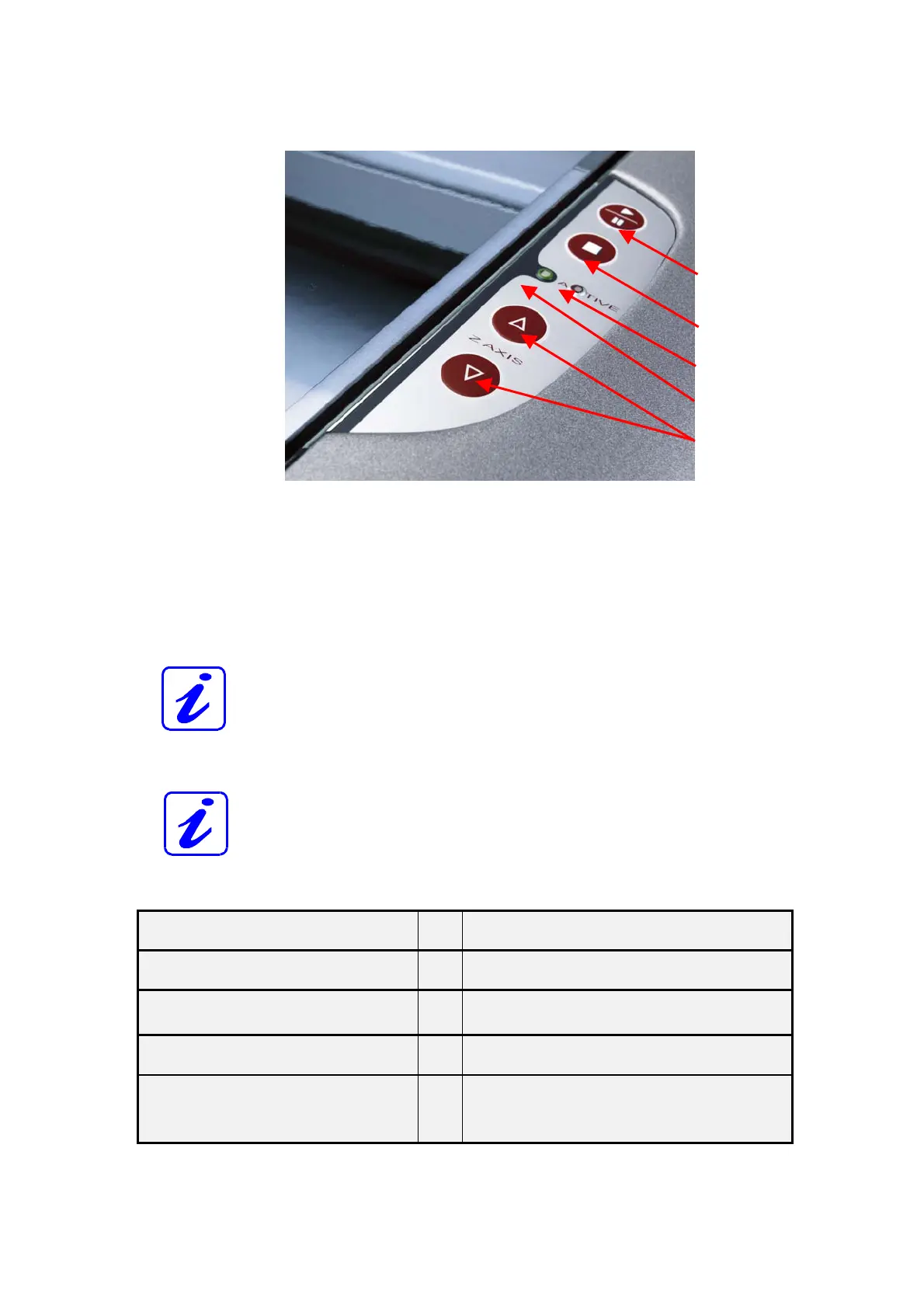
6.2.7 Keypad
2
1 POSITIONING KEYS Z-axis
Use the positioning keys to manually move the working table up and
down.
2 START / PAUSE
Used to start and pause the current working process.
3 STOP
Stops the current working process.
4 / 5 STATUS LEDs (indicate the current status of the device):
green, flashing slowly (0.5 Hz)
4
Rayjet is ready
green, flashing fast (2 Hz)
4
Cover has been opened
green permanent light /
Pause mode
4
Data available in the Rayjet
red permanent light
5
Laser beam is being emitted
green/red flashing alternately
4
+
5
Cover open during switch-on process,
simultaneously acoustic signal -
no referencing
1
3
4
5



 To Next Page