RT-7200 Auto Hematology Analyzer User’s Manual
operation in Chapter 4 “Quality Control”.
Warning: Instrument test object is blood sample; aspiration
of other
substance may lead to instrument malfunction.
3.4.1 Sample data edit
In sample analysis, you can modify sample no. or input sample data. Modification after test
has to be done in “History Data” module, see detail operation in Chapter 6 “History Data”.
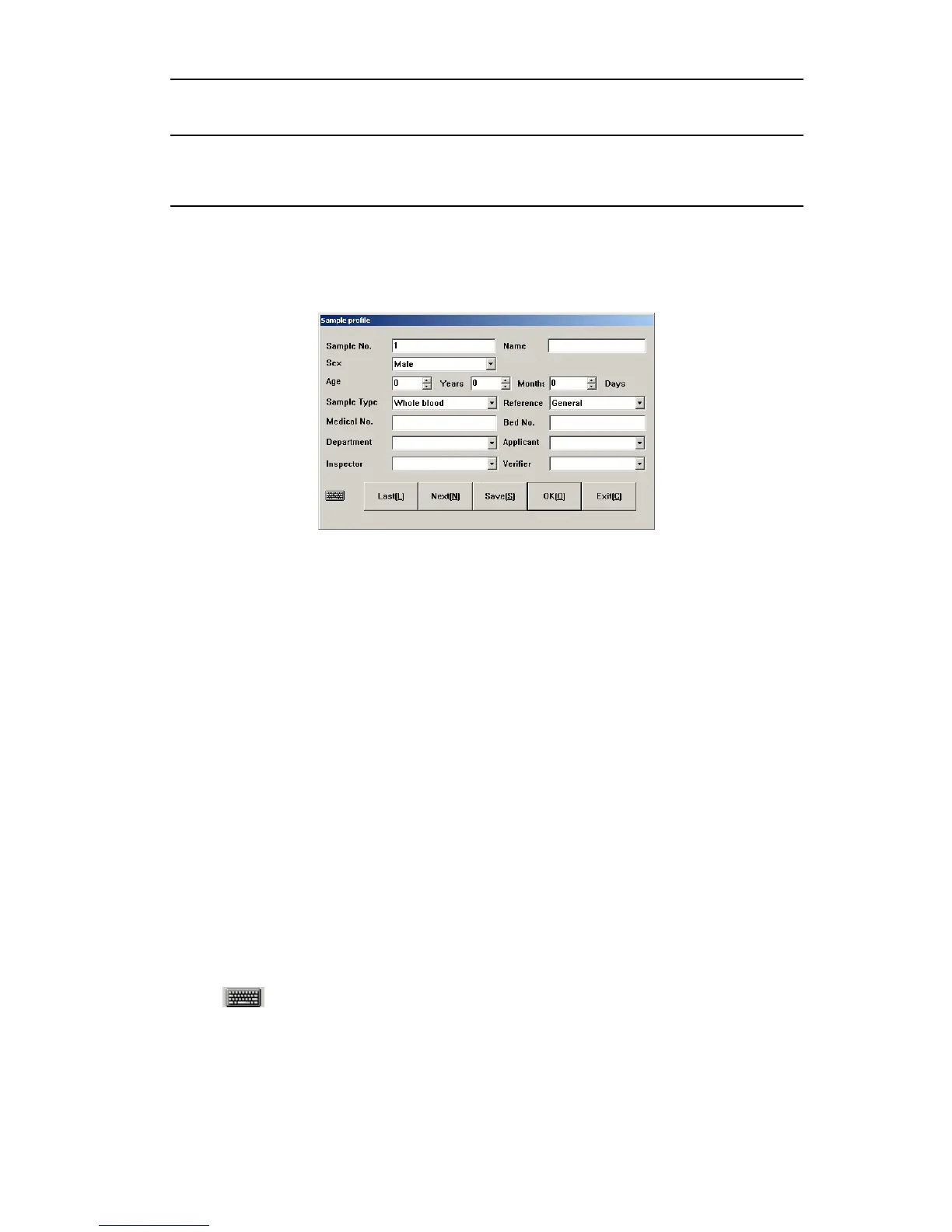
Click “Profile” button, Data Edit menu pops out as follows:
Fig.3-3 Sample data entry
¾ Sample No.: to modify sample no., please input number within 8-digit length in sample
no. box. If this sample No. has existed in system, then the user will be asked to use new
sample no. Otherwise, the system will cover the existed test results. The system will
create sample number from 1 everyday.
¾ Name: maximal 20 letters.
¾ Sex: male or female may be selected, if no chosen, the system default is blank.
¾ Age: for Year, Month and Day, just input one number. If multiple items are input, then if
year is available, then month and day will not be saved, if month is available, the days
will not be saved. Age range is 1-150, month range is 1-30, and day range is 1-90.
¾ Sample type: anti-coagulating whole blood, anti-coagulating peripheral blood and
pre-diluted peripheral blood can be chosen.
¾ Reference: general, male adult, male female, 14-18 years, 6-13 years, 3-5 years, 2
months-2 years, 8 days-1 months, the 1
st
week and user-define value can be selected.
The default is general.
¾ Medical No.: patient medical record no.
¾ Bed No.: number of sick bed of patient.
¾ Department, sender, analyst and checker: directly input or select from dropdown box,
please see detail setting in Chapter 7 “system setting”.
Click “
” to open soft keyboard, as shown below:
16



 To Next Page