RT-7200 Auto Hematology Analyzer User’s Manual
4 Quality Control
Quality control reflects system accuracy and repeatability. Available instrument quality
control program provides reliable and efficient way to check and prevent possible system
error. If there is system error, sample analysis result will be unreliable. To maintain accurate
analysis result, discover and eliminate instrument measurement system error in time, it is
recommended to make regular quality control of instrument.
RT-7200 provides three QC methods, L-J QC, X-B QC and X-R QC.
4.1 L-J QC
In main screen, click “QC” button, choose 20 QC files of “L-J QC”. The system can control
20 parameters at a time. L-J QC uses QC samples for QC analysis.
4.1.1 L-J QC setting
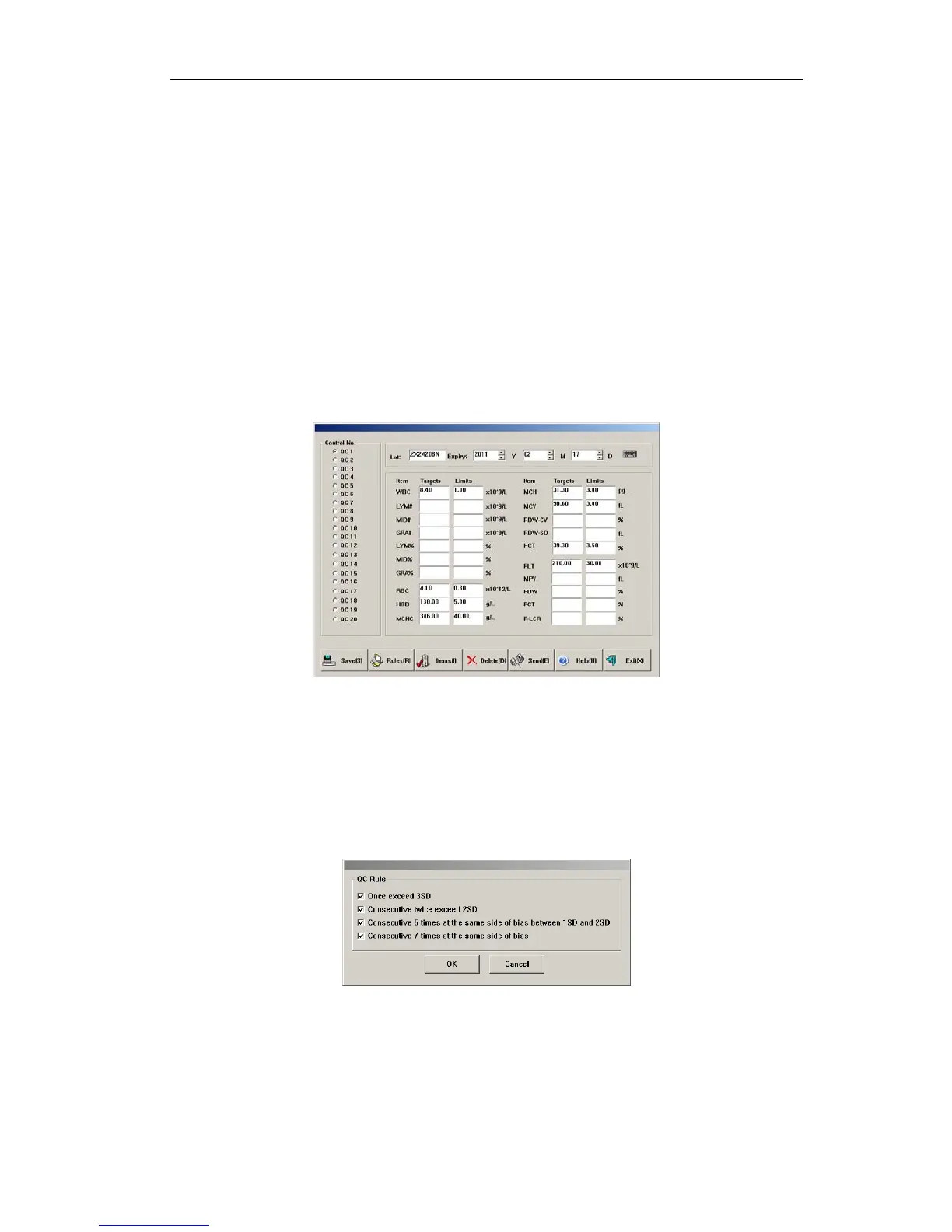
Fig.4-1 L-J QC setting
z Save: select QC file, enter lot No., validity period, parameter targets value and limits,
click “save” button, save QC data of current QC file, if there is data in this QC file, then
update.
z Rules: select QC rules of this QC file, you can unselect, select one or more. System will
make out-of-control determination and alarm in QC test according to these rules. QC
rules frame is shown below:
Fig.4-2 L-J QC criterion
z Items: user may select all parameters for QC, or select part of parameters for QC.
z Delete: delete QC data of QC file currently selected.
z Send: use instrument RS-232 serial port to transfer QC data of QC file currently
selected to designated receiver. Prior to transfer, please use RS-232 serial port cable to
21



 To Next Page