RT-7200 Auto Hematology Analyzer User’s Manual
less than minimum of normal value.
3.4.4 Histogram prompt message
LF1: prompts that region on the left side of lymphocyte peak is abnormal, possibly because
of: platelet coagulation, giant platelet, plasmodium, nucleated red blood cell, non-lysed
red blood cell, abnormal lymphocyte, cryoglobulin.
LF2: prompts that lymphocyte peak and intermediate cell region are abnormal, possibly
because of: heteromorphic lymphocyte, plasma cell, atypical cell, initial cell, eosinophils
and basophils population.
LF3:prompts that the region between intermediate cell area and neutrophil peak is abnormal,
possibly because of: immature granulocyte, abnormal cell and eosinophils.
LF4: the region on the right side of neutrophil is abnormal, possibly because of:
granulocytosis.
PF1: the region on the right side of platelet is abnormal, indicating probable existence of:
large platelet, platelet aggregate, small red blood cell, cell fragment and fibrous protein.
PF2: the region on the left side of platelet is abnormal, indicating probable existence of: small
platelet cell fragment, red blood cell inclusion body and electronic noise interference.
3.4.5 Adjust histogram
When WBC, RBC, PLT automatic classification result fails to meet requirement, the operator
may adjust histogram. Procedure is as follows:
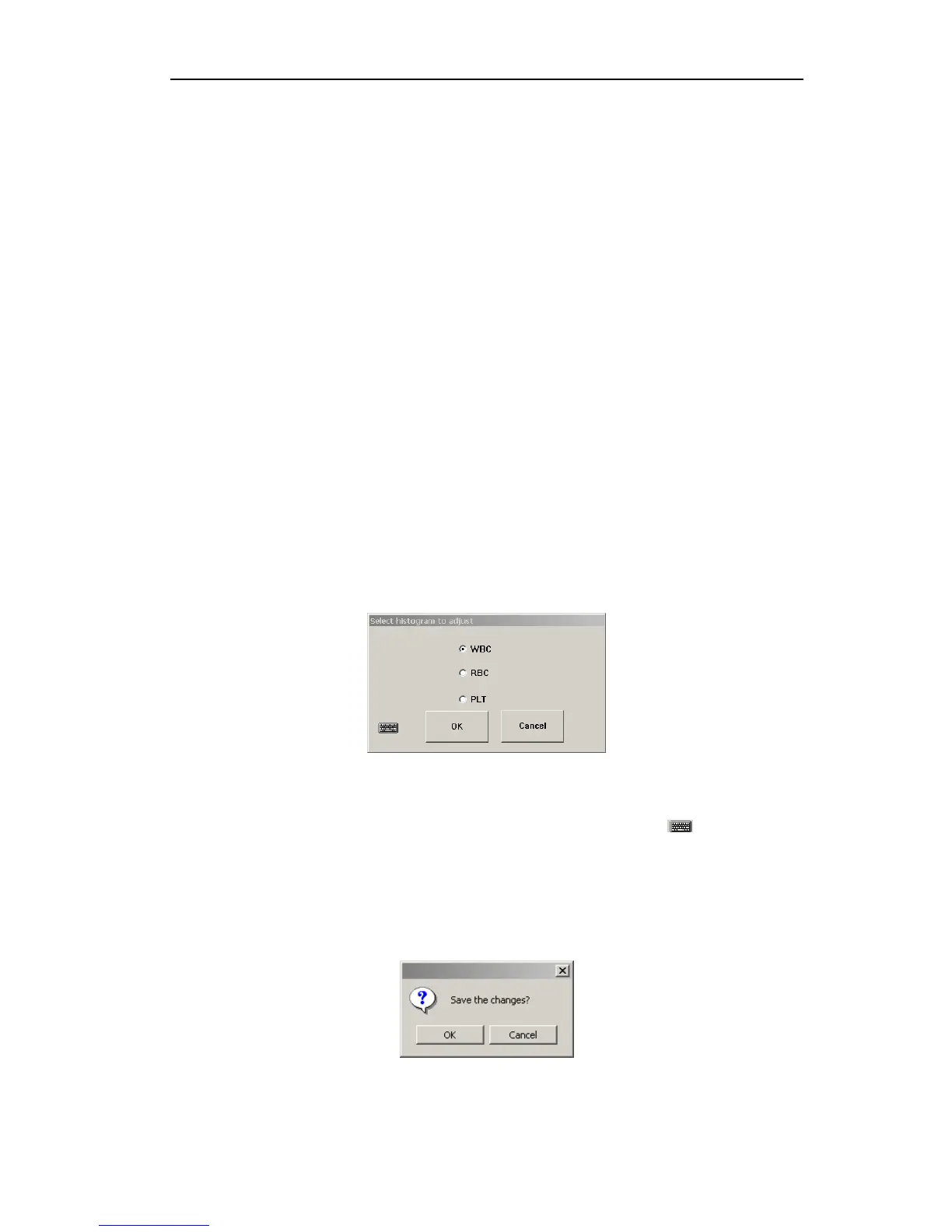
1. In sample test menu, click “Adjust” button, histogram selection frame pops up, as shown
below:
Fig.3-7 Histogram selection
Select histogram to adjust, click “OK” to return; click Cancel, then no histogram will be
chosen. To adjust histogram without external keyboard, click “
” to open soft
keyboard.
2. Use mouse to choose type line, press “←” to move left, “→” to move right. Meanwhile
current volume is shown on left-move type line. WBC diagram has only 2 sign lines to
adjust, both sign lines of RBC and PLT can be adjusted.
3. After adjustment, click “OK” button, confirmation frame will pop up as below:
Fig.3-8 Adjust confirmation
Click “OK” button to save adjust result, click “Cancel” button to cancel this adjustment
19



 To Next Page